The line between desktops and workstations has blurred, but important differences remain in reliability, component quality, and support. This guide helps you decide which is right for your use case.
What Makes a Workstation Different?

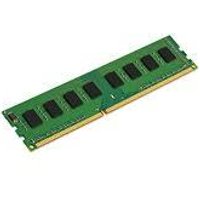
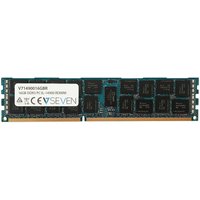
Workstations like the Dell Precision, HP Z-Series, and Lenovo ThinkStation use ISV-certified components tested with professional applications. Key differences include: ECC memory for data integrity, professional GPUs (NVIDIA RTX A-series/Quadro) with certified drivers, dual-socket CPU support for extreme multithreading, and enterprise reliability with 24/7 operation ratings. Consumer desktops trade these features for better gaming performance and lower prices.
When to Choose a Workstation
Choose a workstation if you run CAD/CAM software (SolidWorks, AutoCAD, CATIA), do professional 3D rendering or simulation, need ISV certification for software compatibility, require ECC memory for data-critical work, or need vendor support with next-business-day service. The premium is justified when downtime costs money.
When a Desktop Is Enough
A consumer desktop is sufficient for office productivity, web development, photo editing, video editing (non-critical), gaming, and general-purpose computing. Modern desktops from Dell OptiPlex, HP EliteDesk, and Lenovo ThinkCentre offer excellent reliability without the workstation premium.
Upgrade Paths Compared
Workstations typically offer more RAM slots (up to 8-12 DIMM slots vs 2-4), more storage bays, and PCIe expansion. Consumer desktops max out at 128GB RAM, while workstations can reach 1-2TB. Consider your 3-5 year growth needs when deciding.
Frequently Asked Questions
Can I use a workstation for gaming?
Yes, but professional GPUs are slower than consumer GPUs in games. A Dell Precision with an NVIDIA RTX A4000 will game adequately but an RTX 4070 would be faster and cheaper.
Is ECC RAM necessary?
For most users, no. ECC adds ~30% to RAM cost and requires workstation/server hardware. It is essential for scientific computing, financial modelling, and database servers.