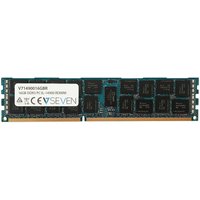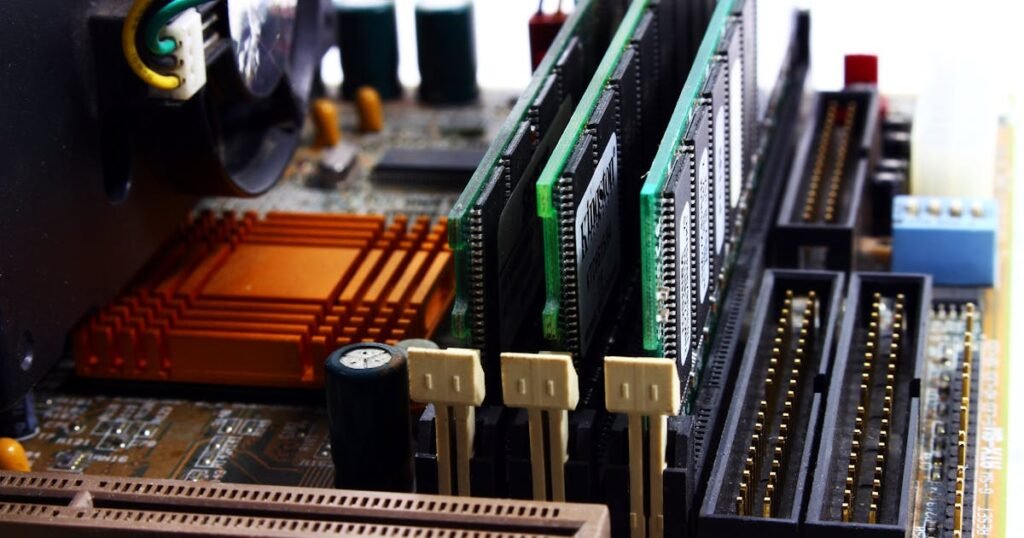
When shopping for RAM upgrades, you might have noticed specifications like “ECC” next to some memory modules. If you’ve wondered what ECC means and whether you need it, you’re not alone. Most computer users never encounter ECC memory because it’s designed for specialist applications, but understanding what it does helps you make informed purchasing decisions – and it might actually matter more than you think for certain workloads.
This guide explains what ECC memory is, how it works, who actually needs it, which systems support it, and whether the extra cost is justified for your use case.
What Is ECC Memory?

ECC stands for Error-Correcting Code, a type of memory that can detect and correct single-bit errors that occur during data processing. Non-ECC memory can detect errors but cannot fix them – when an error occurs, the system crashes or loses data.
Here’s a simple analogy: imagine data as a text message being transmitted. Non-ECC memory is like sending the message without any backup – if a single character gets corrupted, you know something went wrong but can’t fix it. ECC memory is like including error-correction codes that allow the receiver to figure out what the corrupted character should have been, even without retransmitting it.
Single-bit errors do happen in RAM, caused by cosmic radiation, electromagnetic interference, heat, or manufacturing defects. For a typical user working with a single laptop for a day, the probability of hitting a single-bit error is very low. But for large server systems running 24/7 or high-availability systems, the chances increase significantly.
How ECC Works Technically
ECC uses a mathematical algorithm called Hamming code to detect and correct errors. Here’s how it works:
Parity bits: ECC adds extra parity bits to the data. These additional bits encode information about the data in such a way that single-bit errors can be identified and corrected.
Error detection: When data is read from memory, the ECC controller recalculates the parity bits. If the calculated parity doesn’t match the stored parity, an error is detected.
Error correction: The ECC algorithm can identify exactly which bit has been corrupted and flip it back to the correct state – all automatically, without requiring a system restart or data retransmission.
Overhead: For every 64 bits of data, ECC adds approximately 8 bits of parity information. This is why ECC modules are slightly more expensive – they have more silicon dedicated to error correction.
This all happens transparently during normal memory operations. From the system’s perspective, the memory appears to work normally, but with the added benefit of error protection.
ECC vs Non-ECC Memory Comparison
Here’s a detailed comparison of the two technologies:
| Aspect | ECC Memory | Non-ECC Memory |
| Error Detection | Yes, automatic | Yes, but detection only |
| Error Correction | Yes, automatic (single-bit errors) | No, system crashes or data loss |
| Cost per GB | +15–25% more expensive | Standard, baseline cost |
| Speed (Latency) | Negligible difference (~2%) | Baseline |
| Capacity Options | Limited (less common) | Extensive, all capacities |
| System Support | Specialised platforms only | Universal (all consumer systems) |
| Use Case | Servers, workstations, mission-critical | Gaming, general consumer, prosumer |
| Lifespan Benefit | Reduces system crashes from bit flips | Not applicable |
The key trade-off is cost versus reliability. For mission-critical systems where downtime is expensive, the modest cost premium of ECC is worthwhile. For consumer systems, the probability of encountering an error is so low that ECC isn’t necessary.
Who Needs ECC Memory?
ECC Is Essential For:
- Data centres and servers: Systems running 24/7 handling millions of transactions daily. A single-bit error could corrupt a database or financial transaction.
- Financial systems: Banking, trading, accounting systems where data integrity is critical. A single-bit flip in a transaction value could be catastrophic.
- Medical systems: Hospital records, imaging systems, life-support monitoring. Errors could literally be life-threatening.
- Scientific computing: Physics simulations, climate modelling, weather forecasting where millions of calculations are performed. Errors compound across calculations.
- Professional workstations: High-end video rendering, 3D modelling, AI training on multi-socket systems with large memory configurations.
- Redundant/highly-available systems: Systems designed to run without interruption where any memory error would trigger expensive failover procedures.
ECC Is NOT Necessary For:
- Gaming laptops and desktops: Games don’t require absolute data integrity. A single-bit error in a texture won’t crash the game.
- General consumer laptops: Web browsing, word processing, media consumption. Errors are rare and, if they occur, closing and reopening the application fixes it.
- Home office work: Unless you’re handling sensitive financial or medical data, non-ECC is standard.
- Development laptops: Most development doesn’t require ECC, though developers working on critical systems appreciate it for reliability.
- Budget desktops: The cost premium of ECC isn’t justified for consumer-grade systems.
Which Systems Support ECC?
ECC support depends on the CPU and motherboard, not the RAM itself. You can only use ECC RAM if your system’s memory controller supports it.
Processors with Native ECC Support
- Intel Xeon (all generations): Processors designed for servers and workstations. Universal ECC support.
- Intel Xeon W-series: Consumer/prosumer workstation processors with ECC support.
- AMD EPYC: Server-class processors with full ECC support.
- AMD Ryzen Pro and Ryzen Threadripper Pro: Professional consumer/prosumer processors with ECC support.
- Some AMD Ryzen consumer CPUs (AM5 socket): Recent Ryzen 9 7900X3D, Ryzen 9 7950X3D support ECC on compatible AM5 motherboards, though this is not guaranteed on all boards.
Processors WITHOUT ECC Support
- Intel Core i7, i9, i5: Consumer-grade processors do not support ECC, even on high-end models.
- AMD Ryzen 7, Ryzen 9 (consumer): Consumer Ryzen chips do not support ECC (with the rare exceptions above).
- Apple Silicon (M1, M2, M3, etc.): No ECC support. MacBooks use standard memory.
Laptop Models with ECC Support
ECC is rare in laptops because most laptops use soldered RAM. However, some business and professional laptops support ECC with upgradeable modules:
- Lenovo ThinkPad P-series (mobile workstations): High-end models support ECC SODIMM
- Dell Precision mobile workstations: Support ECC RAM
- HP ZBook series: Professional workstation line supports ECC
Desktop Platforms with ECC
- Intel LGA1700 with Xeon W-series: W9-3495X and other W-series CPUs, paired with Intel W790 chipset motherboards
- AMD AM5 with Ryzen Threadripper Pro: Threadripper Pro 5000-series and newer support ECC on compatible TRX40 Pro motherboards
- Legacy: Intel LGA3647 (Xeon Scalable): Still common in enterprise servers
DDR5 and On-Die ECC
DDR5 introduces on-die ECC – error correction built into every DDR5 memory chip. This is different from traditional module-level ECC.
What on-die ECC does:
- Detects and corrects single-bit errors within individual memory chips
- Reduces the risk of multi-bit errors affecting system stability
- Provides a baseline level of data protection for all DDR5 systems
Important: On-die ECC is NOT a replacement for module-level ECC. On-die ECC only protects within the chip itself. Module-level ECC (the traditional type) provides broader protection across the entire memory subsystem and catches errors that on-die ECC misses.
This means:
- All DDR5 systems have some error protection (good news for consumer reliability)
- Servers and workstations still prefer traditional ECC modules for comprehensive protection
- Consumer DDR5 has better reliability than DDR4, but isn’t equivalent to full ECC systems
RDIMM vs UDIMM vs LRDIMM
If you’re shopping for ECC modules, you’ll encounter different form factors:
UDIMM (Unbuffered DIMM):
- Standard desktop and entry-level workstation modules
- Direct connection from the module to the motherboard
- Supports up to 2 modules per channel in most systems
- Lower cost, suitable for small systems (1–4 sockets)
RDIMM (Registered DIMM):
- Includes a register that buffers signals between the module and motherboard
- Supports more modules per channel (up to 3–4 in some configurations)
- Higher capacity per module (up to 1TB per module in next-gen systems)
- Used in mid-to-large servers and workstations
LRDIMM (Load-Reduced DIMM):
- Uses a buffer chip to reduce electrical load on the memory controller
- Allows extremely high memory densities (10s of TB per system)
- Used in large-scale data centre deployments
- Expensive, specialized hardware only
For most users considering ECC, UDIMM or RDIMM are the relevant options. Check your motherboard documentation to see which types it supports.
Performance Impact of ECC
One common concern is: “Does ECC slow down my system?” The answer is: not meaningfully.
Real-world benchmarks show that ECC memory introduces a performance penalty of 0–3%, and this is typically imperceptible. The overhead is primarily during the calculation of parity bits, which is a simple mathematical operation that modern CPUs handle efficiently.
In most scenarios, the performance difference is within the margin of error. If you compare a high-end non-ECC system and an equivalent ECC system, they’ll perform almost identically in gaming, productivity, and content creation tasks.
The decision between ECC and non-ECC should be driven by reliability and availability needs, not performance.
Cost Considerations
ECC modules typically cost 15–25% more than equivalent non-ECC RAM. For a consumer, this adds up:
- 64GB non-ECC DDR5: ~£350–450
- 64GB ECC DDR5 RDIMM: ~£450–600
- Difference: ~£100–150 premium
For a business or professional user, this premium is negligible compared to the cost of downtime or data loss. For a consumer gamer, the cost premium isn’t justified because the probability of needing ECC is vanishingly small.
Recommended ECC Memory Products
| Product | Type | Capacity | Speed | Best For |
| Kingston Server Premier ECC DDR5 | RDIMM | 16GB–192GB | DDR5-4800 | Enterprise servers, Xeon systems |
| Crucial ECC SODIMM DDR5 | SODIMM | 16GB–64GB | DDR5-5600 | Professional laptops, compact workstations |
| Samsung ECC RDIMM DDR5 | RDIMM | 16GB–256GB | DDR5-4800 | High-capacity servers, workstations |
| Corsair ECC DDR5 UDIMM | UDIMM | 16GB–128GB | DDR5-5600 | Workstations, small servers |
| G.Skill ECC SODIMM DDR5 | SODIMM | 16GB–64GB | DDR5-5600 | Professional laptops, ThinkPad P-series |
Prices and availability may vary. As an Amazon Associate, we earn from qualifying purchases.
Frequently Asked Questions
Does ECC RAM work in non-ECC motherboards?
No, not properly. ECC modules are physically compatible with non-ECC motherboards (they have the same slot type), but the ECC functionality won’t activate. The memory will run as standard non-ECC RAM, and the parity bits will be ignored. There’s no performance penalty, but you’re paying extra for features you can’t use. Only install ECC in systems that specifically support it.
Is DDR5 on-die ECC the same as real ECC?
No. On-die ECC is a baseline level of protection built into DDR5 chips. Traditional module-level ECC (using RDIMM or UDIMM modules) provides broader system-level protection. For servers and mission-critical systems, traditional ECC is still strongly preferred. For consumer DDR5, on-die ECC is a bonus reliability feature, not a replacement for module-level ECC.
Does ECC slow down performance?
No, not meaningfully. Real-world benchmarks show a 0–3% performance difference, which is usually imperceptible. Choose ECC based on reliability needs, not performance concerns. For detailed comparisons, see our guide on DDR4 vs DDR5 RAM.
Can I mix ECC and non-ECC memory?
No. You should never mix ECC and non-ECC modules in the same system. The memory controller would be unable to apply error correction consistently, and system stability would be compromised. Use one type or the other exclusively.
Do I need ECC for video editing?
For most video editors, no. Standard non-ECC DDR5 or DDR4 is sufficient. However, if you’re editing critical broadcast or cinema footage where data loss is unacceptable, or if you’re running a large-capacity system (128GB+) where the statistical probability of a bit error increases, ECC adds valuable protection. For the vast majority of content creators, the cost premium isn’t necessary, but it’s not harmful either.
What about AMD Ryzen and ECC — does it actually work?
ECC support on consumer AM5 Ryzen systems is limited and motherboard-dependent. Some recent Ryzen CPUs have the capability, but not all AM5 motherboards enable it. If ECC is critical for your use case, opt for Ryzen Threadripper Pro instead, which has guaranteed ECC support. For workstations, Intel Xeon W-series remains the more reliable choice with universal ECC support.