Affiliate disclosure: this page contains affiliate links — if you buy through them we may earn a commission at no extra cost to you. As an Amazon Associate we earn from qualifying purchases.
Quick Specs Summary
Correction (September 2026): this page previously described an “HP ZBook Fury 15 G10”. No such machine exists — HP’s 15-inch Fury line ended at the G8, and the G9 and G10 generations are 16-inch only. The page now covers the HP ZBook Fury 16 G10, and the memory, storage and charger figures below have been corrected accordingly.
| Spec | Details |
|---|---|
| Display | 16.0″ 16:10 (WUXGA, WQUXGA or DreamColor 4K) |
| CPU | 13th Gen Intel Core HX-series (up to Core i9-13950HX) |
| RAM Type | DDR5-5600 SO-DIMM (non-ECC) or DDR5-4800 ECC SO-DIMM |
| RAM Slots | 4 |
| Max RAM | 128GB |
| Storage | 4 × M.2 2280 NVMe PCIe Gen 4 |
| Charger | 150W / 200W / 230W HP Smart 4.5mm barrel (varies by GPU) |
Can You Upgrade the HP ZBook Fury 16 G10?
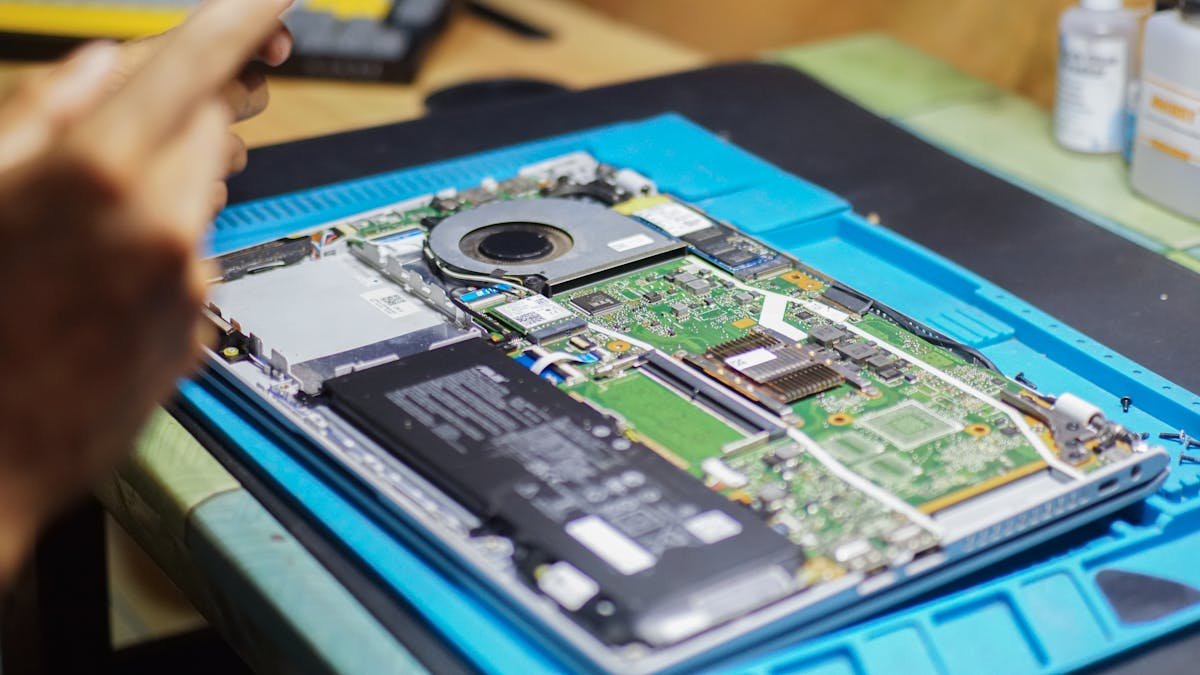
Yes, and it is one of the most upgradeable machines HP ships. The Fury 16 G10 is a mobile workstation: memory and storage sit under a single service panel, and the chassis is built on the assumption that they will be changed. Unlike a thin-and-light, nothing here is soldered — all four memory slots and all four M.2 slots are user-accessible.
RAM Compatibility
The HP ZBook Fury 16 G10 uses DDR5-5600 SO-DIMM memory across 4 slots, supporting up to 128GB in total (4 × 32GB). Both non-ECC and ECC modules are offered depending on configuration; HP rates ECC SO-DIMMs at DDR5-4800 and DDR5-5600 applies to non-ECC only.
Worth knowing before you buy: populating all four slots causes the memory controller to clock the modules down — in four-DIMM configurations the platform runs at roughly 4000 MT/s rather than the rated 5600 MT/s. If you want maximum bandwidth rather than maximum capacity, two larger modules will be faster than four smaller ones. Mixing ECC and non-ECC modules is not supported; pick one and stay with it.
Compatible RAM Modules
| Module | Capacity | Speed | Price* |
|---|---|---|---|
| Kingston Fury Impact SO-DIMM | 32GB | DDR5-5600 | View on Amazon |
| Crucial DDR5 SO-DIMM | 32GB | DDR5-5600 | View on Amazon |
| Samsung DDR5 SO-DIMM | 32GB | DDR5-5600 | View on Amazon |
| Kingston Server Premier ECC SO-DIMM | 32GB | DDR5-4800 ECC | View on Amazon |
SSD/Storage Compatibility
The HP ZBook Fury 16 G10 has four M.2 2280 slots running PCIe Gen 4 NVMe, all user-accessible. That is unusual even among workstations, and it means you can run a fast boot drive alongside a large scratch or project volume without external storage. RAID configurations are supported in BIOS.
Compatible SSD Drives
| Model | Capacity | Type | Price* |
|---|---|---|---|
| Samsung 990 PRO | 2TB | M.2 2280 NVMe Gen 4 | View on Amazon |
| WD Black SN850X | 2TB | M.2 2280 NVMe Gen 4 | View on Amazon |
| SK Hynix Platinum P41 | 2TB | M.2 2280 NVMe Gen 4 | View on Amazon |
| Crucial T500 | 2TB | M.2 2280 NVMe Gen 4 | View on Amazon |
Charger Compatibility
The HP ZBook Fury 16 G10 ships with an HP Smart 4.5mm barrel adapter, rated 150W, 200W or 230W depending on the processor and graphics fitted. Higher-TDP RTX Ada configurations use the larger adapters. Check the label on your original brick and match or exceed it — an under-rated adapter will charge slowly, throttle the machine under load, or refuse to charge at all while the system is working.
Do not buy a 65W or 100W USB-C GaN charger for this machine. The Fury 16 G10 does support USB-C Power Delivery charging as a convenience, but USB-C PD tops out at 240W under the current standard and typical laptop GaN bricks supply 65–100W — nowhere near what a Core i9 HX plus an RTX Ada GPU draws. USB-C is fine for topping up overnight; it is not a replacement for the barrel adapter when you are actually working.
Compatible Chargers
| Charger | Wattage | Type | Price* |
|---|---|---|---|
| HP Smart AC adapter (4.5mm) | 230W | Barrel | View on Amazon |
| HP Smart AC adapter (4.5mm) | 200W | Barrel | View on Amazon |
| HP Smart AC adapter (4.5mm) | 150W | Barrel | View on Amazon |
Dock & Peripheral Compatibility
The HP ZBook Fury 16 G10 carries Thunderbolt 4 over USB-C alongside USB-A, HDMI and RJ-45, so it works with Thunderbolt and USB-C docks. Bear in mind that a dock powering the machine over USB-C is subject to the same wattage ceiling described above — a 100W dock will keep the battery topped up at idle but will not hold charge during sustained rendering or compilation.
Upgradeability Score Breakdown
| Component | Rating | Notes |
|---|---|---|
| RAM | Excellent | 4 user-accessible SO-DIMM slots, 128GB ceiling, nothing soldered |
| SSD | Excellent | 4 × M.2 2280 Gen 4 slots, BIOS RAID support |
| Charger | Fair | Proprietary HP 4.5mm barrel; USB-C PD only as a supplement |
| Overall | Excellent | Among the most serviceable mobile workstations on sale |
How to Upgrade
RAM upgrade: power the machine off, unplug it and disable the internal battery in BIOS if your configuration offers that option. Release the bottom cover and lift it away. Two SO-DIMM slots sit exposed on the board; the other two are underneath a shield or beneath the keyboard on some configurations — consult the HP Maintenance and Service Guide for your exact unit before prying. Release the retaining clips, lift each module out at roughly 30 degrees, seat the replacement at the same angle and press down until both clips latch. Fill slots in the order HP specifies so the machine boots in dual-channel.
SSD upgrade: with the cover already off, locate the M.2 2280 slots and remove the single retaining screw on each. Drives lift out at about 30 degrees. Seat the new drive, press it flat and refit the screw — do not overtighten. If you are cloning rather than reinstalling, fit the new drive to an empty slot first and clone across, which avoids needing an external enclosure entirely.
Frequently Asked Questions
What RAM does the HP ZBook Fury 16 G10 use?
It uses DDR5-5600 SO-DIMM memory across 4 slots, to a maximum of 128GB. ECC and non-ECC modules are both offered, but they cannot be mixed.
Why does my RAM run slower than 5600 MT/s?
Because all four slots are populated. The platform drops to roughly 4000 MT/s in four-DIMM configurations. Two 32GB modules will run faster than four 16GB modules while giving you the same 64GB.
How many SSDs can the HP ZBook Fury 16 G10 take?
Four, all M.2 2280 NVMe PCIe Gen 4, and all user-accessible. BIOS supports RAID across them.
What charger does the HP ZBook Fury 16 G10 need?
An HP Smart 4.5mm barrel adapter rated 150W, 200W or 230W depending on the CPU and GPU fitted. Match the rating printed on your original adapter. USB-C Power Delivery charging works but will not sustain the machine under load.
Is there an HP ZBook Fury 15 G10?
No. HP’s 15-inch Fury line ended with the ZBook Fury 15 G8. From the G9 generation onward the Fury is 16-inch only, so the current equivalents are the Fury 16 G9, G10 and G11.
Recommended Products
- DDR5-5600 SO-DIMM memory on Amazon
- M.2 2280 NVMe Gen 4 SSDs on Amazon
- HP Smart 4.5mm AC adapters on Amazon
Related HP Upgrade Guides
- HP Battery Replacement: EliteBook, Pavilion & OMEN Step-by-Step
- Best RAM for HP Laptops in 2026
- HP Upgrade Guide
Not sure what fits? Use our free Compatibility Checker covering 3,195+ models.
Helpful Guides
Upgrades that fit the HP ZBook Fury 16 G10 Mobile Workstation PC
What fits: Memory: DDR5-5600 SO-DIMM, 4 user slots, up to 128GB · Storage: M.2 (length unconfirmed) NVMe PCIe 4.0
Spec source: h20195.www2.hp.com (checked 26 Sep 2026).
As an Amazon Associate we earn from qualifying purchases. Prices & availability shown on Amazon.
DDR5 SO-DIMM memory that fits
*Indicative UK street prices, shown for guidance only. These are not live Amazon prices and change frequently — check the current price on Amazon before buying.