Lenovo’s IdeaPad line covers consumer and budget laptops across multiple tiers: IdeaPad 1, 3, 5, and Slim. These laptops prioritize affordability and portability, making them popular with students and everyday users. Upgrading RAM and storage is straightforward and cost-effective. This guide covers IdeaPad models from recent generations, detailing DDR4 vs DDR5 transitions, maximum RAM capacity, and compatible SSD options.
Lenovo IdeaPad Compatibility Master Table
The table below lists popular IdeaPad models across the 1, 3, 5, and Slim families, showing the DDR4/DDR5 split by generation.
| Series/Model | RAM Type | Max RAM | SSD Type | Max SSD | Charger |
|---|---|---|---|---|---|
| IdeaPad 1 (11/14) | DDR4 SODIMM | 16GB (2×8) | M.2 SATA | 512GB | 45W USB-C |
| IdeaPad 3 Gen 7 (14/15) | DDR4 SODIMM | 32GB (2×16) | M.2 NVMe | 1TB | 65W USB-C |
| IdeaPad 3 Gen 8 (14/15) | DDR5 SODIMM | 32GB (2×16) | M.2 NVMe | 1TB | 65W USB-C |
| IdeaPad 5 Gen 7 (14/16) | DDR4 SODIMM | 32GB (2×16) | M.2 NVMe | 1TB | 65W USB-C |
| IdeaPad 5 Gen 8 (14/16) | DDR5 SODIMM | 32GB (2×16) | M.2 NVMe | 1TB | 65W USB-C |
| IdeaPad Slim 5 Gen 7 | DDR4 SODIMM | 32GB (2×16) | M.2 NVMe | 1TB | 65W USB-C |
| IdeaPad Slim 5 Gen 8 | DDR5 SODIMM | 32GB (2×16) | M.2 NVMe | 1TB | 65W USB-C |
Understanding DDR4 vs DDR5 by Generation
DDR4 IdeaPad Models (Gen 7 and earlier)
IdeaPad 3 Gen 7, IdeaPad 5 Gen 7, and IdeaPad Slim Gen 7 use DDR4 SODIMM memory. These are cost-effective, mature, and widely available. Most ship with 8GB or 16GB, leaving room for upgrade.
Upgrade recommendation: If your IdeaPad Gen 7 came with 8GB, adding a second 8GB DDR4 SODIMM module doubles capacity to 16GB for about £30–40. This is the most cost-effective upgrade and handles everyday tasks, office work, and light streaming.
DDR4 SODIMM modules to consider:
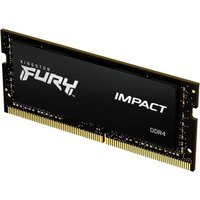
- Kingston Fury DDR4-3200 8GB SODIMM — Budget-friendly, reliable
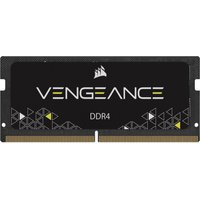
- Corsair Vengeance DDR4-3200 8GB/16GB SODIMM — Solid option with good availability
- Crucial DDR4-3200 16GB SODIMM — Excellent value for larger capacity
DDR5 IdeaPad Models (Gen 8 and later)
Newer IdeaPad models (Gen 8 onwards) transition to DDR5 SODIMM, offering faster data rates. DDR5 modules are progressively cheaper but still command a premium over DDR4.
Upgrade recommendation: For DDR5 IdeaPads, upgrading from 8GB to 16GB by adding a second module costs £40–60. If you’re maximizing, 32GB total (2x16GB DDR5) provides exceptional future-proofing for £100–150 total.
DDR5 SODIMM options:
- Kingston Fury DDR5-5600 16GB SODIMM — Standard, widely available
- Crucial DDR5-5600 16GB SODIMM — Reliable choice
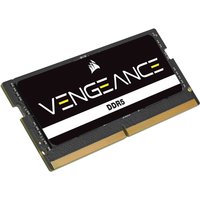
- Corsair Vengeance DDR5-5600 16GB SODIMM — Premium option
SSD Upgrade Guide

IdeaPad 1 — SATA Drives
The budget IdeaPad 1 uses older M.2 SATA SSDs (not NVMe). These are slower than NVMe but sufficient for basic computing. Most ship with a 256GB or 512GB SATA drive.
Upgrade recommendation: If capacity is your concern, upgrading to a 512GB M.2 SATA SSD costs £30–50. SATA SSDs have largely been phased out, so options are limited. Consider these:
IdeaPad 3, 5, and Slim — NVMe Drives
Higher-end IdeaPads use M.2 NVMe SSDs (PCIe 3.0 or 4.0), which are significantly faster than SATA. Most ship with a 512GB NVMe drive; upgrading to 1TB is popular and costs £40–70.
Upgrade recommendation: For everyday use, a 512GB–1TB PCIe 3.0 NVMe is sufficient. For content creators or power users, upgrade to a 1TB PCIe 4.0 drive for faster file operations.
Popular NVMe options:
- Samsung 970 EVO Plus 1TB (PCIe 3.0) — Budget-friendly, proven reliability
- Samsung 990 EVO 1TB (PCIe 4.0) — Excellent balance of speed and cost
- Crucial P5 Plus 1TB (PCIe 4.0) — Great alternative, reliable
- WD Blue SN570 1TB (PCIe 3.0) — Budget option
IdeaPad Charger Notes
IdeaPad chargers are typically USB-C based. The IdeaPad 1 uses a 45W charger, while IdeaPad 3, 5, and Slim models use 65W chargers. USB-C chargers are universal; a 65W charger will safely charge a 45W device, but the reverse may result in slow charging.
Replacement chargers are readily available:
Common Upgrade Paths
Student Upgrade: £30–50
Add an 8GB DDR4/DDR5 module to reach 16GB total. This handles note-taking, document editing, web browsing, and light multitasking. Perfect for students on a budget.
Content Creator Upgrade: £80–120
Combine 16GB RAM (8GB + 8GB) with a 512GB-to-1TB NVMe SSD upgrade. Suitable for light photo editing, video transcoding, and general creative work alongside consumer applications.
Professional/Power User Upgrade: £120–180
Maximize both RAM to 32GB (2x16GB DDR5) and upgrade to a 1TB NVMe SSD. This setup supports heavy multitasking, professional software, and future-proofs your IdeaPad for 3+ years.
Frequently Asked Questions
Is my IdeaPad DDR4 or DDR5?
Check your model number. IdeaPad Gen 7 and earlier use DDR4. IdeaPad Gen 8 and newer use DDR5. You can also open System Information on Windows (Win + Pause/Break), though DDR type isn’t directly shown; the easiest way is to consult Lenovo’s product page for your specific model.
Can I upgrade my IdeaPad 1 to NVMe if it has SATA?
No. The IdeaPad 1’s M.2 slot is wired for SATA only. NVMe drives use a different signal protocol and will not work. Stick with M.2 SATA drives (which are becoming harder to find) or consider a USB-C external SSD for extra storage.
How much RAM do I need for everyday use?
8GB is the minimum for comfortable browsing and office work. 16GB is the practical sweet spot for multitasking, video conferencing, and streaming simultaneously. 32GB is overkill for consumer use but provides future-proofing if you’re planning to keep the laptop for 5+ years.
Will upgrading my SSD make my IdeaPad faster?
Yes, noticeably. Upgrading from a 256GB to a 512GB–1TB SSD speeds up Windows startup, application launches, and file transfers. The CPU and RAM determine overall responsiveness; the SSD affects how quickly data moves. A fast NVMe drive reduces stuttering during large file operations.
Can I use both SODIMM slots on my IdeaPad?
Yes. All IdeaPad 3, 5, and Slim models have two SODIMM slots. Most ship with one module populated; the second slot is usually empty, allowing you to add another module. IdeaPad 1 models typically have only one or two non-upgradeable slots; check your specific model.
Recommended Products
These are the products we recommend based on this guide. All links go to Amazon UK where you can check current prices and availability.
| Product | Why We Recommend It | Amazon UK |
|---|---|---|
| Corsair Vengeance DDR4 SO-DIMM 32GB (2×16GB) 3200MHz | Best overall DDR4 upgrade kit | View on Amazon UK |
| Kingston Fury Impact DDR4 SO-DIMM 32GB (2×16GB) 3200MHz | Reliable alternative with tight latency | View on Amazon UK |
| Corsair Vengeance DDR5 SO-DIMM 32GB (2×16GB) 5600MHz | Top-rated DDR5 kit for gaming & productivity | View on Amazon UK |
| Kingston Fury Impact DDR5 SO-DIMM 32GB (2×16GB) 5600MHz | Excellent DDR5 alternative with XMP support | View on Amazon UK |
| Samsung 990 Pro 2TB NVMe M.2 2280 | Fastest consumer NVMe — ideal for gaming & editing | View on Amazon UK |
| WD Black SN850X 2TB NVMe | Excellent Gen4 speed with heatsink option | View on Amazon UK |
| Crucial P5 Plus 1TB NVMe | Great value Gen4 SSD | View on Amazon UK |
| Kingston NV2 1TB NVMe | Budget-friendly with solid reliability | View on Amazon UK |
Prices and availability may vary. As an Amazon Associate, we earn from qualifying purchases.
Related Lenovo Upgrade Guides
- Lenovo Battery Replacement: ThinkPad, IdeaPad & Legion Step-by-Step
- Best RAM for Lenovo ThinkPad in 2026
- Lenovo ThinkSystem SR665 V3 RAM & SSD Upgrade Guide (2023)
- Lenovo ThinkSystem SR665 RAM & SSD Upgrade Guide (2020)
- Lenovo ThinkSystem SR645 RAM & SSD Upgrade Guide (2020)
- Lenovo Upgrade Guide
Not sure what fits? Use our free Compatibility Checker covering 3,195+ models.
Helpful Guides
Related Resources
- Laptop Upgrade Compatibility Checker — Check RAM, SSD & charger compatibility for 3,195+ models
- RAM Compatibility Guide — DDR4, DDR5 & LPDDR5 explained
- SSD Compatibility Guide — NVMe, SATA & M.2 sizes
- Charger Compatibility Guide — USB-C, Power Delivery & GaN
- Docking Station Compatibility Guide — Thunderbolt, USB-C & DisplayLink
Popular Brand Upgrade Guides
- Dell Laptop Upgrades
- Lenovo Laptop Upgrades
- HP Laptop Upgrades
- ASUS Laptop Upgrades
- Acer Laptop Upgrades
- MSI Laptop Upgrades
Recommended RAM Upgrades
Kingston Technology
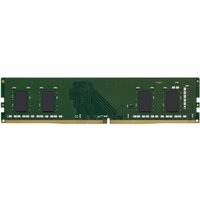
Kingston Technology KCP432NS8/16 memory module 16 GB 1 x 16 GB DDR4 32
£135.04
View Deal