Affiliate disclosure: this page contains affiliate links — if you buy through them we may earn a commission at no extra cost to you. As an Amazon Associate we earn from qualifying purchases.
Finding RAM equivalent to Crucial for your specific laptop can be confusing. You need to match the exact DDR generation, speed, and capacity. Here’s a practical guide to finding the equivalent RAM for any laptop, with a cross-reference table of common Crucial model numbers and their equivalents.
How to Find Your Laptop’s Current RAM
Windows: Check in System Settings
Step 1: Press Windows + I to open Settings
Step 2: Go to System → About
Step 3: Look for “Installed RAM” (e.g., “8GB” or “16GB”)
That’s only capacity. For speed/generation, use CPU-Z (free tool):
- Download CPU-Z (cpuid.com)
- Run it, click “Memory” tab
- Look for “DDR4” or “DDR5” and clock speed (e.g., “DDR4-3200”)
Mac: Check About This Mac
Step 1: Click Apple menu → About This Mac
Step 2: Look for “Memory” (e.g., “16GB 3200 MHz DDR4”)
That tells you capacity and speed.
RAM Matching: The Three Critical Rules
Rule 1: DDR Generation Must Match
If your laptop uses DDR4, buy DDR4. DDR5 sticks won’t fit in a DDR4 slot (different shape, incompatible). If you have DDR4, every RAM stick you buy must say “DDR4” on the packaging.
- DDR4 Crucial equivalents: Kingston FURY Beast DDR4, Corsair Vengeance DDR4, TeamGroup Elite DDR4
- DDR5 Crucial equivalents: Kingston FURY Beast DDR5, Corsair Vengeance DDR5, SK Hynix T-Create DDR5
Rule 2: Speed Should Match (MHz)
If your laptop has DDR4-3200, buy DDR4-3200 (or faster). Example:
- Crucial Ballistix DDR4-3200: Kingston FURY Beast DDR4-3200, Corsair Vengeance DDR4-3200
- Crucial Ballistix DDR4-3600: Kingston FURY Beast DDR4-3600, Corsair Vengeance DDR4-3600 (or 3200 if 3600 unavailable)
Can I buy faster RAM than my system supports? Yes, it’ll just clock down to your system’s max speed. Example: Buying DDR4-3600 for a DDR4-3200 system = it runs at 3200 MHz. You waste money on speed you can’t use.
Rule 3: Capacity Matters for Matching (Sometimes)
If upgrading an 8GB laptop to 16GB, you can:
- Option A: Remove the old 8GB stick, install new 16GB. System now has 16GB total. (Simpler, cheaper)
- Option B: Keep the 8GB stick, add a matching 8GB stick. System now has 16GB total from 2x8GB pair. (Better performance on some systems with dual-channel)
Most modern laptops don’t care about matching pairs. Option A (replace the old stick) is usually fine and cheaper. But if you want to be safe, buy the same brand and speed as your current RAM.
Crucial Model Numbers → Equivalents Cross-Reference
| Your Current Crucial RAM | Specs | Direct Equivalent |
| Crucial Ballistix BL8G32C16U4B | 8GB DDR4-3200 SO-DIMM | Kingston FURY Beast KF432S20IB/8, Corsair Vengeance CMSX8GX4M1A3200C16 |
| Crucial Ballistix BL16G32C16U4B | 16GB DDR4-3200 SO-DIMM | Kingston FURY Beast KF432S20IB/16, Corsair Vengeance CMSX16GX4M1A3200C16 |
| Crucial Ballistix BL8G32C16U4RL | 8GB DDR4-3200 DIMM | Kingston FURY Beast KF432C16RB1/8, Corsair Vengeance CMK8GX4M1E3200C16 |
| Crucial Ballistix BL16G32C16U4RL | 16GB DDR4-3200 DIMM | Kingston FURY Beast KF432C16RB1/16, Corsair Vengeance CMK16GX4M1E3200C16 |
| Crucial Ballistix BLM8G40C18U4B | 8GB DDR4-4000 SO-DIMM | Kingston FURY Beast KF440S25IB/8, Corsair Vengeance CMSX8GX4M1A4000C19 |
| Crucial Ballistix BLM16G40C18U4RL | 16GB DDR4-4000 DIMM | Kingston FURY Beast KF440C18RB1/16, G.Skill Ripjaws F4-4000C18D-16GRR |
| Crucial Ballistix DDR5 BL16G52C18U4BL | 16GB DDR5-5200 SO-DIMM | Kingston FURY Beast KF552S42IB/16, Corsair Vengeance CMSX16GX5M1A5200C42 |
| Crucial Ballistix DDR5 BL16G52C20U4BL | 16GB DDR5-5200 DIMM | Kingston FURY Beast KF552C20RB1/16, Corsair Vengeance CMK16GX5M1A5200C40 |
| Crucial Tactical DDR4 CT8G4DFS832A | 8GB DDR4-3200 SO-DIMM (Low voltage) | Kingston Server Premier KSM26SES8/8, SK Hynix DDR4-3200 |
Not seeing your exact Crucial model? Use our Compatibility Checker to find your DDR type and speed, then search Amazon for Kingston FURY Beast or Corsair Vengeance at that spec.
Brand Equivalents by Tier
Budget Tier (Crucial Ballistix Standard)
Speed: DDR4-3200, DDR5-5200
Equivalents:
- Kingston FURY Beast (same speed, slightly better binning)
- TeamGroup Elite (cheaper, same reliability)
- SK Hynix T-Create DDR5 (cheapest DDR5)
Performance Tier (Crucial Ballistix MAX)
Speed: DDR4-3600+, DDR5-5600+
Equivalents:
- Kingston FURY Beast (higher speeds available)
- Corsair Vengeance (better binning, RGB support)
- G.Skill Ripjaws (tightest timing specs)
Tactical/Professional (Crucial Tactical DDR4)
Special features: Low voltage (1.2V), ECC support (sometimes)
Equivalents:
- Kingston Server Premier (if ECC needed)
- SK Hynix HMA (OEM standard)
- Crucial Tactical (exact match, if findable)
How to Verify Compatibility Before Buying
Step 1: Get Your Specs
Run CPU-Z on Windows (or About This Mac on macOS) and note:
- DDR type (DDR4 or DDR5?)
- Current speed (e.g., DDR4-3200, DDR5-5200)
- Form factor (SO-DIMM for laptop, DIMM for desktop)
- Capacity (8GB, 16GB, 32GB?)
Step 2: Search for Exact Match on Amazon
Search: “Kingston FURY Beast DDR4-3200 16GB SO-DIMM”
Not your exact system? Use our Compatibility Checker to see which RAM your laptop supports.
Step 3: Check Product Reviews for Your Laptop
On Amazon, sort reviews by “Verified Purchase.” Search reviews for your laptop model (e.g., “Dell Inspiron 15”). If someone with your laptop reviews it 5-stars saying “works great,” you’re safe.
Frequently Asked Questions
Can I mix Crucial and Kingston RAM?
Yes, if same DDR type, speed, and capacity. Example: Crucial 8GB DDR4-3200 + Kingston 8GB DDR4-3200 = works fine. Different speeds or types = not recommended.
What if I can’t find my exact Crucial model?
Use CPU-Z to find your DDR type and speed, then search for that spec (e.g., “DDR4-3200 SO-DIMM 16GB”). Brand doesn’t matter as long as specs match.
Should I buy the same brand or cheapest?
Same specs = identical performance. Buy cheapest with 4.5+ stars on Amazon. Kingston FURY Beast and TeamGroup Elite DDR4 are best budget matches.
Is SO-DIMM the same as DIMM?
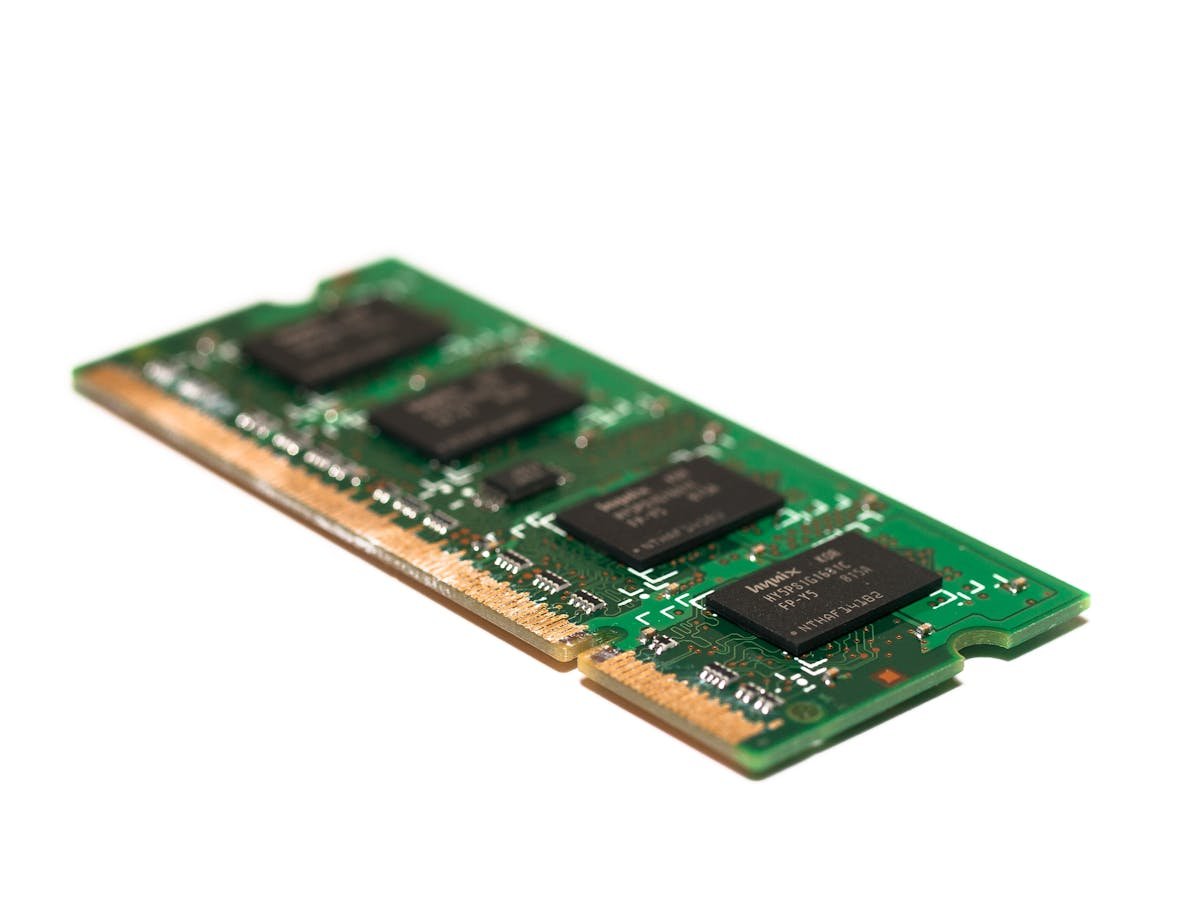
No. SO-DIMM is laptop (small). DIMM is desktop (full-size). They’re not interchangeable. Check which you have before buying.
What if my laptop specs say “DDR4 Up to 3600 MHz”?
Your laptop currently has DDR4 (probably DDR4-3200). You can upgrade to DDR4-3600 if you want, but DDR4-3200 is cheaper and you’ll only see 2-3% performance difference. Stick with DDR4-3200 to save money.
Next Steps
Use CPU-Z to find your exact DDR type and speed. Then search Amazon for Kingston FURY Beast or Corsair Vengeance at that spec. Check reviews for your laptop model and order Prime. Installation takes 2 minutes. Need help finding your specs? Use our Compatibility Checker.
Recommended upgrades
As an Amazon Associate we earn from qualifying purchases. Prices & availability shown on Amazon.
For laptops and mini PCs that use DDR5 SO-DIMM
For laptops and mini PCs that use DDR4 SO-DIMM
How we verify this guide
We cross-reference compatibility figures against manufacturer specifications where available, official service manuals, and the standards that govern fit — memory type and speed (DDR4 / DDR5 / LPDDR5), maximum supported capacity and slot count, SSD form factor and interface (M.2 2280, NVMe PCIe vs SATA, keying), and charger wattage and connector (USB-C Power Delivery, GaN). We’re explicit about soldered or non-upgradeable parts, prioritise primary sources over retailer listings, and re-verify the data on a regular cycle. More on our method →