
Affiliate disclosure: this page contains affiliate links — if you buy through them we may earn a commission at no extra cost to you. As an Amazon Associate we earn from qualifying purchases.
Not all SSDs are the same physical size or shape. Choosing the right form factor is critical — an incompatible SSD simply will not fit in your device. This guide explains every common SSD form factor, which devices use them, and how to identify which type you need.
M.2 NVMe & SATA SSDs
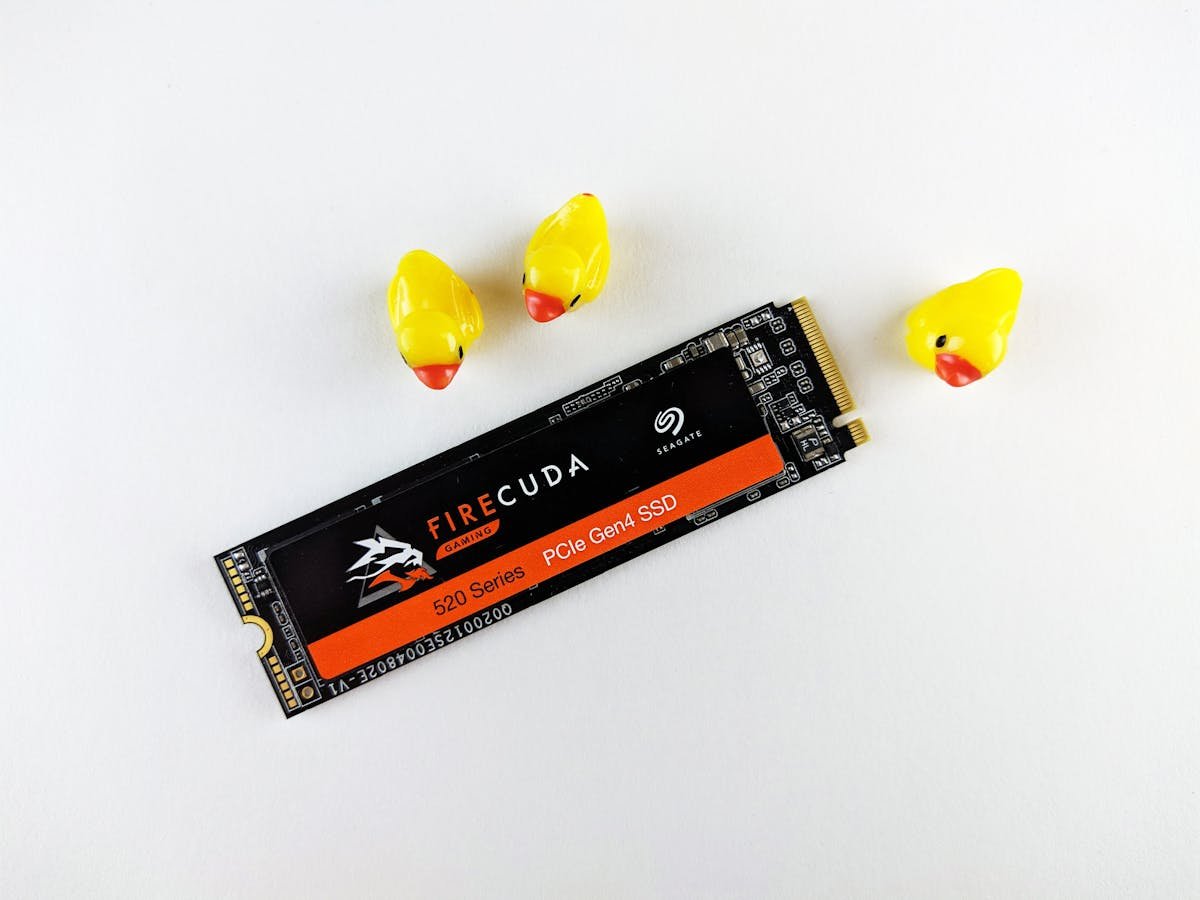
The M.2 form factor is the most common in modern laptops and desktops. M.2 slots can support either NVMe (PCIe) or SATA protocols — check your device specifications to confirm which is supported.
| Size | Dimensions | Common Use | Notes |
|---|---|---|---|
| M.2 2280 | 22mm x 80mm | Most laptops and desktops | Most common M.2 size. Standard NVMe/SATA slot. |
| M.2 2230 | 22mm x 30mm | Ultrabooks, Steam Deck, Surface | Compact size for thin devices. Growing in popularity. |
| M.2 2242 | 22mm x 42mm | Some Lenovo ThinkPads, industrial PCs | Less common. Used in select business laptops. |
| M.2 2260 | 22mm x 60mm | Rare — some NAS devices | Uncommon form factor. Check compatibility carefully. |
2.5-inch SATA SSDs
The 2.5-inch form factor uses the same physical dimensions as traditional laptop hard drives. These connect via SATA III and are limited to ~550MB/s read speeds. They are ideal for upgrading older laptops that have a 2.5-inch drive bay or replacing a mechanical hard drive.
- Standard dimensions: 100mm x 69.85mm x 7mm
- Interface: SATA III (6Gbps) — max ~550MB/s
- Connector: Standard SATA data + power
- Compatible with any device that has a 2.5-inch bay
- No driver installation needed — plug and play
mSATA SSDs
mSATA (mini-SATA) was a transitional form factor used in some laptops and embedded systems from 2011-2015. It looks similar to a mini PCIe card. mSATA is largely obsolete, replaced by M.2, but is still needed for upgrading specific older devices.
- Dimensions: ~50.8mm x 29.85mm
- Interface: SATA III (6Gbps)
- Connector: mSATA edge connector (52-pin)
- Found in: Some ThinkPads, older ultrabooks, embedded systems
- Being phased out — stock may be limited
U.2 SSDs
U.2 (formerly SFF-8639) is an enterprise form factor that provides NVMe performance in a 2.5-inch hot-swappable chassis. Found primarily in servers and workstations, U.2 drives offer high endurance and capacity for data centre workloads.
- Same physical size as 2.5-inch SATA (but different connector)
- Interface: NVMe over PCIe (4 lanes)
- Hot-swappable in server drive bays
- Capacities up to 30TB+ in enterprise models
- Requires U.2 cable or adapter for desktop motherboards
How to Identify Your SSD Form Factor
Follow these steps to determine which SSD form factor your device supports:
- Check your device manual or manufacturer support page for storage specifications
- Open your device and visually inspect the current drive bay or M.2 slot
- Use a system information tool like HWiNFO or CrystalDiskInfo to identify your current drive
- For M.2 slots, note the keying (B-key for SATA, M-key for NVMe, B+M for both)
- Measure the physical dimensions if replacing an existing M.2 drive
Recommended Products
Top-tier PCIe Gen 4 performance in the standard M.2 2280 form factor. Ideal for desktops and laptops.
Check Price on Amazon
Compact M.2 2230 drive perfect for Steam Deck, Surface, and ultrabook upgrades.
Check Price on Amazon
Best-in-class 2.5-inch SATA SSD for older laptop upgrades. Reliable and fast for SATA.
Check Price on Amazon
Frequently Asked Questions
Can I use an M.2 SATA SSD in an M.2 NVMe slot?
It depends on the slot. M-key slots (NVMe only) will NOT accept SATA M.2 drives. B+M key slots support both SATA and NVMe. Check your motherboard manual to confirm which protocols your M.2 slot supports.
Is M.2 2230 faster than M.2 2280?
Not inherently. The size designation (2230, 2280) refers only to physical dimensions, not performance. Both can be NVMe PCIe Gen 4 drives. However, 2230 drives may have slightly lower sustained write speeds due to less space for NAND chips and heat dissipation.
Can I use a 2.5-inch SSD in a desktop PC?
Yes. Most desktop cases have 2.5-inch drive bays or you can use a 2.5-inch to 3.5-inch adapter bracket. Connect with a standard SATA data cable and SATA power from your PSU.
What is the fastest SSD form factor?
For consumers, M.2 NVMe (PCIe Gen 5) offers the fastest speeds at up to 14,000MB/s. For enterprise use, U.2 and EDSFF (E1.S, E3.S) form factors provide both high speed and hot-swap capability.
Recommended upgrades
As an Amazon Associate we earn from qualifying purchases. Prices & availability shown on Amazon.