Affiliate disclosure: this page contains affiliate links — if you buy through them we may earn a commission at no extra cost to you. As an Amazon Associate we earn from qualifying purchases.
The Microsoft Surface Laptop 6 (2024) is Microsoft’s latest ultraportable, powered by Intel Core Ultra processors and featuring Copilot+ PC AI acceleration. Like its predecessor, the Laptop 6 offers user-replaceable M.2 2230 NVMe SSD but soldered LPDDR5/LPDDR5x RAM that cannot be upgraded. The new generation adds Intel Core Ultra’s Meteor Lake efficiency and an integrated Neural Processing Unit (NPU) for on-device AI tasks, but the upgrade/repairability strategy remains unchanged: choose your RAM at purchase, replace the SSD later if needed.
Intel Core Ultra vs Intel 12th Gen: What’s New
The Surface Laptop 6 uses Intel Core Ultra (Meteor Lake, Series 1) instead of the Alder Lake processors in Laptop 5. Key improvements: better power efficiency (Microsoft claims up to 18.5 hours on the 13.5in and 19 hours on the 15in), Xe-LPG integrated graphics, and Neural Processing Unit (NPU) for AI workloads like Windows Copilot. Thermals are also improved, meaning quieter fans and cooler operation in the same chassis.
For compatibility: most accessories and docks work identically to Laptop 5, but the newer processor and improved I/O (USB4/Thunderbolt 4 on all models) offer better video and storage throughput.
RAM Compatibility & Configuration Options
The Surface Laptop 6 continues to solder LPDDR5 (8GB) or LPDDR5x RAM directly to the mainboard, with no upgrade path. Choose 16GB, 32GB or 64GB at purchase; 8GB is available but not recommended for modern Windows 11 multitasking.
| Configuration | RAM Amount | Best For | Notes |
|---|---|---|---|
| 8GB LPDDR5 | 8GB | Light use: web browsing, Office, email | Minimum spec; struggles with 20+ browser tabs or multitasking |
| 16GB LPDDR5x | 16GB | General productivity, everyday creative work, multitasking | Recommended minimum for most users; excellent value |
| 32GB LPDDR5x | 32GB | Professional creative work, video editing, development, VM hosting | Future-proofs the machine; only necessary for demanding workflows |
We strongly recommend the 16GB model as the minimum. The cost difference at purchase ($200–250) is far less than replacing the machine in 4–5 years. If you edit video, code professionally, or run virtual machines, 32GB is wise insurance for longevity.
SSD/Storage Compatibility & Upgrade Options
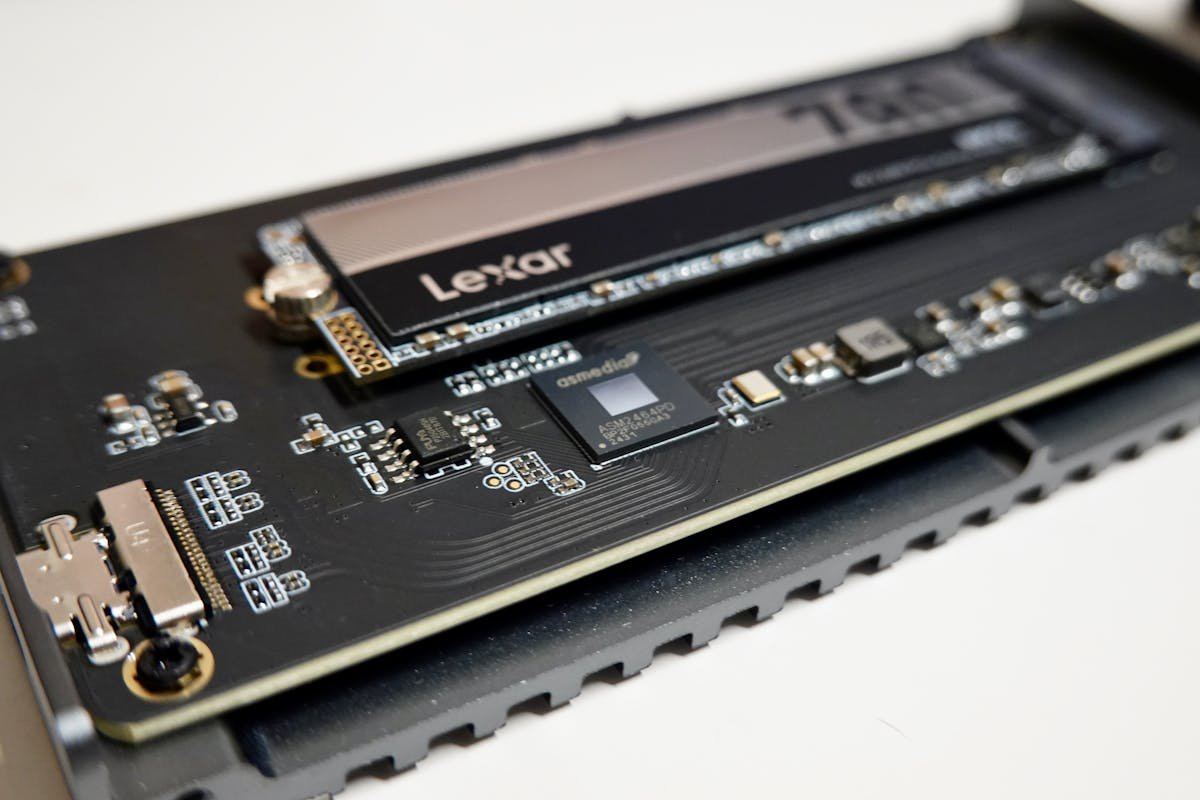
The Surface Laptop 6 retains the user-replaceable M.2 2230 NVMe SSD slot hidden behind a bottom access door. This remains a standout feature among ultraportables and a genuine repairability advantage.
| SSD Type | Form Factor | Speed | Compatibility | Best For |
|---|---|---|---|---|
| Samsung 990 EVO (2230) | M.2 2230 NVMe PCIe 4.0 | 5,000 MB/s | Fully compatible | Great value, reliable, low thermals for compact form factor |
| Crucial P5 Plus (2230) | M.2 2230 NVMe PCIe 4.0 | 6,600 MB/s | Fully compatible | Fast, excellent thermals, professional reliability |
| SK Hynix Platinum P41 (2230) | M.2 2230 NVMe PCIe 4.0 | 7,100 MB/s | Fully compatible | Exceptional thermals for compact SSDs, high endurance |
| Intel 670p (2230) | M.2 2230 NVMe PCIe 4.0 | 5,000 MB/s | Fully compatible | Budget-friendly, adequate performance |
| WD Black SN850X (2230) | M.2 2230 NVMe PCIe 4.0 | 7,100 MB/s | Fully compatible | High performance for creative work |
Critical reminder: M.2 2230 only (not 2280). Verify the form factor when purchasing. To upgrade: open the bottom panel, access the SSD slot via the small door, gently remove the existing drive, and insert the new one. Samsung 990 EVO 2230 or Crucial P5 Plus 2230 are reliable choices.
Charger Compatibility
The Surface Laptop 6 offers dual charging flexibility: Surface Connect (proprietary) or USB-C Power Delivery. This gives you genuine options for travel and desk setups.
| Charger Type | Connector | Wattage | Compatibility | Speed |
|---|---|---|---|---|
| Microsoft Surface Connect (stock) | Surface Connect | 39W (13.5in) or 65W (15in) | Perfect match | Fast charging (included) |
| USB-C Power Delivery | USB-C | 45W or higher | Fully compatible via USB-C port | Slower than Surface Connect but universal |
| Multi-port USB-C PD charger | USB-C | 65W+ per port | Compatible | Can charge Laptop 6 + other devices from one outlet |
| Third-party Surface Connect | Surface Connect | 65W–102W | Compatible (limited availability) | Faster than USB-C, rarer than USB-C alternatives |
For home use, the included Microsoft Surface Connect charger (39W on 13.5in, 65W on 15in) is optimal. For travel, a USB-C 65W Power Delivery charger is convenient but charges slower. For maximum flexibility, a multi-port 100W+ USB-C charger lets you charge the Laptop 6 and other devices (phone, tablet, AirPods) from one outlet.
Display & External Monitor Compatibility
The Surface Laptop 6 features a 13.5in or 15in PixelSense Display and supports external monitors via USB-C with DisplayPort Alt Mode.
| Display Configuration | Resolution | Refresh Rate | Best For |
|---|---|---|---|
| Built-in PixelSense Display | 2256×1504 (13.5in) or 2496×1664 (15in) | 60Hz | Ultraportable work, excellent color accuracy |
| Single external 4K monitor | Up to 4K@60Hz | 60Hz | Desk setup, creative work canvas |
| USB-C docking with HDMI | Up to 4K via HDMI | 60Hz | Conference rooms, traditional monitor hookup |
External display limitation: Like Laptop 5, the Surface Laptop 6 supports only one external display. If dual displays are essential, consider a different ultraportable or use a single large ultrawide monitor.
USB4 on i7 Models (Core Ultra i7)
Every Surface Laptop 6 model, i5 or i7, includes USB-C with USB4 (40 Gbps) , so the i5 and i7 models have the same data transfer and display support.
| Feature | Laptop 6 i5 (USB4) | Laptop 6 i7 (USB4) |
|---|---|---|
| Data Speed | 40 Gbps (USB4 / Thunderbolt 4) | 40 Gbps (USB4 / Thunderbolt 4) |
| DisplayPort Support | Via Alt Mode, single 4K | Native DP 2.0, dual 4K possible (but Laptop 6 only supports 1 display) |
| External Drive Speed | Same as i7 (USB4) | ~4.5 GB/s (USB4 full speed) |
| Dock Compatibility | Thunderbolt 4 / USB4 docks | Thunderbolt 4 / USB4 docks, better compatibility |
Both models have USB4/Thunderbolt 4, so fast external SSDs and Thunderbolt docks work on either. For web browsing, Office, and light creative work, the i5 model is perfectly adequate.
Dock & Hub Compatibility
Both Surface Laptop 6 models have USB4/Thunderbolt 4, so they work with Thunderbolt docks as well as standard USB-C hubs.
| Dock Type | Ports | Best For | Laptop 6 Model |
|---|---|---|---|
| Thunderbolt 4 Dock | 6–13 USB ports | Professional desk setup, maximum flexibility | Both i5 and i7 models (USB4) |
| USB-C Hub | 4–8 USB ports | Portable desk setup, travel | Both i5 and i7 models |
| USB-C Hub with HDMI | 2–4 USB + HDMI | Conference rooms, single external display | Both models |
| No dock | N/A | Ultraportable travel, minimal cables | Both models |
For most users, a simple USB-C hub with HDMI is sufficient. If you own Thunderbolt external drives or need maximum data speed, either model’s USB4 port handles them.
Copilot+ PC Features & NPU
The Surface Laptop 6 qualifies as a Copilot+ PC, Microsoft’s branding for AI-capable computers with at least 40 TOPS (Tera Operations Per Second) of NPU processing. The Intel Core Ultra NPU enables features like:
| Feature | Description | Benefit |
|---|---|---|
| Windows Copilot | AI assistant integrated into Windows 11 | Quick summaries, writing help, code assistance |
| Recall (coming soon) | On-device screenshot indexing and search | Find any past activity instantly (privacy-focused) |
| Cocreator in Paint | AI image generation on-device | Create images without cloud dependency |
| Photo Enhance in Photos app | AI-powered photo upsampling and enhancement | Sharper, clearer images from low-res photos |
These features work entirely on-device via the NPU, meaning no cloud connectivity required and better privacy. As of March 2026, Recall is still in testing.
Surface Laptop 6 Specifications Summary
| Specification | Details |
|---|---|
| Processor Options | Intel Core Ultra 5 135H or Core Ultra 7 165H (Meteor Lake) |
| Integrated GPU | Intel Xe-LPG (iGPU) |
| Neural Processing Unit | Intel AI Boost NPU (40+ TOPS for Copilot+ PC) |
| RAM | LPDDR5/LPDDR5x soldered: 8GB, 16GB, 32GB or 64GB (not upgradeable) |
| Storage | 1×M.2 2230 NVMe SSD (user-replaceable) |
| Display | 13.5in PixelSense (2256×1504) or 15in PixelSense (2496×1664) |
| Ports — i5 model | USB-C with USB4/Thunderbolt 4 (1x on 13.5in, 2x on 15in), USB-A 3.1, Surface Connect, 3.5mm headset jack |
| Ports — i7 model | USB-C with USB4/Thunderbolt 4 (1x on 13.5in, 2x on 15in), USB-A 3.1, Surface Connect, 3.5mm headset jack |
| External Displays | Maximum 1 external display via USB-C DP Alt Mode |
| Charging | Surface Connect (39W or 65W, included) or USB-C PD (45W+) |
| Battery | Microsoft claims up to 18.5 hours (13.5in) or 19 hours (15in) |
| Weight | 1.38 kg (3.06 lbs) on 13.5in; 1.68 kg (3.70 lbs) on 15in |
| Release Date | March 2024 |
Frequently Asked Questions
Can I upgrade RAM on the Surface Laptop 6?
No. The LPDDR5 (8GB) or LPDDR5x RAM is soldered to the mainboard and cannot be upgraded. Choose your memory (8GB, 16GB, 32GB or 64GB) at purchase—it’s permanent for the device’s lifetime. We recommend 16GB minimum.
Can I replace the SSD?
Yes. The M.2 2230 NVMe SSD is user-replaceable via the bottom access door. No warranty void. Slide out the old drive and install a new M.2 2230 SSD. Verify the form factor is 2230, not 2280.
Is the i5 or i7 model better?
For everyday work, the Core Ultra 5 i5 is excellent and 15–20% cheaper. The Core Ultra 7 i7 offers better gaming and video export performance, while both models have USB4/Thunderbolt 4. Choose i5 for productivity; choose i7 if you do creative work or use fast external drives.
What’s the real-world battery life?
Intel Core Ultra is exceptionally efficient. Real-world battery life is typically 14–18 hours of mixed use (web, Office, email, Teams). Microsoft claims up to 18.5 hours (13.5in) or 19 hours (15in) of typical device usage. Heavy creative work (video editing, 3D modeling) reduces battery life to 8–10 hours.
Can I use USB-C chargers from other devices?
Yes. Any USB-C Power Delivery charger rated 45W or higher works. You can use the same charger for your Laptop 6, phone, and tablet. The included Surface Connect charger is 39W (13.5in) or 65W (15in).
How many external monitors can I connect?
One external display maximum via USB-C DisplayPort Alt Mode. This is a hardware limitation of the Intel Core Ultra processor for ultraportables. Dual displays require a different machine or an ultrawide single monitor.
Recommended Products
These are the products we recommend based on this guide. All links go to Amazon where you can check current prices and availability.
| Product | Why We Recommend It | Amazon |
|---|---|---|
| WD SN770M 1TB M.2 2230 NVMe | Best 2230 SSD for Dell, Surface, Steam Deck | View on Amazon |
| Sabrent Rocket 2230 1TB | Fast 2230 alternative | View on Amazon |
| Samsung PM991a 1TB 2230 | OEM-grade 2230 at good prices | View on Amazon |
| Samsung 990 Pro 2TB NVMe M.2 2280 | Fastest consumer NVMe — ideal for gaming & editing | View on Amazon |
Prices and availability may vary. As an Amazon Associate, we earn from qualifying purchases.
Related Microsoft Upgrade Guides
- Best RAM for MSI Gaming Laptops 2026
- Framework Laptop 13 (Intel Core Ultra) RAM & SSD Upgrade Guide
- Framework Laptop 13 (AMD 7040) RAM & SSD Upgrade Guide
- Framework Laptop 16 (AMD) RAM & SSD Upgrade Guide
- Microsoft Surface Laptop Studio 2
- Microsoft Upgrade Guide
Not sure what fits? Use our free Compatibility Checker covering 3,195+ models.
Helpful Guides
Upgrades that fit the Microsoft Surface Laptop 6 for Business
What fits: Memory: LPDDR5 (8GB) / LPDDR5x (16GB, 32GB, 64GB) soldered to the board — not upgradeable · Storage: M.2 (length unconfirmed) NVMe PCIe 4.0 · Charger: Surface Connect (included PSU); USB-C PD also supported
Spec source: microsoft.com (checked 26 Sep 2026).
As an Amazon Associate we earn from qualifying purchases. Prices & availability shown on Amazon.