

Modern laptops advertise Thunderbolt 4, USB4, and USB 3.2 ports that all use the same USB-C connector. The physical plug is identical, but capabilities differ enormously. This guide untangles the confusion.
The USB-C Confusion

USB-C is just a physical connector shape — it tells you nothing about the speed, power, or display capabilities of the port. A USB-C port might support anywhere from 480 Mbps (USB 2.0) to 80 Gbps (Thunderbolt 5). Always check the specification, not just the connector type.
USB 3.2 — The Baseline
USB 3.2 Gen 1 provides 5 Gbps, Gen 2 provides 10 Gbps, and Gen 2×2 provides 20 Gbps. These are sufficient for external drives, hubs, and peripherals. USB 3.2 does not guarantee display output or high-wattage charging — those depend on optional DisplayPort Alt Mode and Power Delivery support.
USB4 — The New Standard
USB4 guarantees at least 20 Gbps bandwidth with optional 40 Gbps mode, mandatory DisplayPort Alt Mode for external displays, and mandatory USB PD for charging. USB4 2.0 (2022) supports up to 80 Gbps. USB4 is essentially bringing Thunderbolt features to the USB standard.
Thunderbolt 4 — The Premium
Thunderbolt 4 guarantees 40 Gbps bandwidth, dual 4K display support, PCIe tunnelling for external GPUs and storage, Intel VT-d DMA protection for security, and wake-from-sleep support. Thunderbolt 4 is certified by Intel and offers the most reliable experience for docking stations and external displays.
Which Do You Need?
For basic peripherals and storage: USB 3.2 is fine. For docking stations and single external display: USB4 is sufficient. For dual 4K monitors, eGPUs, or professional docking: Thunderbolt 4 provides the most consistent experience. Business laptops (ThinkPad, EliteBook, Latitude) typically include Thunderbolt 4.
Frequently Asked Questions
Can I use a Thunderbolt dock with a USB-C port?
It may work with reduced functionality. Thunderbolt docks require Thunderbolt ports for full features like dual displays and 40 Gbps speed.
Is USB4 the same as Thunderbolt 4?
Similar but not identical. Thunderbolt 4 has additional requirements (dual 4K, PCIe tunnelling, DMA protection) that USB4 does not mandate.
How do I know if my laptop has Thunderbolt?
Check the specifications or look for the Thunderbolt lightning bolt icon next to the USB-C port.
Find Compatible Upgrades
Use our compatibility guides to find the right parts for your system.
RAM Guide SSD GuideShop Compatible Upgrades at PCHub.UK
Prices updated automatically from PCHub.UK — click to view full specs and buy

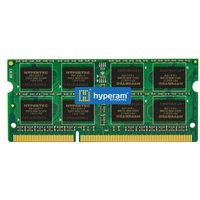
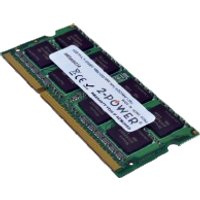

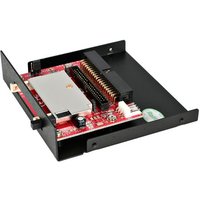
Prices from PCHub.UK via ComputersDeal. As an affiliate, we may earn from qualifying purchases. Prices updated 2026-04-10 13:15:58.

