
Affiliate disclosure: this page contains affiliate links — if you buy through them we may earn a commission at no extra cost to you. As an Amazon Associate we earn from qualifying purchases.
Complete pre-upgrade checklist for laptop RAM and SSD upgrades. Verify compatibility, warranty, part numbers.
Key Takeaways
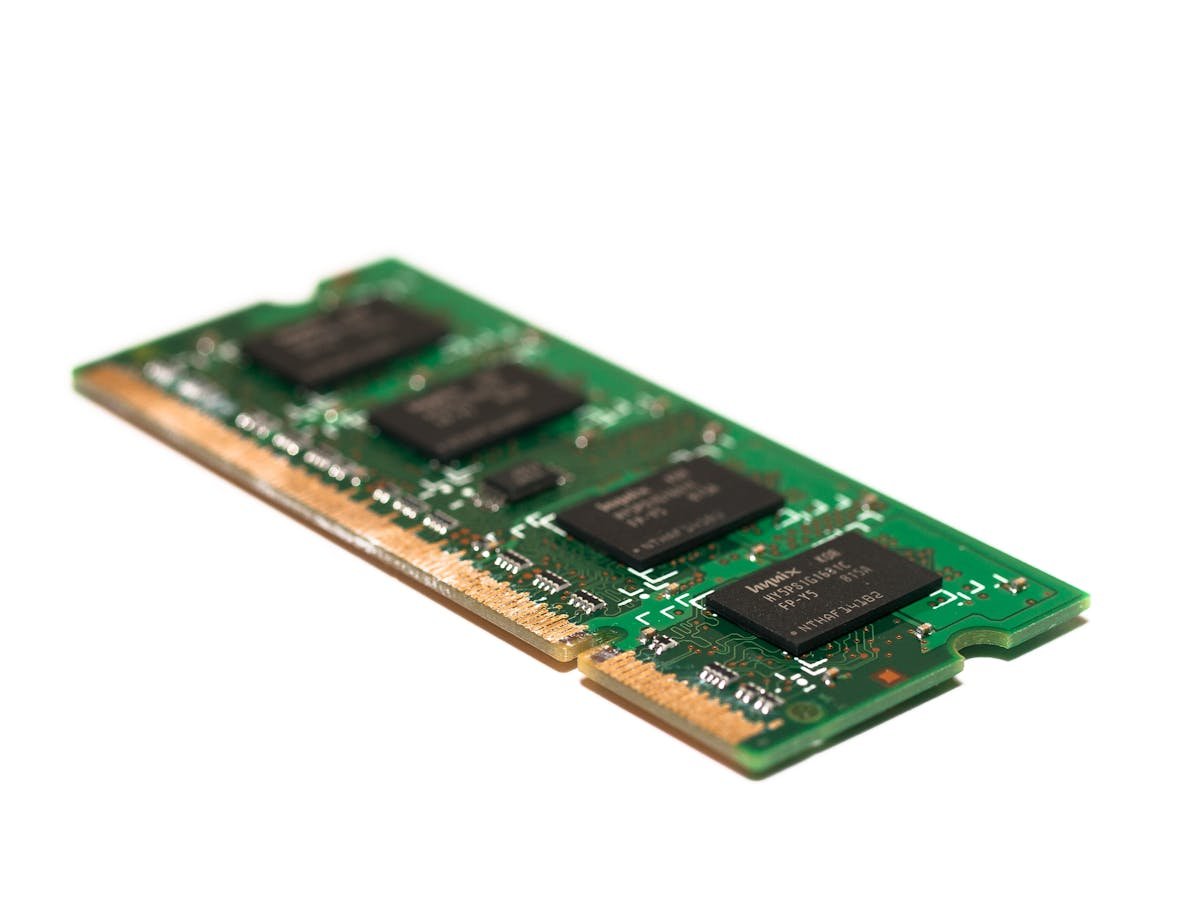
- Always check compatibility before purchasing any upgrade. Use our model-specific guides for verified specifications.
- DDR4 and DDR5 are not interchangeable – verify which generation your device supports.
- Form factor matters – laptops use SO-DIMM, desktops use DIMM, NAS devices typically use SO-DIMM.
- Maximum capacity limits vary by device – exceeding them causes boot failures or wasted money.
Practical Recommendations
Based on testing across hundreds of devices:
- Office work: 16GB RAM + 500GB SSD
- Gaming: 32GB RAM + 1TB NVMe SSD
- Content creation: 32-64GB RAM + 2TB NVMe SSD
- Servers: 64-128GB ECC RAM + enterprise NVMe
Shop Upgrades
Related Guides
FAQ
How do I check compatibility?
Use our model-specific guides or check the manufacturer QVL. Always verify DDR generation, form factor, and max capacity.
Where to buy upgrades in the UK?
We recommend Amazon for best pricing, selection, and returns.
Will upgrading void my warranty?
Most manufacturers consider RAM/SSD upgrades user-serviceable. Check your specific warranty terms.
Updated April 2026.
Before You Begin
Back up your important data before any hardware changes. While the risk of data loss is low during RAM or SSD installation, a backup protects against the unexpected. You’ll need a small Phillips-head screwdriver and preferably an anti-static wrist strap.
If Something Goes Wrong
If your system doesn’t boot after the upgrade, remove the new component and reseat it carefully — incomplete seating is the most common cause of post-upgrade boot failures. If the issue persists, try one module at a time to identify a faulty unit. Check your BIOS settings, as some systems require manual configuration after hardware changes.
Find Compatible Upgrades
Use our guides and tools to find the right parts for your system.
RAM Guide SSD GuideRelated Guides
Recommended upgrades
As an Amazon Associate we earn from qualifying purchases. Prices & availability shown on Amazon.
For laptops and mini PCs that use DDR5 SO-DIMM
For laptops and mini PCs that use DDR4 SO-DIMM
M.2 2280 NVMe SSDs
How we verify this guide
We cross-reference compatibility figures against manufacturer specifications where available, official service manuals, and the standards that govern fit — memory type and speed (DDR4 / DDR5 / LPDDR5), maximum supported capacity and slot count, SSD form factor and interface (M.2 2280, NVMe PCIe vs SATA, keying), and charger wattage and connector (USB-C Power Delivery, GaN). We’re explicit about soldered or non-upgradeable parts, prioritise primary sources over retailer listings, and re-verify the data on a regular cycle. More on our method →