Affiliate disclosure: this page contains affiliate links — if you buy through them we may earn a commission at no extra cost to you. As an Amazon Associate we earn from qualifying purchases.
Quick Specs Summary
| Specification | Detail |
|---|---|
| Display Outputs | HDMI 2.1, USB-C DP 1.4 |
| CPU | Intel Core Ultra 7 155H or Core Ultra 9 185H (Meteor Lake) |
| RAM Type | DDR5-5600 SO-DIMM x2 |
| RAM Capacity | Up to 64GB (2x SO-DIMM, user-upgradeable) |
| RAM Upgradeable | Yes |
| SSD Type | M.2 2280 NVMe (PCIe 4.0) |
| SSD Slots | 3 slots |
| Power Supply | 330W external |
| Thunderbolt | Thunderbolt 4 (1 port) |
| WiFi | WiFi 6E (Intel Killer AX1690i, M.2 2230 card) |
| Bluetooth | Bluetooth 5.3 |
| Upgradeability | Good (RAM, SSD and Wi-Fi card are replaceable) |
Can You Upgrade the Intel NUC 14 Performance?
The NUC 14 Performance has two DDR5-5600 SO-DIMM slots and three M.2 2280 slots, so upgrades are straightforward: memory can be expanded to 64GB and all three M.2 2280 PCIe 4.0 slots are accessible. Verdict: RAM and SSD both upgradeable.
RAM Compatibility
The NUC 14 Performance uses two DDR5-5600 SO-DIMM slots with nothing soldered, supporting up to 64GB. Memory can be upgraded after purchase.
What RAM Comes Standard?
| Variant | Memory | Type | Notes |
|---|---|---|---|
| Base Model | 16GB | DDR5-5600 SO-DIMM | Entry-level, budget option |
| Plus Model | 32GB | DDR5-5600 SO-DIMM | Recommended for multitasking |
Upgradeable to 64GB via the two SO-DIMM slots. The kit version ships without memory, and you can add or replace modules at any time after purchase.
SSD Compatibility
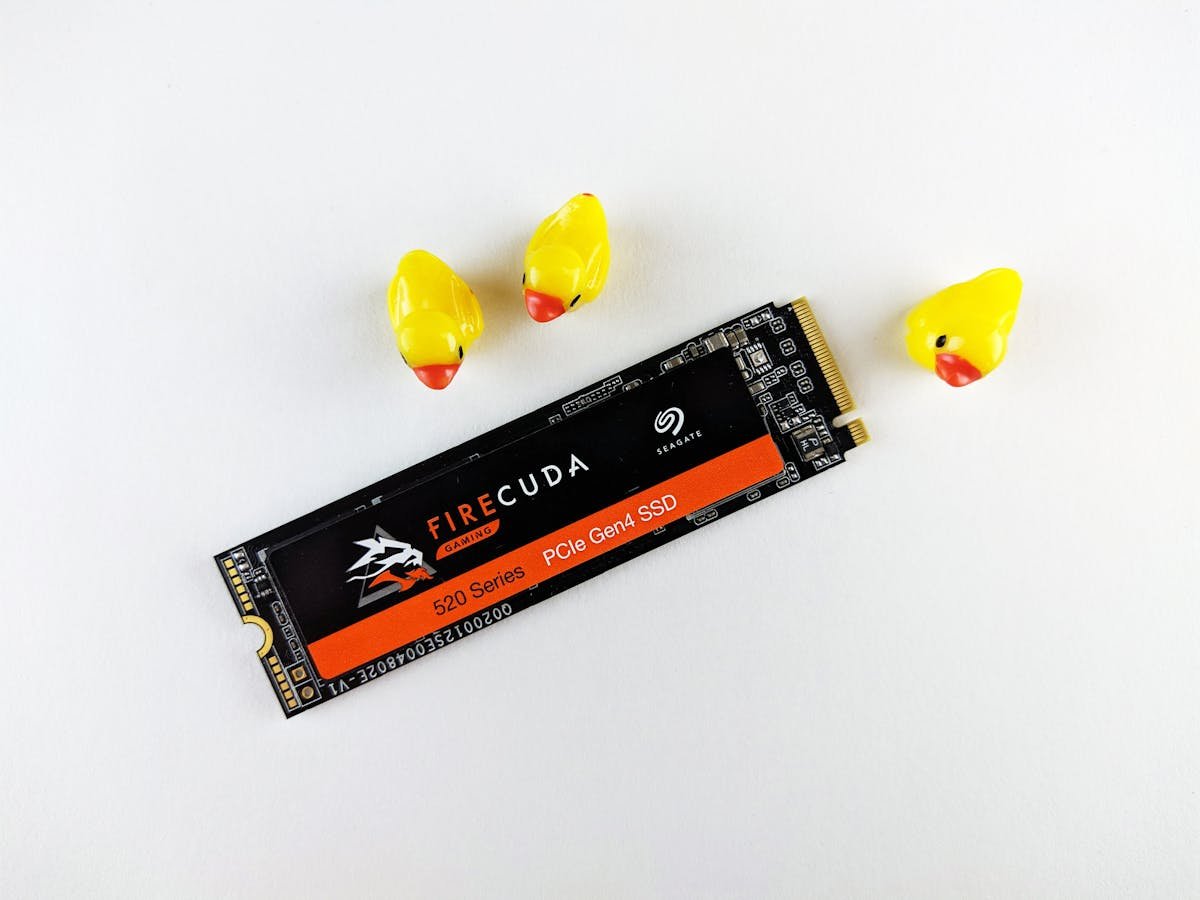
Each of the three M.2 2280 NVMe slots supports PCIe 4.0 drives. Replacing the factory SSD is straightforward—one screw, slide the drive out, insert the new one. There are three M.2 2280 slots in total.
Compatible SSDs
| Drive | Capacity | Interface | Price (approx.)* |
|---|---|---|---|
| Samsung 990 Pro | 512GB / 1TB / 2TB | PCIe 4.0 NVMe | £40–130 |
| WD Black SN850X | 512GB / 1TB / 2TB | PCIe 4.0 NVMe | £35–125 |
| Crucial P5 Plus | 512GB / 1TB / 2TB | PCIe 4.0 NVMe | £30–115 |
| SK Hynix Platinum P41 | 512GB / 1TB / 2TB | PCIe 4.0 NVMe | £45–135 |
Power Supply
The 330W external adapter (19.5V / 16.9A) is supplied with the system.
Display Outputs & Docking
Single Thunderbolt 4 port handles external displays via USB-C DP. HDMI 2.1 supports 4K@60Hz directly. For multi-display setups, use a Thunderbolt dock.
WiFi & Bluetooth
Wi-Fi 6E and Bluetooth 5.3 come from an Intel Killer AX1690i card in an M.2 2230 Key E slot, so the wireless module is a plug-in card rather than soldered to the board.
Upgradeability Score
- RAM: Upgradeable (2x DDR5-5600 SO-DIMM, up to 64GB)
- SSD: Excellent (5/5) (three M.2 2280 PCIe 4.0 slots)
- WiFi: Replaceable M.2 2230 Key E card (Killer AX1690i, Wi-Fi 6E and Bluetooth 5.3)
- Overall: Good (RAM, SSD and Wi-Fi card are replaceable)
Frequently Asked Questions
Can I add more RAM to the NUC 14 Performance?
Yes. It has two DDR5-5600 SO-DIMM slots and supports up to 64GB.
Is 32GB enough for modern workloads?
For web browsing, office work, and 1080p video editing, 32GB is plenty. For 4K editing, 3D rendering, or heavy virtualization, consider stepping up to the Pro+ (96GB).
What happens if I run out of storage on the NUC 14 Performance?
You can fit additional drives in the other M.2 2280 slots (there are three in total) or replace the factory SSD with a larger one. Alternatively, use Thunderbolt external storage for overflow.
Is the NUC 14 Performance fanless?
No. ASUS builds the NUC 14 Performance with an integrated heat sink and fan (the board has two fan headers), so it is actively cooled and you will hear it under load. It also uses DDR5 SO-DIMMs, not LPDDR5X.
Can I use the NUC 14 Performance as a server?
With 64GB max RAM, it’s limited for heavy server workloads. Better suited for home media servers, small databases, or lightweight web services.
Recommended Products
These are the products we recommend based on this guide. All links go to Amazon where you can check current prices and availability.
| Product | Why We Recommend It | Amazon |
|---|---|---|
| Corsair Vengeance DDR5 SO-DIMM 32GB (2×16GB) 5600MHz | Top-rated DDR5 kit for gaming & productivity | View on Amazon |
| Kingston Fury Impact DDR5 SO-DIMM 32GB (2×16GB) 5600MHz | Excellent DDR5 alternative with XMP support | View on Amazon |
| Crucial DDR5 SO-DIMM 16GB 5600MHz | Affordable single-stick DDR5 | View on Amazon |
| G.Skill Ripjaws DDR5 SO-DIMM 32GB 5600MHz | High performance DDR5 for enthusiasts | View on Amazon |
| Samsung 990 Pro 2TB NVMe M.2 2280 | Fastest consumer NVMe — ideal for gaming & editing | View on Amazon |
| WD Black SN850X 2TB NVMe | Excellent Gen4 speed with heatsink option | View on Amazon |
| Crucial P5 Plus 1TB NVMe | Great value Gen4 SSD | View on Amazon |
| Kingston NV2 1TB NVMe | Budget-friendly with solid reliability | View on Amazon |
Prices and availability may vary. As an Amazon Associate, we earn from qualifying purchases.
Related Intel Upgrade Guides
- Intel NUC 13 Pro Compatibility
- Intel NUC Mini PC Upgrade Guide
- Mini PC vs NUC
- Intel NUC 11 Enthusiast
- Intel NUC 11 Pro
- Intel Upgrade Guide
Not sure what fits? Use our free Compatibility Checker covering 3,195+ models.
Helpful Guides
Upgrades that fit the ASUS NUC 14 Performance
What fits: Memory: DDR5-5600 SO-DIMM, 2 user slots, up to 64GB · Storage: 3x M.2 2280 NVMe PCIe 4.0
Spec source: asus.com (checked 26 Sep 2026).
As an Amazon Associate we earn from qualifying purchases. Prices & availability shown on Amazon.
DDR5 SO-DIMM memory that fits
M.2 2280 NVMe SSDs that fit
*Indicative UK street prices, shown for guidance only. These are not live Amazon prices and change frequently — check the current price on Amazon before buying.