Affiliate disclosure: this page contains affiliate links — if you buy through them we may earn a commission at no extra cost to you. As an Amazon Associate we earn from qualifying purchases.
Minisforum UM690 Compatibility Guide
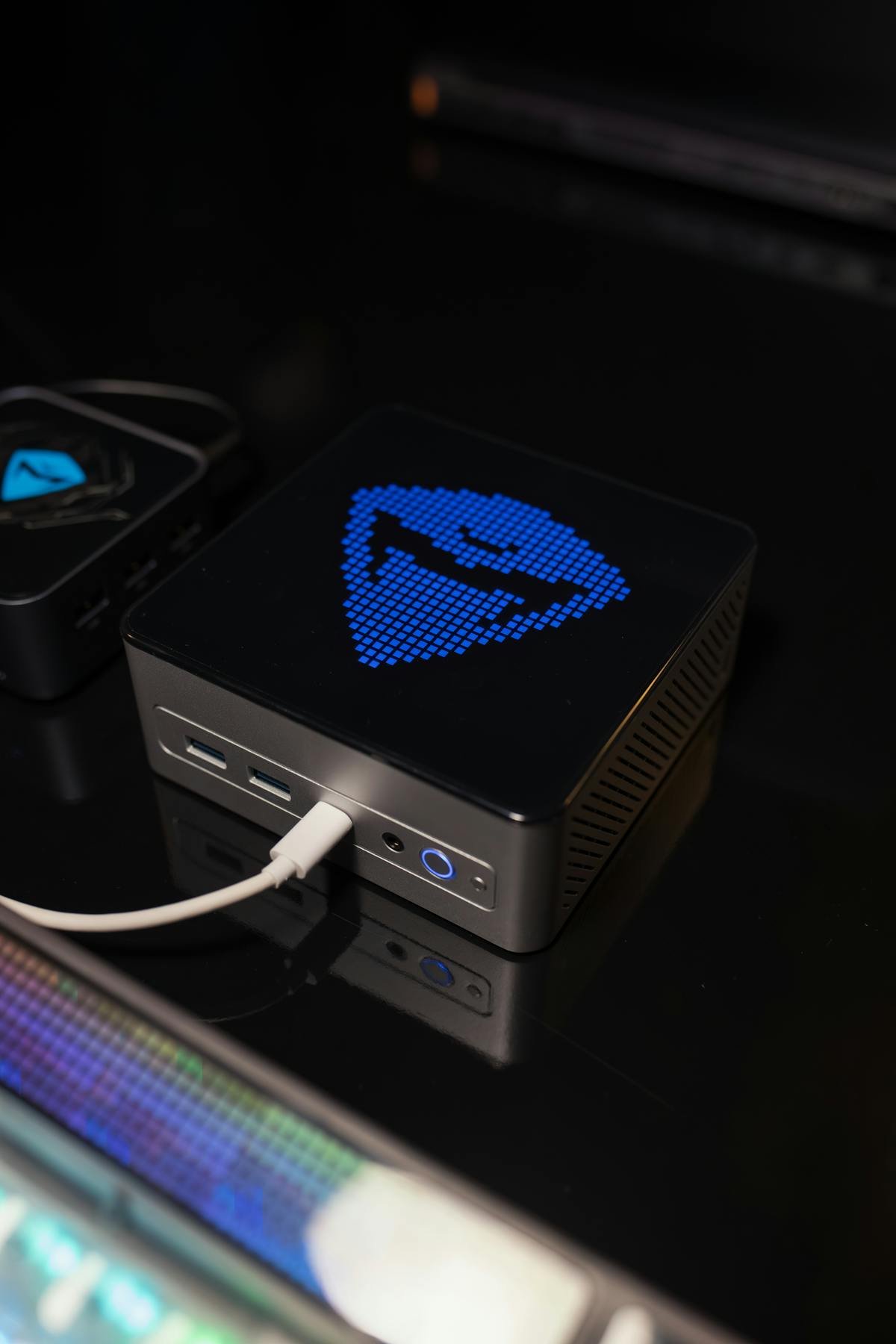
The UM690 pairs a Ryzen 9 6900HX with flexible storage (M.2 NVMe + 2.5″ SATA), DDR5 SO-DIMM upgrades, and USB-C DP/HDMI for multi-display work. This guide covers all upgrade options and compatibility details.
Quick Specs Summary
| Component | Specification |
|---|---|
| Processor | AMD Ryzen 9 6900HX (8-core, 16-thread, up to 4.9 GHz boost) |
| RAM | DDR5-4800 SO-DIMM x2 (up to 64GB, upgradeable) |
| Storage | M.2 2280 NVMe (PCIe 4.0) + 2.5″ SATA (up to 2TB) |
| Connectivity | WiFi 6, Bluetooth 5.1, 2.5GbE Ethernet |
| Display | HDMI 2.1 (4K@60Hz), USB-C DP 1.4, USB-C video out |
| Power | 120W external DC barrel adapter (19V) |
| Form Factor | 156 × 139 × 67mm, 620g |
RAM Compatibility & Upgrades
The UM690 features two DDR5-4800 SO-DIMM slots with a maximum of 64GB. This is the sweet spot for most users: excellent performance at a reasonable cost.
| Capacity | Speed | Price per Module* | Total (2 sticks) | Link |
|---|---|---|---|---|
| 16GB DDR5-4800 SO-DIMM | 4800 MHz | £40–55 | 32GB total | View on Amazon |
| 32GB DDR5-4800 SO-DIMM | 4800 MHz | £75–105 | 64GB total | View on Amazon |
Recommended Setups:
- General Use / Gaming: 2x16GB (32GB dual-channel) — good balance of performance and cost.
- Content Creation / Development: 2x32GB (64GB dual-channel) — max performance, future-proofed.
- Single-Stick Budget: 1x32GB — saves cost, slight performance trade-off.
Compatible Brands: Kingston, Corsair, SK Hynix, Samsung, Crucial—all DDR5-4800 SO-DIMs work.
Installation: Remove the bottom panel with a Phillips screwdriver; both slots are easily accessible.
Storage Flexibility: M.2 NVMe + SATA
The UM690 is unique: one M.2 2280 NVMe (PCIe 4.0) slot + one 2.5″ SATA drive bay. This gives maximum flexibility for mixed storage configurations.
M.2 NVMe Options
| Product | Capacity | Speed (Seq. Read) | Type | Price* | Link |
|---|---|---|---|---|---|
| Samsung 980 | 250GB–1TB | 5,150 MB/s | PCIe 4.0 | £40–80 | View on Amazon |
| WD Blue SN580 | 256GB–1TB | 4,150 MB/s | PCIe 4.0 | £35–75 | View on Amazon |
| Kingston A3000 | 480GB–1TB | 3,500 MB/s | PCIe 3.0 | £30–60 | View on Amazon |
Note: The UM690’s M.2 slot is PCIe 4.0, so PCIe 4.0 drives run at full speed; PCIe 3.0 drives also work.
2.5″ SATA Storage Options
| Product | Capacity | Speed (Seq. Read) | Price* | Link |
|---|---|---|---|---|
| Samsung 870 QVO | 1TB / 2TB | 560 MB/s | £70–140 | View on Amazon |
| Kingston KC600 | 1TB / 2TB | 550 MB/s | £65–130 | View on Amazon |
| WD Blue 3D | 500GB–2TB | 560 MB/s | £45–130 | View on Amazon |
Optimal Config: M.2 NVMe for OS/applications + 2.5″ SATA for bulk storage (video, projects, archives).
Power Supply
The UM690 ships with a External DC power input adapter (USB PD 3.1 compliant).
- Charging Flexibility: Use the supplied DC adapter, or a replacement that matches its voltage and wattage. Do not rely on a USB-C charger to power this machine.
- Power Draw: 15–20W idle, 45–65W office use, 70W+ sustained gaming.
- Docking: 90W USB-C dock supplies full power + peripherals simultaneously.
Display & Docking
The UM690 supports dual independent displays:
- HDMI 2.1: 4K@60Hz (ideal for gaming, video playback).
- USB-C DP 1.4: 4K@60Hz alternative or extended display.
- USB-C Video: Additional video output (requires DP Alt Mode hub).
Docking Recommendations:
- Premium USB-C Dock: CalDigit TS3 Plus (90W PD, 15 ports, multi-display support).
- Budget Hub: UGREEN 10-in-1 (HDMI, DP, USB 3.0, SD, 90W PD).
- Simple Option: Anker PowerExpand+ (7 USB 3.0, HDMI, SD, 60W PD).
WiFi 6 & Networking
WiFi 6 (802.11ax): ~1.2Gbps peak in lab. Real-world: 200–500 Mbps depending on router and distance.
- Bluetooth 5.1: Reliable wireless peripherals (mice, keyboards, headphones).
- 2.5GbE Ethernet: For maximum stability on office networks, use wired connection.
Performance Expectations
The Ryzen 9 6900HX is an excellent mobile processor:
- Office / Browsing: 45–55°C, fanless operation at 15–20W.
- Content Creation (4K video): 65–70°C, active cooling at 50–65W.
- Gaming (esports titles): 60+ fps at high settings; AAA titles: 30–45 fps medium settings at 1440p.
Upgradeability Score
8/10 — Excellent RAM upgrades (up to 64GB DDR5), flexible storage (M.2 + SATA), and dual display support. The Ryzen 9 6900HX is past-generation but still capable.
FAQ
What’s the maximum RAM the UM690 supports?
64GB with 2x32GB DDR5-4800 SO-DIMM. The slot count is fixed at 2 SO-DIMMs.
Can I use both M.2 and SATA storage?
Yes. You can install an M.2 NVMe (primary OS drive) and a 2.5″ SATA SSD (secondary storage) simultaneously. An optimal config is OS on NVMe, bulk data on SATA.
Is WiFi 6 upgradeable?
No. WiFi 6 is soldered to the mainboard. However, 2.5GbE wired Ethernet is available as a fallback.
Does the UM690 support Thunderbolt?
No Thunderbolt or USB4. The UM690 uses standard USB-C DP and HDMI for display. No eGPU support.
Can I run dual 4K monitors?
Yes: HDMI 2.1 (4K@60Hz) + USB-C DP 1.4 (4K@60Hz) for two independent 4K displays.
Recommended Products
These are the products we recommend based on this guide. All links go to Amazon where you can check current prices and availability.
| Product | Why We Recommend It | Amazon |
|---|---|---|
| Corsair Vengeance DDR5 SO-DIMM 32GB (2×16GB) 5600MHz | Top-rated DDR5 kit for gaming & productivity | View on Amazon |
| Kingston Fury Impact DDR5 SO-DIMM 32GB (2×16GB) 5600MHz | Excellent DDR5 alternative with XMP support | View on Amazon |
| Crucial DDR5 SO-DIMM 16GB 5600MHz | Affordable single-stick DDR5 | View on Amazon |
| G.Skill Ripjaws DDR5 SO-DIMM 32GB 5600MHz | High performance DDR5 for enthusiasts | View on Amazon |
| Samsung 990 Pro 2TB NVMe M.2 2280 | Fastest consumer NVMe — ideal for gaming & editing | View on Amazon |
| WD Black SN850X 2TB NVMe | Excellent Gen4 speed with heatsink option | View on Amazon |
| Crucial P5 Plus 1TB NVMe | Great value Gen4 SSD | View on Amazon |
| Kingston NV2 1TB NVMe | Budget-friendly with solid reliability | View on Amazon |
Prices and availability may vary. As an Amazon Associate, we earn from qualifying purchases.
Related Minisforum Upgrade Guides
- Minisforum Mini PC Upgrade Guide
- Minisforum AtomMan X7 Ti Compatibility Guide – RAM, SSD, Docking & Upgrades
- Minisforum BD790i Compatibility Guide – Ryzen 9 7945HX, eGPU, DDR5, OCuLink
- Minisforum EliteMini HM90 Compatibility Guide – Ryzen 9 4900H, DDR4, M.2 & SATA
- Minisforum MS-01 Compatibility Guide – Intel i9-13900H, NAS/Server, Multi-GbE, DDR5
- Minisforum Upgrade Guide
Not sure what fits? Use our free Compatibility Checker covering 3,195+ models.
Helpful Guides
Upgrades that fit the Minisforum UM690
What fits: Storage: M.2 2280 NVMe PCIe 4.0; 2.5in SATA drive supported
Spec source: thefpsreview.com (checked 26 Sep 2026).
As an Amazon Associate we earn from qualifying purchases. Prices & availability shown on Amazon.
M.2 2280 NVMe SSDs that fit
2.5in SATA SSDs for the drive bay
*Indicative UK street prices, shown for guidance only. These are not live Amazon prices and change frequently — check the current price on Amazon before buying.