Affiliate disclosure: this page contains affiliate links — if you buy through them we may earn a commission at no extra cost to you. As an Amazon Associate we earn from qualifying purchases.
Microsoft Surface laptops prioritize thinness, design, and premium feel over upgradeability. All current Surface models (Laptop 5, Laptop 6, Pro 9, Pro 10) feature completely soldered LPDDR5/LPDDR5X memory that cannot be upgraded. You must choose your RAM configuration at purchase — there are no second chances. This guide explains exactly what that means, what you can upgrade (it’s limited), and how to buy Smart: choosing the right Surface configuration the first time, because you won’t be able to change it later.
The Hard Truth About Surface Upgrade Options
Let’s be direct: if you’re buying a Surface expecting to upgrade RAM in 2-3 years, you’re going to be disappointed. Microsoft chose to solder LPDDR5 memory directly to the motherboard for power efficiency and thinness. This design trade-off means:
- RAM cannot be upgraded. 8GB stays 8GB forever. 16GB is permanent. 32GB cannot be expanded to 64GB.
- Storage is limited but upgradeable. Surface Laptop 5/6 added SSD access doors (improvement!), but Surface Pro uses standard M.2 2230 modules behind a small access door.
- Battery is replaceable only by Microsoft. Out-of-warranty battery replacement costs £150-250 + requires sending to service.
- You cannot repair it yourself. Unlike Framework (10/10 repairability), Surface is glued and requires professional disassembly.
This is important context: Surface is optimized for people who buy new laptops every 3-4 years, not for people who upgrade and keep their machines for 6-7 years. If you plan to keep a Surface long-term, buy the highest RAM configuration you think you’ll need.
Surface Series Overview — What Can & Cannot Be Upgraded
| Model | Screen | RAM (Soldered) | RAM Upgradeable? | SSD (Proprietary) | SSD Upgradeable? | Battery | Design |
|---|---|---|---|---|---|---|---|
| Surface Laptop 5 13″ | 13.5″ IPS (2256×1504) | 8GB / 16GB / 32GB LPDDR5 | No (soldered) | 256GB / 512GB / 1TB | Yes (access door) | 47.4Wh (non-replaceable by user) | Thin aluminum, lightweight |
| Surface Laptop 5 15″ | 15″ IPS (2496×1664) | 8GB / 16GB / 32GB LPDDR5 | No (soldered) | 256GB / 512GB / 1TB | Yes (access door) | 63Wh (non-replaceable) | Thin aluminum, lighter than competitors |
| Surface Laptop 6 13″ | 13.5″ IPS 120Hz (2256×1504) | 16GB / 32GB LPDDR5X | No (soldered) | 512GB / 1TB / 2TB | Yes (access door) | 58Wh (improved battery) | Thinner, lighter than Laptop 5, Copilot+ AI |
| Surface Laptop 6 15″ | 15″ IPS 120Hz (2496×1664) | 16GB / 32GB LPDDR5X | No (soldered) | 512GB / 1TB / 2TB | Yes (access door) | 72Wh (improved) | Thinner than Laptop 5, Copilot+ AI |
| Surface Pro 9 5G (ARM) | 13″ PixelSense (2880×1920) | 8GB / 16GB LPDDR5 (soldered) | No | 128GB / 256GB / 512GB | Limited (SIM tray access) | 49.2Wh | 2-in-1 tablet + keyboard, ARM-based |
| Surface Pro 9 (Intel) | 13″ PixelSense (2880×1920) | 8GB / 16GB / 32GB LPDDR5 | No (soldered) | 128GB / 256GB / 512GB / 1TB | Limited (SIM tray access) | 49.2Wh | 2-in-1 tablet + keyboard |
| Surface Pro 10 (Intel Meteor Lake) | 13″ PixelSense (2880×1920) | 16GB / 32GB LPDDR5X (soldered) | No (soldered) | 256GB / 512GB / 1TB / 2TB | Limited (SIM tray access) | 55Wh | 2-in-1 tablet + keyboard, Copilot+ AI |
Key Observations:
- Laptop models are better for upgrades. Laptop 5/6 have SSD access doors (easier upgrades). Pro models require SIM tray disassembly (more fiddly).
- Laptop 6 is the sweet spot. 120Hz display, improved battery, SSD access door, available in 32GB RAM. If you must buy Surface, Laptop 6 is the most practical.
- Pro 5G is ARM-based. Uses Snapdragon processor, not Intel. Very limited upgradability, avoid if you need Windows software compatibility.
- No model allows RAM upgrade. All soldered. This is the core issue.
RAM: The Permanence Problem
Why Is Surface RAM Soldered?
Microsoft made a design choice: LPDDR5 memory soldered directly to the motherboard enables:
- Thinner chassis: No SO-DIMM slots means no space reserved for upgrade hardware. Surface is thinner than competitors.
- Lower power consumption: Soldered LPDDR5 uses less power than SO-DIMM modules (which require longer traces on the board). Better battery life.
- More reliable thermals: No gaps for air circulation, better heat dissipation in thin form factor.
- Higher perceived quality: Fewer removable parts = feels more integrated and premium.
The cost: zero upgradability. You choose 8GB, 16GB, or 32GB at purchase. That decision is permanent for the laptop’s lifetime.
RAM Recommendations by Use Case
| Use Case | Minimum RAM | Recommended RAM | Why |
|---|---|---|---|
| Email, Office, Web Browsing | 8GB (minimum safe) | 16GB (comfortable) | 8GB becomes limiting after 18-24 months as apps grow. 16GB is smart future-proofing. |
| Development (VSCode, Light VMs) | 16GB (minimum) | 32GB (recommended) | Development workloads are memory-hungry. 16GB is tight; 32GB avoids slowdowns from swap usage. |
| Creative Work (Photoshop, Figma) | 16GB (minimum) | 32GB (comfortable) | Photoshop, Figma, Adobe XD benefit from RAM. Large files and multiple layers require 32GB to avoid stuttering. |
| Video Editing, 3D | 32GB (minimum) | 32GB+ (better: get external workstation) | Video editing and 3D rendering exceed Surface’s capabilities. Surface Laptop is not ideal for this workload. Consider Surface Laptop Studio instead. |
| Students | 16GB (good) | 16GB (sufficient) | Browsing, documents, coding all comfortable at 16GB. 32GB unnecessary unless planning 5+ year lifespan. |
Best Practice: If you’re buying Surface and plan to keep it for 4+ years, buy 32GB. The £300 premium now (vs 16GB) is cheaper than buying a new laptop in year 4. If you upgrade every 2-3 years, 16GB is adequate.
SSD Upgrades — The One Bright Spot
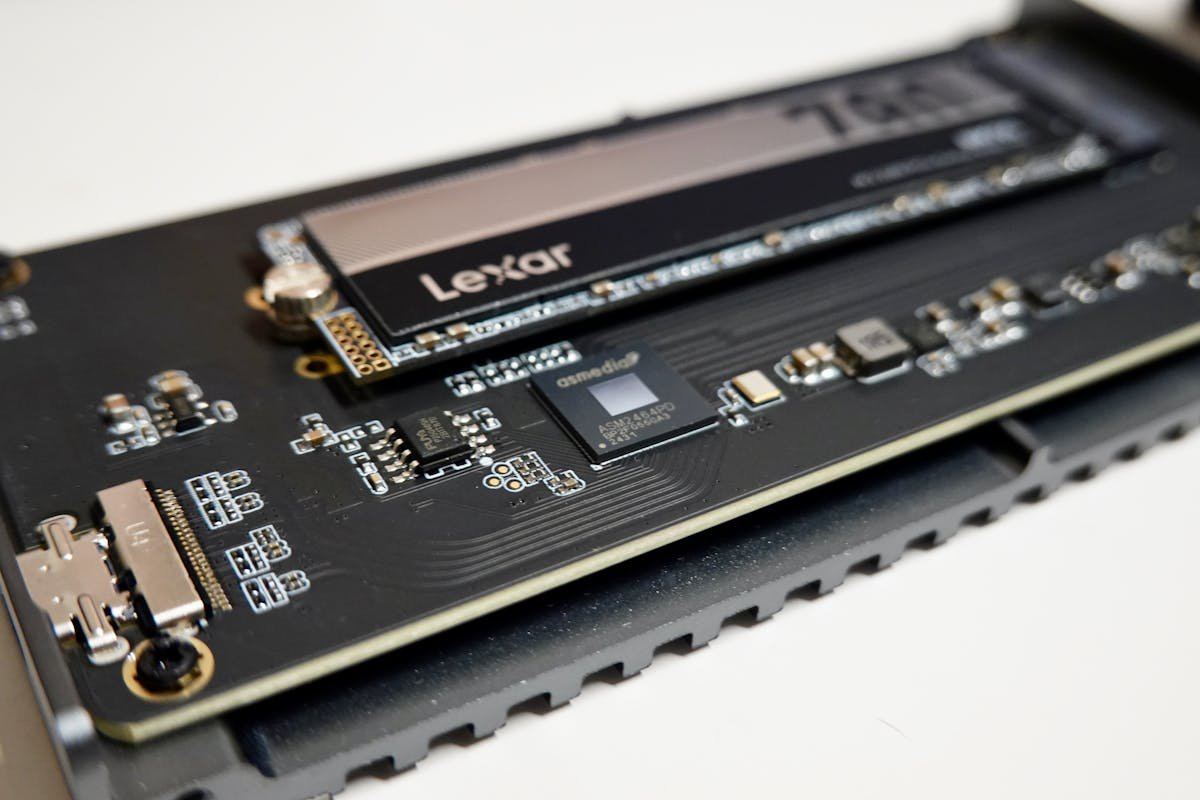
Surface Laptop 5/6: M.2 2230 SSD with Access Door
Surface Laptop 5 and 6 finally added an SSD access door — a removable panel on the base. This is good news: you can upgrade storage without professional disassembly. The SSD is M.2 2230 form factor (shorter than standard 2280).
Key Limitations:
- M.2 2230 is a niche size. Options are limited compared to standard 2280 SSDs.
- Speed improvement is noticeable but not dramatic (upgrade from 512GB to 2TB might add £120-180).
- Original storage often cannot be accessed after replacement (you lose it or need external enclosure to recover data).
Surface Laptop 5/6 SSD Upgrade Guide
| Upgrade Path | Cost (UK) | Difficulty | Benefit |
|---|---|---|---|
| Stock 256GB → 512GB | +£70-100 | Easy (5 min) | Doubles storage, no noticeable speed change. Good for budget buyers. |
| Stock 512GB → 1TB | +£80-120 | Easy (5 min) | Doubles storage again. Sweet spot upgrade. 1TB is comfortable for 3-4 year lifespan. |
| Stock 512GB → 2TB | +£150-200 | Easy (5 min) | 4× storage, gives headroom for creative work (large project files, media, backups). |
| Keep original SSD + External Thunderbolt SSD | +£120-300 (external only) | No disassembly | Preserve original drive data, add fast external storage. External Thunderbolt SSDs are just as fast as internal. |
Best M.2 2230 SSDs for Surface
- Crucial P310 2TB (£150-180) — Best option for Surface Laptop, PCIe Gen 4, fast.
- Samsung 990 Evo 2TB (£120-150) — Reliable, Samsung brand.
- Kingston NV2 2TB (£90-120) — Budget option, still good speed.
- SK Hynix P41 Platinum 2TB (£130-160) — Excellent performance, less common brand.
Note: Most 2230 drives only go up to 2TB. If you need more storage, use an external Thunderbolt SSD instead (next section).
Browse M.2 2230 SSDs on Amazon →
Surface Pro 9/10: SSD Access via SIM Tray (Fiddly)
Surface Pro models use an M.2 2230 SSD accessed through a SIM card tray slot on the bottom edge. Instead of a nice access door (like Laptop), you need to:
- Eject the SIM tray (opens the side slot)
- Reach in with tweezers or a small tool to access the SSD
- Carefully pull the SSD out at an angle
- Insert the new one
This is more annoying than Laptop 5/6, but still doable. Same M.2 2230 SSDs work. Same upgrades apply.
External Storage: The Practical Alternative
Thunderbolt 4 SSDs: Nearly as Fast as Internal
If you don’t want to open your Surface and fiddle with the internal SSD, external Thunderbolt SSDs are nearly as fast as internal drives. A Thunderbolt 4 SSD delivers 2000+ MB/s read speeds — only slightly slower than internal PCIe Gen 4 (3500+ MB/s), and the difference is imperceptible in real use.
Advantages of External Thunderbolt SSD:
- No disassembly. Plug it in via USB-C Thunderbolt port. Instant storage expansion.
- Portable. Move files between computers. Use as backup drive.
- Lower risk. No opening the laptop, no warranty concerns.
- Fast. Thunderbolt 4 is nearly as fast as internal SSD.
- Large capacities available. 2TB, 4TB, 8TB external options (internal only goes to 2TB).
Best External SSDs for Surface
| Drive | Capacity | Connection | Speed | Price (UK)* | Best For |
|---|---|---|---|---|---|
| Samsung T7 Shield | 1TB / 2TB / 4TB | USB-C 3.1 (10Gbps) | 1050 MB/s | £120-350 | Most popular external SSD, rugged, excellent warranty |
| OWC Envoy Pro Thunderbolt 4 | 1TB / 2TB / 4TB | Thunderbolt 4 | 2400 MB/s | £250-600 | Fastest option, excellent for creative work, premium price |
| CalDigit Tuff nanoII | 1TB / 2TB / 4TB | USB-C 3.1 (10Gbps) | 1050 MB/s | £110-300 | Rugged, affordable alternative to Samsung T9 |
| LaCie Rugged SSD Thunderbolt | 1TB / 2TB / 4TB | Thunderbolt 3/4 (40Gbps) | 2400 MB/s | £280-700 | Premium rugged option, professional use |
Recommendation: For most Surface users, Samsung T7 Shield (£120-350) is the best balance of speed, price, and reliability. If you do professional creative work and want maximum speed, OWC Envoy Pro Thunderbolt 4 is worth the premium.
Browse External SSDs on Amazon →
Charger & Power Delivery
Two Charging Options: Surface Connect + USB-C PD
All modern Surface models support both Surface Connect (proprietary connector) and USB-C Power Delivery. This is excellent: you can use either proprietary Surface charger or any third-party USB-C PD charger.
Charger Requirements
| Model | Recommended Wattage | Example USB-C PD Charger | Price (UK)* | Notes |
|---|---|---|---|---|
| Surface Laptop 5/6 13″ | 45W-65W USB-C PD | Anker Prime 67W GaN | £45-60 | 65W charges at full speed. 45W works but slower (3-4 hours full charge vs 1 hour). |
| Surface Laptop 5/6 15″ | 100W USB-C PD | Ugreen Nexode 100W | £60-75 | Larger screen requires more power. 65W works but charges slowly. |
| Surface Pro 9/10 | 65W USB-C PD | Anker Prime 67W | £45-60 | Pro models are less power-hungry than Laptops. 45W minimum for basic use. |
Why USB-C PD chargers matter: Microsoft includes a proprietary Surface charger with each device, but buying a third-party USB-C PD charger gives you flexibility. One charger can power your Surface + phone + tablet. Prices are £20-60, much cheaper than buying multiple proprietary chargers.
Browse USB-C Chargers on Amazon →
Surface Docking: Thunderbolt 4 & Surface Dock
Surface Laptop 6 and Pro 10 both support Thunderbolt 4 docking via USB-C. This opens up universal dock compatibility (CalDigit TS4, Anker, etc.). Older Surface models required proprietary Surface Dock.
Surface Dock 2 still works for older Pro 9 models, but buying a Thunderbolt 4 dock (if your Surface supports it) is better — works with other laptops too.
The Best Surface Configuration (Smart Buying)
Since RAM cannot be upgraded, your purchase decision is permanent. Here’s the smart Surface buying strategy:
If You Keep Laptops 3-4 Years
| Use Case | Recommended Config | Cost* | Rationale |
|---|---|---|---|
| Office/Business | Surface Laptop 6 13″: 16GB / 512GB | £1200-1400 | 16GB sufficient for email/docs/web. 512GB adequate storage. Good balance. |
| Light Development | Surface Laptop 6 13″: 32GB / 512GB | £1600-1800 | 32GB prevents slowdowns when developing. Can’t upgrade later, so buy now. |
| Creators (Photo/Design) | Surface Laptop 6 15″: 32GB / 1TB | £1800-2000 | Larger screen for design, 32GB RAM for Photoshop, 1TB for project files. |
| Portable/Student | Surface Pro 10: 16GB / 256GB + External 2TB SSD | £1400 + £150 | 2-in-1 portability, 16GB adequate for studying, external SSD for files. |
If You Keep Laptops 5+ Years
Buy 32GB RAM no matter what. The £300 premium is cheaper than replacing a sluggish machine in year 4.
Surface vs Competitors: Upgrade Reality
| Aspect | Surface Laptop 6 | ThinkPad E-Series | Framework 13 | MacBook Air 13″ |
|---|---|---|---|---|
| Base Price | £1200-1400 | £500-700 | £1100-1300 | £1099+ |
| RAM Upgradeable? | No (soldered) | Yes (SO-DIMM) | Yes (SO-DIMM) | No (soldered) |
| SSD Upgradeable? | Limited (proprietary 2230) | Yes (M.2 2280) | Yes (M.2 2230) | No (soldered, proprietary) |
| Repairability | Glued, requires service | Modular, user-friendly | 10/10 iFixit score | 3/10 iFixit score |
| Best For | Design/premium feel, short ownership | Best value + upgradability | Long-term ownership, sustainability | macOS ecosystem, video editing |
When to Choose Surface: You value design and premium feel, you upgrade laptops every 3-4 years, and you’re willing to pay a premium for Microsoft’s ecosystem and thinness. You do NOT plan to keep the laptop for 6+ years or upgrade components.
When to Choose Something Else: You want upgradeable RAM (ThinkPad E-Series), long-term sustainability (Framework), or lowest total cost (E-Series again).
Common Misconceptions About Surface
“Can I upgrade Surface RAM if I’m careful?” No. RAM is soldered to the motherboard with specialized equipment. It cannot be replaced by anyone without complete motherboard replacement (£800+).
“Will a faster charger damage my Surface?” No. A 100W charger on a 45W laptop is safe — the laptop draws only what it needs. Using a lower-wattage charger (45W on 65W laptop) is also safe, just slower.
“Is Surface Laptop 6 worth the upgrade from Laptop 5?” If you have Laptop 5 with good RAM/storage, probably not. The display (120Hz) and battery are marginally better. If buying new, Laptop 6 is preferred (better base specs, newer CPU).
“Can I fix Surface battery degradation?” Only via Microsoft service (£150-250). You cannot replace it yourself. This is a real limitation for long-term ownership.
The Bottom Line: Surface Strategy
Microsoft Surface is optimized for people who buy premium laptops every 3-4 years, not for people who upgrade and keep machines for 6-7 years. If that’s you — and you value design and premium materials — Surface is great. If you want long-term value and upgradability, choose ThinkPad E-Series (budget) or Framework (premium but upgradeable).
Golden Rule: When buying Surface, configure it with the RAM and storage you think you’ll need in 4-5 years, because you cannot change it later. Buy more RAM than you think you need — that £300 extra is cheaper than a new laptop.
Recommended Products
These are the products we recommend based on this guide. All links go to Amazon where you can check current prices and availability.
No memory modules are listed here, and that is deliberate. Every current Surface has its RAM soldered to the mainboard — there is no socket to fit a module into, so a SO-DIMM kit bought for one of these machines cannot be installed. Choose the memory you need when you buy the device. The storage recommendations below are valid: the SSD is a replaceable M.2 2230 drive on most models.
| Product | Why We Recommend It | Amazon |
|---|---|---|
| WD SN770M 1TB M.2 2230 NVMe | Best 2230 SSD for Dell, Surface, Steam Deck | View on Amazon |
| Sabrent Rocket 2230 1TB | Fast 2230 alternative | View on Amazon |
| Samsung PM991a 1TB 2230 | OEM-grade 2230 at good prices | View on Amazon |
| Samsung 990 Pro 2TB NVMe M.2 2280 | Fastest consumer NVMe — ideal for gaming & editing | View on Amazon |
Prices and availability may vary. As an Amazon Associate, we earn from qualifying purchases.
Related Microsoft Upgrade Guides
- Best RAM for MSI Gaming Laptops 2026
- Framework Laptop 13 (Intel Core Ultra) RAM & SSD Upgrade Guide
- Framework Laptop 13 (AMD 7040) RAM & SSD Upgrade Guide
- Framework Laptop 16 (AMD) RAM & SSD Upgrade Guide
- Microsoft Surface Laptop Studio 2
- Microsoft Upgrade Guide
Not sure what fits? Use our free Compatibility Checker covering 3,195+ models.
Helpful Guides
Related Resources
- Laptop Upgrade Compatibility Checker — Check RAM, SSD & charger compatibility for 3,195+ models
- RAM Compatibility Guide — DDR4, DDR5 & LPDDR5 explained
- SSD Compatibility Guide — NVMe, SATA & M.2 sizes
- Charger Compatibility Guide — USB-C, Power Delivery & GaN
- Docking Station Compatibility Guide — Thunderbolt, USB-C & DisplayLink
Popular Brand Upgrade Guides
- Dell Laptop Upgrades
- Lenovo Laptop Upgrades
- HP Laptop Upgrades
- ASUS Laptop Upgrades
- Acer Laptop Upgrades
- MSI Laptop Upgrades
Recommended upgrades
As an Amazon Associate we earn from qualifying purchases. Prices & availability shown on Amazon.
For laptops and mini PCs that use DDR5 SO-DIMM
For laptops and mini PCs that use DDR4 SO-DIMM
M.2 2280 NVMe SSDs
*Indicative UK street prices, shown for guidance only. These are not live Amazon prices and change frequently — check the current price on Amazon before buying.