Affiliate disclosure: this page contains affiliate links — if you buy through them we may earn a commission at no extra cost to you. As an Amazon Associate we earn from qualifying purchases.
The HP EliteDesk 800 G4 (2018) is a business desktop with 8th generation Intel Core (Coffee Lake) processors, four DDR4-2400 DIMM slots supporting up to 64GB, and two M.2 2280 NVMe SSD sockets on the tower and SFF models.
This guide provides complete compatibility details for RAM upgrades, SSD installations, and power supply replacement for the EliteDesk 800 G4.
HP EliteDesk 800 G4 Specifications
| Specification | Detail |
|---|---|
| Release Year | 2018 |
| Processor | Intel 8th Gen (Coffee Lake) – Core i3, i5, i7, plus Pentium and Celeron |
| RAM Type | DDR4 UDIMM (standard, non-ECC) |
| RAM Speed | DDR4-2400 (native) |
| Maximum RAM | 64GB (4 × 16GB) |
| DIMM Slots | 4 (tower and SFF) |
| Slot Voltage | 1.2V standard |
| Storage Slots | 2x M.2 2280 NVMe sockets plus 2.5in and 3.5in bays |
| Form Factors | SFF (Small Form Factor), Tower |
| PSU (Tower) | TWR 250W or 500W; SFF 250W |
RAM Upgrade Specifications
Memory Type & Speed
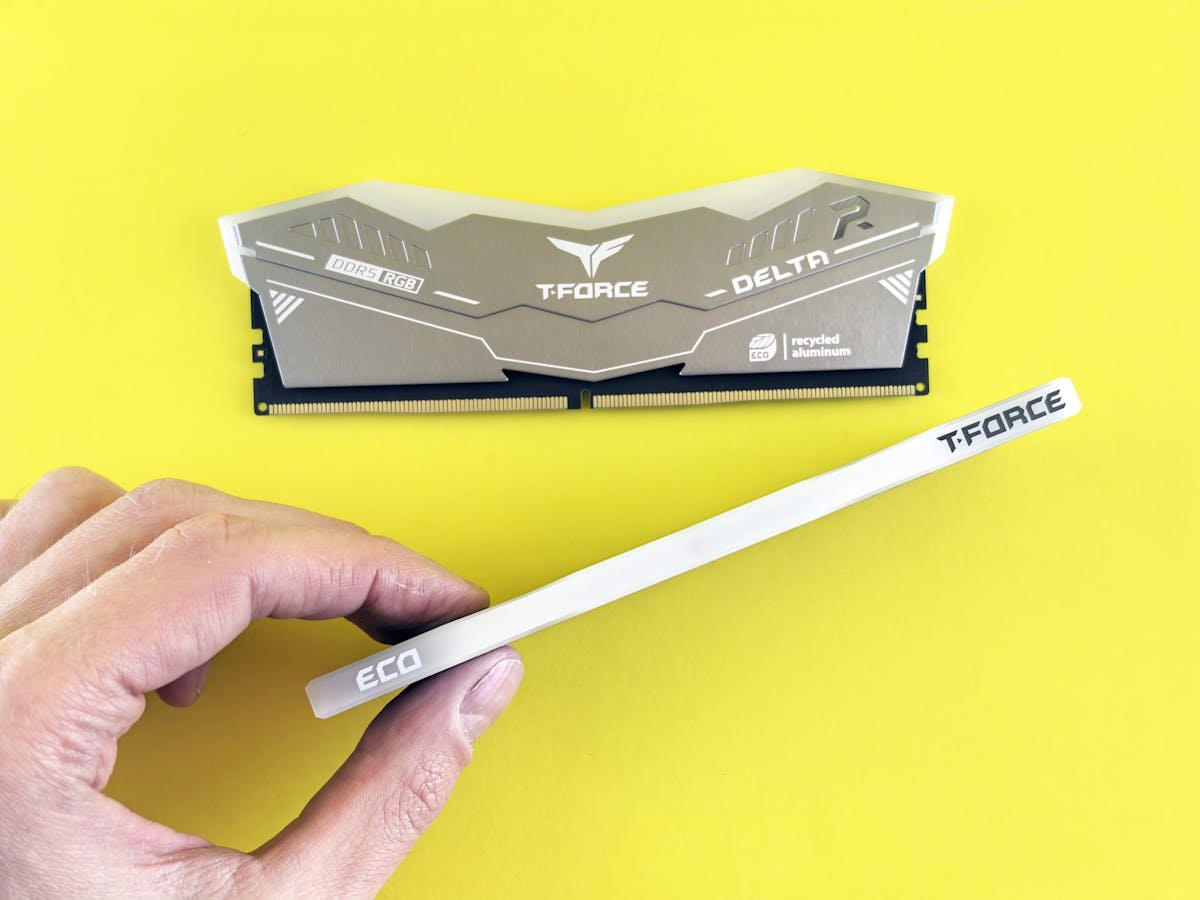
The EliteDesk 800 G4 requires DDR4-2400 memory, which is the speed HP specifies for this machine (PC4-19200 non-ECC UDIMMs, 1.2V).
Key compatibility notes:
- Use only standard DDR4 UDIMM modules (not ECC or registered)
- Native speed is DDR4-2400; faster speeds (DDR4-2666+) will throttle to 2400 MHz
- All modules must be 1.2V standard voltage — no low-voltage variants
- Install in pairs or sets of four for dual-channel performance (the G4 is a dual-channel platform)
- Mixing module speeds or capacities may reduce stability; use matching sets
Maximum Capacity & Configurations
The G4 supports 64GB maximum RAM across four DIMM slots (up to 16GB per module), which suits heavier workloads and virtual machines.
| Configuration | Total Capacity | Module Specification | Channel Mode |
|---|---|---|---|
| Single 8GB | 8GB | 1× DDR4-2400 8GB | Single-channel |
| Pair (2×8GB) | 16GB | 2× DDR4-2400 8GB | Dual-channel |
| Quad (4×8GB) | 32GB | 4× DDR4-2400 8GB | Dual-channel (2 DIMMs per channel) |
| Quad (4×16GB) | 64GB | 4× DDR4-2400 16GB | Dual-channel (maximum capacity) |
Recommended RAM for G4
Kingston Fury Beast DDR4-2400 8GB — Native G4 speed, proven reliability, excellent value.
Kingston Fury Beast DDR4-2400 16GB — For upgrading to 64GB with only four modules.
Corsair Vengeance LPX DDR4-2666 16GB — Faster alternative that works on G4 (throttles to 2400), forward-compatible.
G.Skill Trident Z DDR4-2400 16GB — Premium performance at native G4 speed.
Storage & SSD Compatibility
M.2 NVMe Support
The EliteDesk 800 G4 supports M.2 NVMe SSDs (PCIe 3.0), offering dramatically faster speeds (3,500+ MB/s) compared to older SATA drives (550 MB/s). TWR and SFF models have two M.2 2280 NVMe sockets.
Samsung 970 EVO 1TB — Excellent performance, widely trusted on G4 systems.
WD Blue SN570 1TB — Reliable, cost-effective, proven in businesses.
Crucial P1 1TB — Balanced performance and price, QLC technology.
Hybrid Storage Setup
TWR and SFF models support both M.2 NVMe and 2.5″ SATA SSD slots. This allows you to install the Windows OS on the fast NVMe drive and use SATA for bulk storage — a cost-effective approach.
Power Supply Information
Tower PSU Details
EliteDesk 800 G4 tower models ship with HP-specific power supplies, not standard ATX units:
- 250W PSU — Typical for i3/i5 configurations
- 500W PSU — Higher-spec i7 systems
Both connect to the motherboard through HP’s 6-pin main power and 4-pin processor power connectors plus a PSU command cable, not a 24-pin ATX connector, so a standard retail ATX power supply will not plug in. Replace a failed unit with the HP part for your form factor.
SFF Power Supplies
SFF (Small Form Factor) G4 models use specialized power supplies not compatible with tower units. Verify your form factor before purchasing a replacement PSU.
PSU Replacement Options
Seasonic Focus GX-550W 80+ Gold – a standard ATX unit, so it will not connect to the G4’s HP 6-pin motherboard power connector and is not a drop-in replacement.
EVGA SuperNOVA G2 650W – also a standard ATX unit, so it is not a drop-in replacement for the G4’s HP power supply.
G4 vs. G3 vs. G5 RAM Comparison
| Feature | G3 | G4 | G5 |
|---|---|---|---|
| Memory Type | DDR4 | DDR4 | DDR4 |
| Native Speed | DDR4-2133 | DDR4-2400 | DDR4-2666 |
| Max Capacity | 32GB | 64GB | 64GB |
| DIMM Slots | 4 | 4 | 4 |
| M.2 NVMe | No | Yes | Yes |
| Processor Gen | 6th Gen Intel | 8th Gen Intel | 9th Gen Intel |
Installation Instructions
- Power off the computer completely and disconnect the power cable
- Press the power button several times to discharge residual electricity
- Wait 30-60 seconds before opening the case
- Open the side panel (usually secured with 2-4 screws or a latch)
- Locate the DIMM slots (long, horizontal slots near the top of the motherboard)
- If replacing RAM, push the retention clips outward to eject the old modules
- Align the new module’s notch with the key on the slot
- Press down firmly on both ends until the retention clips snap into place
- Close the case and reconnect power
- Boot up — the BIOS will auto-detect and configure the new memory
Frequently Asked Questions
Q: Is the G4 still worth upgrading in 2026?
A: Yes, if you have a G4 and it’s still performing adequately. A RAM upgrade to 32GB or 64GB can extend its useful life by 3-5 years. However, if you need processor-level improvements or Thunderbolt 3 support, moving to a G6 or later is better.
Q: Can I use DDR4-2666 RAM in a G4?
A: Yes, it’s backward compatible. The DDR4-2666 modules will run at the G4’s native DDR4-2400 speed automatically. There’s no harm in using faster RAM — it just won’t achieve its full potential on the G4.
Q: How much faster is NVMe compared to SATA SSD?
A: NVMe (M.2) drives offer 3,500+ MB/s read speeds, while SATA SSDs max out at 550 MB/s — about 6x faster. For everyday computing, the difference is less noticeable, but for large file transfers or video editing, NVMe is significantly better.
Q: Do I need to update my BIOS after adding RAM?
A: No, you should not need to. The G4 BIOS automatically detects new RAM on boot. However, if you experience instability after adding RAM, checking for the latest BIOS update from HP’s support page is a good troubleshooting step.
Q: Is my G4 tower compatible with a 400W power supply upgrade?
A: Not with a standard retail PSU. HP fits the G4 tower with its own 250W or 500W power supply, which connects through a 6-pin main power connector and a 4-pin processor power connector rather than a 24-pin ATX connector, so a standard ATX unit will not plug in. If you need more power, use HP’s 500W G4 tower supply.
Q: Can the EliteDesk 800 G4 support dual NVMe drives?
A: Yes. TWR and SFF models have two M.2 2280 NVMe sockets (SSD1 and SSD2). You can also add a 2.5″ SATA SSD for secondary storage.
Recommended Products
| Product | Type | Capacity | Link |
|---|---|---|---|
| Kingston Fury Beast DDR4-2400 | RAM | 8GB or 16GB | Shop |
| Corsair Vengeance LPX DDR4-2666 | RAM | 16GB | Shop |
| G.Skill Trident Z DDR4-2400 | RAM | 16GB | Shop |
| Samsung 970 EVO | NVMe SSD | 1TB | Shop |
| WD Blue SN570 | NVMe SSD | 1TB | Shop |
| Crucial P1 | NVMe SSD | 1TB | Shop |
Prices and availability may vary. As an Amazon Associate, we earn from qualifying purchases.
Related HP Upgrade Guides
- HP Z2 G9 SFF RAM & SSD Upgrade Guide (2023)
- HP EliteDesk 800 G9 Mini RAM & SSD Upgrade Guide (2023)
- HP EliteDesk 800 G9 SFF RAM & SSD Upgrade Guide (2023)
- HP EliteDesk 800 G9 Tower RAM & SSD Upgrade Guide (2023)
- HP Pro Tower 400 G9 RAM & SSD Upgrade Guide (2023)
- HP Upgrade Guide
Not sure what fits? Use our free Compatibility Checker covering 3,195+ models.
Helpful Guides
Recommended upgrades
As an Amazon Associate we earn from qualifying purchases. Prices & availability shown on Amazon.