

ASUS ROG (Republic of Gamers) laptops span two distinct upgrade philosophies: the fully upgradeable Strix and TUF gaming lines, and the soldered-RAM premium Zephyrus ultrabooks. This guide breaks down every current ROG series, specs, upgrade paths, and which models are worth the money.
If you own a ROG laptop and want more RAM or SSD storage, this guide will show you exactly what’s compatible, how to install it, and which third-party upgrades offer the best value.
ROG Lineup Overview — Upgradeable vs. Soldered

ASUS splits the ROG brand into high-refresh gaming laptops (Strix, SCAR, TUF) and portable ultrabooks (Zephyrus, Flow). This has a massive impact on upgradability:
| Series | RAM Type | Max RAM | M.2 Slots | Upgradeable | Best For |
|---|---|---|---|---|---|
| ROG Strix G16/G18 | DDR5 SO-DIMM | 64GB (2×32GB) | 2× M.2 2280 Gen 4 | ✓ Full | Desktop replacement gamers |
| ROG Strix SCAR | DDR5 SO-DIMM | 64GB (2×32GB) | 2× M.2 2280 Gen 4 | ✓ Full | Esports (144Hz+) |
| TUF Gaming A15/A16 | DDR5 SO-DIMM | 32GB (2×16GB) | 1–2× M.2 2280 | ✓ Full | Budget gaming, mid-range |
| TUF Gaming F15/F16 | DDR5 SO-DIMM | 32GB (2×16GB) | 1–2× M.2 2280 | ✓ Full | Budget gaming, Intel-based |
| ROG Zephyrus G14 | LPDDR5X Soldered | 32GB Max | 1× M.2 2280 | ✗ No RAM | Portable gaming, ultrabook |
| ROG Zephyrus G16 | LPDDR5X Soldered | 32GB Max | 1× M.2 2280 | ✗ No RAM | Premium portable gaming |
| ROG Zephyrus Duo 16 | DDR5 SO-DIMM | 64GB (2×32GB) | 2× M.2 2280 | ✓ Full | Creative pros (dual screen) |
| ROG Flow X13/X16 | LPDDR5X Soldered | 32GB Max | 1× M.2 2280 | ✗ No RAM | 2-in-1 portable gaming |
Key takeaway: If you want upgradeability, buy Strix, SCAR, or TUF. Avoid Zephyrus and Flow if RAM upgrades are important.
ROG Strix Series — Full Upgradeable Gaming
The Strix line is the sweet spot for gaming laptop buyers who value upgradability. Both the G16 and G18 (desktop replacements) use traditional DDR5 SO-DIMM slots and dual M.2 drives — you can swap and upgrade everything.
ROG Strix G16 & G18 (2024)
RAM: 2× DDR5-5600 SO-DIMM slots, upgradeable to 64GB total. Ships with 16GB or 32GB depending on config.
Storage: 2× M.2 2280 Gen 4 NVMe slots. Most models ship with one 512GB or 1TB drive; the second slot is empty and ready for expansion.
Charger: 240W to 330W barrel plug (varies by GPU model). USB-C charging NOT supported — bring the barrel charger.
Upgradeability Score: 5/5 — Both RAM and SSD are user-replaceable. Remove bottom panel, unscrew RAM cover, swap modules. Storage is equally straightforward.
Best Upgrades:
- Add a second 16GB or 32GB DDR5-5600 SO-DIMM to max RAM
- Add a second 1TB or 2TB Gen 4 NVMe to the empty M.2 slot
- No thermal paste replacement needed — slots are easy access
ROG Strix SCAR 15/16 (2024)
Built for esports and competitive gaming (144Hz+ refresh). Same upgrade specs as Strix G16/G18:
RAM: 2× DDR5-5600 SO-DIMM, 64GB max. Upgraded to 32GB factory standard.
Storage: 2× M.2 2280 Gen 4 NVMe. Ships with 1TB + 1TB (both slots populated).
Upgradeability Score: 5/5 — Both slots are user-accessible. Replace either M.2 drive with a faster or larger model.
Best Upgrades:
- Upgrade one or both M.2 drives to larger capacity if needed (rarely necessary with 2TB total)
- Upgrade RAM only if running heavy workloads (gaming + streaming, video editing)
TUF Gaming Series — Budget-Friendly, Fully Upgradeable
TUF is ASUS’s “tough” gaming brand — durable chassis, good thermal design, and most importantly: fully upgradeable RAM and storage. TUF models are often 20–30% cheaper than Strix, but offer the same upgrade paths.
TUF Gaming A15 & A16 (AMD Ryzen)
RAM: 2× DDR5 SO-DIMM slots, 32GB max (2×16GB). Ships with 16GB standard.
Storage: 1–2× M.2 2280 NVMe Gen 4. Some A15 models ship with one slot populated; A16 often comes with both slots.
Upgradeability Score: 5/5 — Easy bottom panel access. Add a 16GB DDR5-5600 module to max RAM, or add/replace M.2 drives.
Best Upgrades:
- For gaming: Add 16GB DDR5-5600 SO-DIMM (bring total to 32GB)
- For storage: Add a 1TB or 2TB Gen 4 NVMe to the second M.2 slot
- Excellent value — A16 with upgrades is often cheaper than Strix base model
TUF Gaming F15 & F16 (Intel Core)
RAM: 2× DDR5 SO-DIMM, 32GB max. Intel versions are otherwise identical to AMD TUF models.
Storage: 1–2× M.2 2280 Gen 4 NVMe, user-replaceable.
Upgradeability Score: 5/5 — Same access and upgrade path as A15/A16.
Note: No performance difference between A-series and F-series for upgrades — both are equally easy to modify.
ROG Zephyrus Series — Premium Portable (Limited Upgrades)
Zephyrus prioritizes thinness and weight over upgradeability. RAM is soldered to the motherboard — you cannot upgrade it. Only storage (single M.2 slot) is user-replaceable.
ROG Zephyrus G14 (2024)
RAM: LPDDR5X soldered. 16GB or 32GB models. Not upgradeable.
Storage: 1× M.2 2280 Gen 4 NVMe. User-replaceable.
Upgradeability Score: 2/5 — Only storage is upgradeable. RAM choice is permanent.
Best Upgrade:
- Replace the 512GB or 1TB M.2 drive with a larger or faster Gen 4 model (up to 4TB)
- Do NOT buy the 16GB model — pay extra for 32GB and keep it for years
Warning: If you need more RAM down the line, you’re stuck. Buy the 32GB variant from day one.
ROG Zephyrus G16 (2024)
Same soldered-RAM design as G14, but larger 16-inch display and discrete GPU option.
RAM: LPDDR5X soldered, 32GB only (16GB models phased out). Not upgradeable.
Storage: 1× M.2 2280 Gen 4 NVMe, replaceable.
Upgradeability Score: 2/5 — Storage only.
ROG Zephyrus Duo 16 (2024)
The exception to the soldered-RAM rule. Duo has DDR5 SO-DIMM slots (not soldered) because it’s positioned as a creative workstation, not a pure ultrabook.
RAM: 2× DDR5 SO-DIMM, 64GB max. Fully upgradeable.
Storage: 2× M.2 2280 Gen 4 NVMe.
Upgradeability Score: 5/5 — Dual screen, dual M.2, upgradeable RAM. Most versatile Zephyrus model.
ROG Flow Series — 2-in-1 Gaming (Limited Upgrades)
Flow converts between laptop and tablet mode. Because of the compact hinge and form factor, RAM is soldered.
ROG Flow X13 & X16 (2024)
RAM: LPDDR5X soldered, 16GB or 32GB. Not upgradeable.
Storage: 1× M.2 2280 Gen 4 NVMe, replaceable.
Upgradeability Score: 2/5 — Compact form factor means no RAM slots. Storage only.
Best Upgrade: Replace M.2 drive with larger capacity (1TB → 2TB).
Best RAM for ASUS ROG Gaming Laptops
If your ROG model has DDR5 SO-DIMM slots (Strix, SCAR, TUF, Zephyrus Duo), you’ll want DDR5-5600 or DDR5-6000 modules. Gaming doesn’t require extreme speed, but DDR5-5600 is the sweet spot for ROG systems.
Recommended DDR5 Upgrades
For Strix G16/G18 & SCAR (64GB Max):
Kingston FURY Impact 32GB DDR5-5600 SO-DIMM — Low-profile, ROG-optimized, reliable. Pair two for 64GB.
Corsair DOMINATOR PLATINUM RGB 32GB DDR5-5600 — High-end, but unnecessary for gaming. Kingston is better value.
For TUF A15/A16 & F15/F16 (32GB Max):
Crucial DDR5-5600 16GB SO-DIMM — Budget-friendly, good performance. One module brings TUF to 32GB.
Kingston FURY Impact 16GB DDR5-5600 — Best performance-per-pound for TUF. Recommended.
Installation Tips
All ROG laptops with SO-DIMM slots use the same installation method:
- Power off and unplug.
- Remove bottom panel (usually 8–10 screws).
- Locate RAM cover or eject clips (CMOS battery may be nearby — don’t disturb it).
- Insert new module at 45° angle, press down until clips snap.
- Reinstall panel, power on. BIOS auto-detects new RAM.
No thermal paste or technical skill required. Takes 5 minutes.
Best SSDs for ASUS ROG Gaming Laptops
All current ROG models use M.2 2280 NVMe Gen 4. Gaming doesn’t need Gen 5 (not yet available in most laptops, and performance gain is negligible for gaming). Stick with Gen 4.
Recommended NVMe Upgrades
For Speed & Gaming (Best Choice):
Samsung 980 PRO 1TB (Gen 4) — Gold standard for gaming. Fast, reliable, 5-year warranty. Worth the price.
Western Digital Black SN850X 1TB — Slightly cheaper than Samsung, nearly identical performance. Excellent alternative.
For Capacity & Value (Best Budget):
Kingston A3000 2TB (Gen 4) — Cheaper per GB than premium brands. Good for bulk storage (games library).
Crucial P5 Plus 1TB — Mid-range performer. Good for second drive (OS + games split).
Storage Strategy for ROG Gaming
Dual M.2 Setup (Strix, SCAR, TUF with 2 slots):
- Slot 1: 1TB Samsung 980 PRO or WD Black (OS, main games)
- Slot 2: 2TB Kingston A3000 (games library, backups)
- Total: 3TB fast gaming storage for ~£150–180
Single M.2 (Zephyrus, Flow):
- Replace factory 512GB with 2TB Kingston A3000 (best value)
- Or 1TB Samsung 980 PRO if you don’t need extra capacity
Installation Tips
M.2 installation is even simpler than RAM:
- Remove bottom panel.
- Locate M.2 slot(s) — usually near the edge with a small screw hole.
- Insert NVMe at 30° angle, push down gently, screw into place.
- Reinstall panel. BIOS auto-detects new drive.
- Windows will need initialization if brand new (Disk Management or Windows Setup).
No thermal pads needed on most ROG models. Takes 3–5 minutes per drive.
Upgrade Priority Checklist
Not sure what to upgrade first? Use this priority ranking:
- Storage (Highest Priority) — Add second M.2 or replace small factory drive. Gaming needs 100GB+ free space. This is the most common bottleneck.
- RAM (Medium Priority) — Upgrade from 16GB to 32GB only if you game + stream, edit video, or run heavy workloads. Pure gaming doesn’t need more than 32GB.
- Thermal Paste (Low Priority) — ROG laptops cool well stock. Repaste only if temps exceed 95°C after 2+ years of use.
Most users will upgrade storage and never touch RAM or cooling.
ROG Model Comparison Reference
| Model | RAM Slots | Max RAM | M.2 Slots | Upgrade Cost | Recommended For |
|---|---|---|---|---|---|
| Strix G16 | 2× DDR5 SO-DIMM | 64GB | 2× Gen 4 | £150–250 | Power users who want everything upgradeable |
| Strix G18 | 2× DDR5 SO-DIMM | 64GB | 2× Gen 4 | £150–250 | Desktop replacement gaming |
| Strix SCAR | 2× DDR5 SO-DIMM | 64GB | 2× Gen 4 | £150–250 | Esports (144Hz+), competitive gaming |
| TUF A15 | 2× DDR5 SO-DIMM | 32GB | 1–2× Gen 4 | £60–120 | Budget gamers, best value |
| TUF A16 | 2× DDR5 SO-DIMM | 32GB | 1–2× Gen 4 | £60–120 | Larger screen, same upgrade path as A15 |
| TUF F15 | 2× DDR5 SO-DIMM | 32GB | 1–2× Gen 4 | £60–120 | Intel preference, identical upgrades to AMD TUF |
| Zephyrus G14 | Soldered (No) | 32GB Fixed | 1× Gen 4 | £50–100 (SSD only) | Portable gaming, premium ultrabook — buy 32GB base model |
| Zephyrus G16 | Soldered (No) | 32GB Fixed | 1× Gen 4 | £50–100 (SSD only) | Portable, larger 16-inch display |
| Zephyrus Duo 16 | 2× DDR5 SO-DIMM | 64GB | 2× Gen 4 | £150–250 | Creative pros (dual screen), full upgrades |
| Flow X13/X16 | Soldered (No) | 32GB Fixed | 1× Gen 4 | £50–100 (SSD only) | 2-in-1 convertible, compact form factor |
Where to Buy ROG Upgrade Parts
Shop DDR5 Laptop RAM on Amazon UK
Shop NVMe Gen 4 SSDs on Amazon UK
Frequently Asked Questions
Can I upgrade RAM in my ASUS ROG Zephyrus G14?
No. Zephyrus G14 (and G16, Flow X13/X16) have soldered RAM — it cannot be removed or upgraded. You must choose your RAM capacity when buying. If you need more RAM later, you’re out of luck. Buy the 32GB model if possible.
What’s the difference between LPDDR5X and DDR5 SO-DIMM?
LPDDR5X is soldered to the motherboard (power-efficient, thin laptops). DDR5 SO-DIMM is user-replaceable (thicker laptops, gaming systems). You cannot swap between them. Check your model to see which you have.
Can I use DDR5-6000 RAM in my ROG Strix?
Yes, but DDR5-6000 offers no gaming benefit over DDR5-5600 in ASUS ROG systems. The CPU controller runs at 5600 native speed. DDR5-6000 will downclock. Save your money and buy DDR5-5600.
How many M.2 slots does the ROG Strix G16 have?
Two M.2 2280 NVMe Gen 4 slots. Most ROG Strix models ship with one slot populated (512GB or 1TB). The second slot is empty and ready for a second drive.
Do I need thermal pads when installing a new M.2 SSD in ROG laptops?
No. Most ASUS ROG laptops have pre-installed thermal pads in the M.2 slot. If your new drive comes with thermal pads, you can apply them, but it’s optional. Factory pads are usually sufficient.
What’s the best SSD for gaming on a ROG laptop?
Samsung 980 PRO or Western Digital Black SN850X (both Gen 4). For games library expansion, Kingston A3000 2TB offers the best value per GB. All are compatible with every ROG model.
Recommended Products
These are the products we recommend based on this guide. All links go to Amazon UK where you can check current prices and availability.
| Product | Why We Recommend It | Amazon UK |
|---|---|---|
| Corsair Vengeance DDR5 SO-DIMM 32GB (2×16GB) 5600MHz | Top-rated DDR5 kit for gaming & productivity | View on Amazon UK |
| Kingston Fury Impact DDR5 SO-DIMM 32GB (2×16GB) 5600MHz | Excellent DDR5 alternative with XMP support | View on Amazon UK |
| Crucial DDR5 SO-DIMM 16GB 5600MHz | Affordable single-stick DDR5 | View on Amazon UK |
| G.Skill Ripjaws DDR5 SO-DIMM 32GB 5600MHz | High performance DDR5 for enthusiasts | View on Amazon UK |
| Samsung 990 Pro 2TB NVMe M.2 2280 | Fastest consumer NVMe — ideal for gaming & editing | View on Amazon UK |
| WD Black SN850X 2TB NVMe | Excellent Gen4 speed with heatsink option | View on Amazon UK |
| Crucial P5 Plus 1TB NVMe | Great value Gen4 SSD | View on Amazon UK |
| Kingston NV2 1TB NVMe | Budget-friendly with solid reliability | View on Amazon UK |
Prices and availability may vary. As an Amazon Associate, we earn from qualifying purchases.
Related ASUS Upgrade Guides
- Best RAM for ASUS Laptops 2026
- ASUS ProArt StudioBook 16 OLED (2023) RAM & SSD Upgrade Guide (2023)
- ASUS ProArt StudioBook 16 OLED (2024) RAM & SSD Upgrade Guide (2024)
- ASUS ProArt StudioBook 16 OLED (2022) RAM & SSD Upgrade Guide (2022)
- ASUS ExpertBook B9 (2023) RAM & SSD Upgrade Guide (2023)
- ASUS Upgrade Guide
Not sure what fits? Use our free Compatibility Checker covering 3,195+ models.
Helpful Guides
Related Resources
- Laptop Upgrade Compatibility Checker — Check RAM, SSD & charger compatibility for 3,195+ models
- RAM Compatibility Guide — DDR4, DDR5 & LPDDR5 explained
- SSD Compatibility Guide — NVMe, SATA & M.2 sizes
- Charger Compatibility Guide — USB-C, Power Delivery & GaN
- Docking Station Compatibility Guide — Thunderbolt, USB-C & DisplayLink
Popular Brand Upgrade Guides
- Dell Laptop Upgrades
- Lenovo Laptop Upgrades
- HP Laptop Upgrades
- ASUS Laptop Upgrades
- Acer Laptop Upgrades
- MSI Laptop Upgrades
Recommended NVMe SSDs
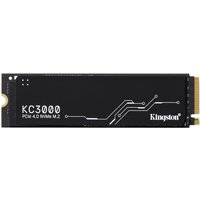
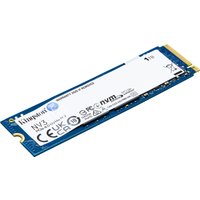
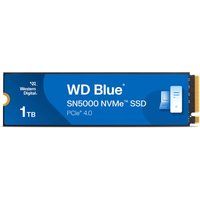

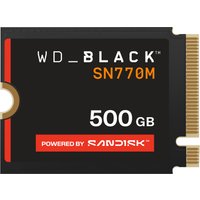
Western Digital
Western Digital Black WD_BLACK™ SN770M NVMe™ SSD POWERED BY SANDISK 50
£139.91
View Deal
