ASUS TUF Gaming series positions itself as affordable, durable gaming laptops for budget-conscious gamers. The A15, A16, and F15 models balance performance, build quality, and upgradability, making them popular with students and entry-level gaming enthusiasts. All TUF Gaming models feature straightforward RAM and SSD upgrades, and dual SODIMM slots enable expandability beyond base configurations. This guide covers recent TUF Gaming models, detailing DDR4 vs DDR5 transitions, upgrade strategies, and gaming-specific recommendations.
ASUS TUF Gaming Compatibility Master Table
The table below lists popular TUF Gaming models with their RAM and storage specifications across generations.
| Model | RAM Type | Max RAM | SSD Type | Max SSD | Charger |
|---|---|---|---|---|---|
| ASUS TUF Gaming A15 (Gen 6) | DDR4 SODIMM | 32GB (2×16) | M.2 NVMe | 1TB | 120W AC |
| ASUS TUF Gaming A15 (Gen 7) | DDR5 SODIMM | 32GB (2×16) | M.2 NVMe | 1TB | 120W AC |
| ASUS TUF Gaming A16 (Gen 6) | DDR4 SODIMM | 32GB (2×16) | M.2 NVMe | 1TB | 150W AC |
| ASUS TUF Gaming A16 (Gen 7) | DDR5 SODIMM | 32GB (2×16) | M.2 NVMe | 1TB | 150W AC |
| ASUS TUF Gaming F15 (Gen 11) | DDR4 SODIMM | 32GB (2×16) | M.2 NVMe | 1TB | 120W AC |
| ASUS TUF Gaming F15 (Gen 12) | DDR5 SODIMM | 32GB (2×16) | M.2 NVMe | 1TB | 120W AC |
RAM Upgrade for Budget Gaming

DDR4 Models (A15/A16 Gen 6, F15 Gen 11)
Older TUF Gaming models use DDR4 SODIMM, supporting up to 32GB (2x16GB). Most ship with 8GB or 16GB, leaving one SODIMM slot available for expansion.
Upgrade recommendation: For gaming, 16GB is the practical baseline. If your TUF came with 8GB, adding an 8GB DDR4 module costs £30–50 and reaches 16GB, comfortable for modern AAA gaming. For esports or light multitasking, this is sufficient. For heavy multitasking with streaming or content creation, upgrade to 32GB total (2x16GB).
DDR4 options for TUF Gaming:
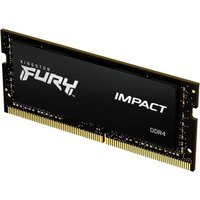
- Kingston Fury DDR4-3200 8GB/16GB SODIMM — Budget-friendly, reliable
- Corsair Vengeance DDR4-3200 16GB SODIMM — Good for maxing out
- G.Skill Flare X DDR4-3200 16GB SODIMM — Competitive gaming-grade option
DDR5 Models (A15/A16 Gen 7, F15 Gen 12)
Newer TUF Gaming models transition to DDR5 SODIMM, offering faster data rates. Like DDR4 variants, they support 32GB maximum (2x16GB).
Upgrade recommendation: For Gen 7 DDR5 models with 8GB, adding an 8GB DDR5 module reaches 16GB (£40–60). For competitive gaming and streaming, upgrade to 32GB total (2x16GB DDR5) for £100–150 total, providing excellent future-proofing.
DDR5 options:
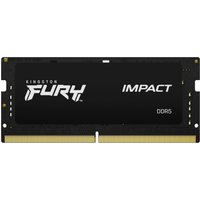
- Kingston Fury DDR5-5600 16GB SODIMM — Gaming-focused branding
- Crucial DDR5-5600 16GB SODIMM — Solid alternative
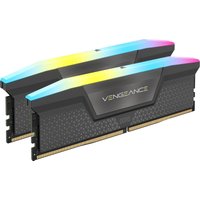
- Corsair Vengeance DDR5-5600 16GB SODIMM — Premium option
SSD Upgrade for Gaming Libraries

Storage Needs for Gamers
Modern games are large: Cyberpunk 2077 is 150GB, Starfield is 130GB, and Call of Duty Modern Warfare 3 is 150GB+. Most TUF Gaming models ship with 512GB, sufficient for 3–5 large games. Upgrading to 1TB lets you store 7–10+ AAA titles comfortably.
Upgrade recommendation: For serious gamers, upgrade to 1TB (£40–70). This is the minimum for comfortable gaming libraries in 2024. If you play 15+ games regularly or record gameplay, consider 2TB (though TUF Gaming maxes at 1TB internal).
Compatible SSDs
TUF Gaming models support M.2 NVMe SSDs with PCIe 3.0 or 4.0. For budget gamers, the speed difference is minor; focus on capacity and reliability.
- Samsung 970 EVO Plus 512GB/1TB (PCIe 3.0) — Excellent for DDR4 models, proven in gaming
- Samsung 990 EVO 512GB/1TB (PCIe 4.0) — Great for DDR5 models, good speed-to-price
- Crucial P5 Plus 512GB/1TB (PCIe 4.0) — Reliable gaming alternative
- WD Blue SN570 512GB/1TB (PCIe 3.0) — Budget-friendly option
Installation note: TUF Gaming SSDs are accessible via the bottom panel. Most require removal of a few screws and are beginner-friendly to upgrade.
Cooling and Performance Tuning
TUF Gaming laptops are engineered for thermal durability. A few notes for optimal performance after upgrading:
- Repasting: If your TUF is 2+ years old, repasting the CPU/GPU with Thermal Grizzly Kryonaut can improve thermals by 5–10°C
- Cooling pad: For extended gaming sessions, a laptop cooling pad helps dissipate heat and extends component lifespan
- BIOS tuning: Some TUF models allow undervolting the CPU in BIOS, reducing thermals without sacrificing performance
Charger Requirements
TUF Gaming chargers vary by model size. The 15-inch models use 120W chargers, while 16-inch models use 150W. Using an underpowered charger may result in slow charging or thermal throttling during gaming.
Common Budget Gaming Upgrade Paths
Competitive Gaming Path: £40–70
Add 8GB RAM to reach 16GB DDR4/DDR5. For esports titles (Valorant, CS:GO, Fortnite), 16GB is sufficient at 144Hz+. Cost: £30–50. Skip SSD upgrade unless you hit storage limits.
AAA Gaming Path: £100–150
Combine 16GB RAM (8GB + 8GB) with a 512GB-to-1TB SSD upgrade. This handles demanding single-player games (Cyberpunk, Alan Wake 2, Starfield) smoothly and supports large game libraries. Cost: £80–130.
Maximum Path: £150–200
Max RAM to 32GB (2x16GB DDR5) and upgrade SSD to 1TB. This future-proofs your TUF for 3–5 years of gaming and supports multitasking with streaming/recording. Cost: £150–200 total.
Frequently Asked Questions
Is 16GB enough for gaming in 2025?
Yes, 16GB is adequate for most games at 1440p. However, if you multitask (Discord, Twitch, streaming software), 32GB is recommended. Competitive esports (Valorant, CS:GO) are lighter and fine with 16GB.
Will upgrading the SSD improve my gaming FPS?
Not directly. Framerates are GPU-limited. However, a faster/larger SSD dramatically improves load times and prevents stutters during large file streaming in open-world games. From a gamer’s perspective, SSD speed feels important.
Can I upgrade both RAM slots on my TUF?
Yes. All TUF Gaming A15/A16/F15 models have two SODIMM slots. Most come with one module populated, allowing you to add a second identical module or replace both for maximum capacity.
Should I upgrade at purchase or later?
RAM is cheaper at purchase time (bulk discount); SSD costs are similar whenever you upgrade. If unsure about needs, buy base configuration and upgrade SSD later (easy, low-risk upgrade). RAM upgrades require more care; if you think you’ll need 32GB, specify at purchase.
Can I use an external SSD on my TUF for extra games?
Yes. TUF Gaming supports external USB 3.1/USB-C SSDs. They’re slower than internal M.2 drives but work for game storage. Samsung T7 Portable SSDs are popular and reliable.
Recommended Products
These are the products we recommend based on this guide. All links go to Amazon UK where you can check current prices and availability.
| Product | Why We Recommend It | Amazon UK |
|---|---|---|
| Corsair Vengeance DDR4 SO-DIMM 32GB (2×16GB) 3200MHz | Best overall DDR4 upgrade kit | View on Amazon UK |
| Kingston Fury Impact DDR4 SO-DIMM 32GB (2×16GB) 3200MHz | Reliable alternative with tight latency | View on Amazon UK |
| Corsair Vengeance DDR5 SO-DIMM 32GB (2×16GB) 5600MHz | Top-rated DDR5 kit for gaming & productivity | View on Amazon UK |
| Kingston Fury Impact DDR5 SO-DIMM 32GB (2×16GB) 5600MHz | Excellent DDR5 alternative with XMP support | View on Amazon UK |
| Samsung 990 Pro 2TB NVMe M.2 2280 | Fastest consumer NVMe — ideal for gaming & editing | View on Amazon UK |
| WD Black SN850X 2TB NVMe | Excellent Gen4 speed with heatsink option | View on Amazon UK |
| Crucial P5 Plus 1TB NVMe | Great value Gen4 SSD | View on Amazon UK |
| Kingston NV2 1TB NVMe | Budget-friendly with solid reliability | View on Amazon UK |
Prices and availability may vary. As an Amazon Associate, we earn from qualifying purchases.
Related ASUS Upgrade Guides
- Best RAM for ASUS Laptops 2026
- ASUS ProArt StudioBook 16 OLED (2023) RAM & SSD Upgrade Guide (2023)
- ASUS ProArt StudioBook 16 OLED (2024) RAM & SSD Upgrade Guide (2024)
- ASUS ProArt StudioBook 16 OLED (2022) RAM & SSD Upgrade Guide (2022)
- ASUS ExpertBook B9 (2023) RAM & SSD Upgrade Guide (2023)
- ASUS Upgrade Guide
Not sure what fits? Use our free Compatibility Checker covering 3,195+ models.
Helpful Guides
Related Resources
- Laptop Upgrade Compatibility Checker — Check RAM, SSD & charger compatibility for 3,195+ models
- RAM Compatibility Guide — DDR4, DDR5 & LPDDR5 explained
- SSD Compatibility Guide — NVMe, SATA & M.2 sizes
- Charger Compatibility Guide — USB-C, Power Delivery & GaN
- Docking Station Compatibility Guide — Thunderbolt, USB-C & DisplayLink