ASUS VivoBook is ASUS’s mainstream consumer laptop line, ranging from budget VivoBook Go models up to high-spec VivoBook Pro OLED variants. However, upgradeability varies dramatically between model generations and series. Some VivoBooks are fully upgradeable (two RAM slots, separate SSD); others have soldered RAM and integrated storage that make any upgrade impossible.
This guide covers every current VivoBook series and its upgrade options. We’ll show you exactly which models can be upgraded, which parts fit, and which models you should avoid if upgradeability matters to you.
VivoBook Upgrade Reference Table

| Model (Year) | RAM (Soldered + Upgradeable) | Max RAM | Storage | Charger | Score |
|---|---|---|---|---|---|
| VivoBook 15 X1502 (2022) | 8GB DDR4 + 1× SO-DIMM | 24GB | 1× M.2 2280 Gen4 | 65W Barrel | 3/5 |
| VivoBook 15 X1504 (2023) | 8GB DDR4 + 1× SO-DIMM | 24GB | 1× M.2 2280 Gen4 | 65W Barrel | 3/5 |
| VivoBook 16 X1605 (2023) | 2× SO-DIMM (no soldered) | 32GB | 1× M.2 2280 | 65W Barrel | 4/5 |
| VivoBook S 14 S5406 (2024) | LPDDR5X Soldered (on CPU) | 32GB | 1× M.2 2280 | 65W USB-C | 1/5 |
| VivoBook S 16 S5606 (2024) | LPDDR5X Soldered (on CPU) | 32GB | 1× M.2 2280 | 65W USB-C | 2/5 |
| VivoBook Pro 15 OLED | Varies (DDR5 SO-DIMM or soldered) | 32GB | 1× M.2 2280 | 120–180W USB-C | 3–4/5 |
| VivoBook Pro 16 OLED | Varies (DDR5 SO-DIMM or soldered) | 32GB | 1× M.2 2280 | 120–180W USB-C | 3–4/5 |
| VivoBook Go 15 | 1× DDR4 SO-DIMM (varies on soldered) | 16–24GB | 1× M.2 2280 | 45–65W USB-C or Barrel | 3/5 |
Upgradeability Score: 5/5 = Fully user-upgradeable (all RAM + SSD). 1/5 = Soldered RAM, SSD only. Scores reflect ease and parts availability.
VivoBook 15 (X1502 & X1504)
The Mid-Spec Workhorse
The VivoBook 15 X1502 (2022) and X1504 (2023) are ASUS’s bread-and-butter 15″ consumer laptops. Both feature a hybrid memory design: 8GB of DDR4 soldered to the motherboard plus one upgradeable SO-DIMM slot. This is the sweet spot for cost-conscious buyers who want some upgrade path without the premium price tag of fully-upgradeable models.
RAM Upgrade Path
You can add a DDR4-3200 SO-DIMM module (8GB, 16GB, or 32GB) to the available slot. Total maximum RAM is 24GB (8GB soldered + 16GB module) — the limit is the 1× SO-DIMM slot, not the chipset.
Compatible modules:
- Corsair Vengeance (DDR4-3200 SO-DIMM) — widely available, reliable
- Kingston FURY Beast (DDR4-3200 SO-DIMM) — good alternative
- Crucial Ballistix (DDR4-3200 SO-DIMM) — budget-friendly
Avoid: DDR5 modules — these systems use DDR4 only. Also avoid very high-speed modules (DDR4-3600+) — the hardware is spec’d for DDR4-3200, and faster modules may not boot.
Storage Upgrade
Both models have one M.2 2280 Gen4 NVMe slot. You can replace the factory SSD with any standard M.2 2280 NVMe drive. Common upgrades are 512GB → 1TB or 1TB → 2TB.
Recommended:
- Samsung 970 EVO Plus (proven performance, good warranty)
- Crucial P5 Plus (solid speed, competitive pricing)
- WD Black SN850X (gaming/creative workloads)
Charger
Both use a 65W barrel connector (not USB-C). Original ASUS charger is standard, but any 65W barrel charger with the correct polarity will work. Replacement chargers are widely available.
See laptop charger compatibility guide
VivoBook 16 (X1605)
The Upgrader’s Choice
The VivoBook 16 X1605 (2023) is the most upgradeable mainstream VivoBook currently available. Unlike the 15″ models, it has two full SO-DIMM slots with no soldered RAM. This means you can upgrade both modules or replace the factory RAM entirely.
RAM Upgrade Path
The X1605 accepts DDR4-3200 SO-DIMM modules in both slots. Maximum capacity is 32GB (2× 16GB DDR4-3200). Many units ship with 8GB (1× 8GB) or 16GB (2× 8GB), leaving plenty of upgrade room.
Compatible configurations:
- Single 16GB module (if adding to a single-module base config)
- Matched pair (2× 8GB or 2× 16GB) for dual-channel performance
Popular upgrade modules:
- Corsair Vengeance DDR4-3200 SO-DIMM — matched pairs available
- Kingston FURY Beast DDR4-3200 SO-DIMM
- Crucial Ballistix DDR4-3200 SO-DIMM
Storage Upgrade
Single M.2 2280 NVMe slot. Same upgrade path as VivoBook 15: any standard M.2 2280 Gen4 drive will work. Recommend 1TB or 2TB for content creators.
Charger
65W barrel connector. Standard chargers work as replacements.
VivoBook S Series (S5406 & S5606)
WARNING: Mostly Non-Upgradeable
The VivoBook S 14 S5406 and VivoBook S 16 S5606 (2024) represent ASUS’s thin-and-light flagship consumer line. They use Intel’s latest Lunar Lake processors, which integrate memory on the CPU package itself. This means RAM is soldered directly to the processor and cannot be upgraded under any circumstances.
If you purchase a VivoBook S with 8GB RAM, you are permanently limited to 8GB. Upgrade to at least 16GB at purchase, or look at a different series.
RAM: Not Upgradeable
LPDDR5X is soldered to the Lunar Lake CPU. Standard SO-DIMM modules will not work. There is no practical way to upgrade RAM on these models. Maximum capacity depends on the factory configuration (typically 32GB maximum available at purchase, but non-upgradeable post-purchase).
Storage Upgrade
Both models have one M.2 2280 NVMe slot. SSD upgrades are possible: replace the factory drive with any M.2 2280 Gen4 NVMe SSD.
Charger
65W USB-C Power Delivery (not barrel connector). USB-C chargers are more portable and support fast charging on other devices. Any standard 65W USB-C PD charger will work as a replacement.
Upgradeability Score
VivoBook S models score 1–2/5 for upgradeability because RAM is completely off-limits. Only the SSD can be swapped. If you want upgrade flexibility, avoid this series.
VivoBook Pro Series (OLED)
Premium Performance with Upgrade Options
The VivoBook Pro 15 OLED and VivoBook Pro 16 OLED target creative professionals. Both feature beautiful OLED displays and more powerful processors (Intel Core Ultra or AMD Ryzen). RAM upgradeability varies by year and specific configuration:
- Newer VivoBook Pro models (2024+): Many use DDR5 SO-DIMM slots — upgradeable to 32GB or more (check your specific model).
- Some variants: Soldered LPDDR5X (on Lunar Lake). Check the exact SKU before purchase.
Storage
Single M.2 2280 NVMe slot. Upgradeable to any standard Gen4 or Gen5 drive.
Charger
USB-C Power Delivery (120W–180W), depending on configuration. High-wattage USB-C chargers support gaming and demanding workloads. Any compatible wattage USB-C PD charger will work as a replacement.
Important: If your VivoBook Pro uses 180W charging, a 120W charger will still charge the laptop but at a slower rate. Use the 180W charger for optimal performance during gaming or rendering.
Before Buying VivoBook Pro
Check the exact model number (e.g., K7304JH) and verify RAM/storage specs on ASUS’s official datasheet. Some VivoBook Pro models use soldered RAM, others don’t. The difference can affect long-term value.
VivoBook Go (Budget Series)
Affordable Entry-Level Upgrade Path
The VivoBook Go is ASUS’s budget consumer line. It uses DDR4 SO-DIMM slots (typically 1 or 2, depending on variant) and an upgradeable M.2 SSD. These are solid machines for students and light office work, with decent upgrade potential.
RAM
DDR4-3200 SO-DIMM (typically 1× SO-DIMM, some variants have 2×). Maximum capacity ranges from 16GB to 24GB depending on configuration. Budget-friendly upgrade modules work well on these systems.
Storage
M.2 2280 NVMe slot, upgradeable to any standard SSD.
Charger
Varies: 45W or 65W USB-C Power Delivery, or 65W barrel. Check your specific model number for the exact connector type.
Understanding Hybrid Memory (8GB Soldered + 1 SO-DIMM)
The VivoBook 15 models use a hybrid approach: 8GB of DDR4 memory is permanently soldered to the motherboard, plus one additional SO-DIMM slot. This design exists to reduce manufacturing costs while still allowing user upgrades.
How It Works
When you add a 16GB SO-DIMM module, the system sees 24GB total RAM (8GB soldered + 16GB module). The motherboard handles both automatically. You don’t need to do anything special — just insert the module and the system recognises it on boot.
Why 24GB Max?
The single SO-DIMM slot is the bottleneck. Most consumer SO-DIMM modules max out at 16GB (per JEDEC standards), so 8 + 16 = 24GB is the practical maximum for these models.
Performance Impact
Dual-channel memory (two sticks running side-by-side) is faster than single-channel. However, on a hybrid system with 8GB soldered + 1 module, the soldered RAM and the module run in different channels. Performance impact is small (2–5% in real-world use), but the upgrade is still worthwhile for multitasking and video editing.
Thermal Considerations
Adding RAM generates minimal heat. The VivoBook 15 chassis is designed for single-module operation, so a second module may sit closer to the heatsink than a fully modular system. This is not a concern for DDR4 modules — they run cool and won’t cause thermal throttling.
Recommended Upgrade Parts for VivoBook
DDR4-3200 SO-DIMM (for VivoBook 15, Go, older models)
Buy DDR4-3200 SO-DIMM on Amazon UK
Recommended models:
- Corsair CMSX16GX4M1A3200C22 (Vengeance) — 16GB, verified stable on ASUS systems
- Kingston KF432S20IBK2/32 (FURY Beast DDR4) — matched pair for dual-channel
- Crucial CT16G4SFRA32A (Ballistix) — budget-friendly, good warranty
M.2 2280 NVMe SSD
Recommended models:
- Samsung 970 EVO Plus (1TB) — proven reliability, good performance
- Crucial P5 Plus (1TB) — excellent value, solid performance
- WD Black SN850X (1TB) — for gaming and creative work
65W Barrel Charger (for VivoBook 15, older models)
Buy 65W barrel charger on Amazon UK
65W USB-C Charger (for VivoBook S, VivoBook Pro, Go)
Buy 65W USB-C charger on Amazon UK
USB-C chargers are portable and work with multiple devices. Make sure the charger supports USB Power Delivery (PD) for fastest charging.
Frequently Asked Questions
Can I upgrade the RAM on VivoBook S models?
No. The VivoBook S 14/16 use Intel Lunar Lake processors with integrated LPDDR5X memory soldered directly to the CPU. RAM cannot be upgraded, replaced, or added after purchase. Choose your VivoBook S configuration carefully at purchase, as it’s permanent.
What’s the difference between DDR4-3200 and DDR4-3600?
The number indicates speed: DDR4-3200 runs at 3,200 MHz, DDR4-3600 at 3,600 MHz. Faster RAM provides marginal performance gains (1–3% in gaming/creative work). Most VivoBooks are spec’d for DDR4-3200; you can technically install faster modules, but the motherboard will downclock them to 3,200 MHz. Save your money and buy DDR4-3200.
Do I need a new charger if I upgrade to SSD?
No. SSD upgrades don’t increase power consumption. Your original charger will work fine. However, if you’re upgrading an older VivoBook 15 and want USB-C convenience, replacement chargers are cheap and worth considering.
Is it safe to open my VivoBook myself?
Yes, opening a VivoBook to upgrade RAM or SSD is safe if you follow precautions: power off, disconnect the charger, press the power button for 5 seconds to discharge capacitors, ground yourself (anti-static wrist strap recommended), and work on a non-carpeted surface. YouTube has plenty of detailed guides for specific VivoBook models.
Can I use DDR5 RAM in my VivoBook 15?
No. VivoBook 15 models use DDR4 SO-DIMM slots. DDR5 modules are physically incompatible (different notch position) and won’t fit. Some newer VivoBook Pro models support DDR5; always check your model’s official datasheet to confirm RAM type.
What’s the maximum SSD capacity I can install?
M.2 2280 slots support any capacity up to what the motherboard firmware recognises. In practice, 2TB and 4TB drives are common and widely compatible. If upgrading to 2TB or higher, verify that your VivoBook’s BIOS recognises drives of that size (very rare compatibility issues on older models, but possible). Most 2023+ models support up to 4TB without issues.
Related Upgrade Guides
ASUS Laptop Upgrade Overview — Covers all ASUS consumer and gaming laptop lines (Vivobook, TUF, ROG, ExpertBook).
Laptop RAM Compatibility Guide — Detailed breakdown of DDR4 vs DDR5, SO-DIMM standards, and common mistakes.
Laptop SSD Upgrade Guide — M.2 form factors, NVMe Gen3/Gen4/Gen5 explained, recommended drives.
Recommended Products
These are the products we recommend based on this guide. All links go to Amazon UK where you can check current prices and availability.
| Product | Why We Recommend It | Amazon UK |
|---|---|---|
| Corsair Vengeance DDR4 SO-DIMM 32GB (2×16GB) 3200MHz | Best overall DDR4 upgrade kit | View on Amazon UK |
| Kingston Fury Impact DDR4 SO-DIMM 32GB (2×16GB) 3200MHz | Reliable alternative with tight latency | View on Amazon UK |
| Corsair Vengeance DDR5 SO-DIMM 32GB (2×16GB) 5600MHz | Top-rated DDR5 kit for gaming & productivity | View on Amazon UK |
| Kingston Fury Impact DDR5 SO-DIMM 32GB (2×16GB) 5600MHz | Excellent DDR5 alternative with XMP support | View on Amazon UK |
| Samsung 990 Pro 2TB NVMe M.2 2280 | Fastest consumer NVMe — ideal for gaming & editing | View on Amazon UK |
| WD Black SN850X 2TB NVMe | Excellent Gen4 speed with heatsink option | View on Amazon UK |
| Crucial P5 Plus 1TB NVMe | Great value Gen4 SSD | View on Amazon UK |
| Kingston NV2 1TB NVMe | Budget-friendly with solid reliability | View on Amazon UK |
Prices and availability may vary. As an Amazon Associate, we earn from qualifying purchases.
Related ASUS Upgrade Guides
- Best RAM for ASUS Laptops 2026
- ASUS ProArt StudioBook 16 OLED (2023) RAM & SSD Upgrade Guide (2023)
- ASUS ProArt StudioBook 16 OLED (2024) RAM & SSD Upgrade Guide (2024)
- ASUS ProArt StudioBook 16 OLED (2022) RAM & SSD Upgrade Guide (2022)
- ASUS ExpertBook B9 (2023) RAM & SSD Upgrade Guide (2023)
- ASUS Upgrade Guide
Not sure what fits? Use our free Compatibility Checker covering 3,195+ models.
Helpful Guides
Related Resources
- Laptop Upgrade Compatibility Checker — Check RAM, SSD & charger compatibility for 3,195+ models
- RAM Compatibility Guide — DDR4, DDR5 & LPDDR5 explained
- SSD Compatibility Guide — NVMe, SATA & M.2 sizes
- Charger Compatibility Guide — USB-C, Power Delivery & GaN
- Docking Station Compatibility Guide — Thunderbolt, USB-C & DisplayLink
Popular Brand Upgrade Guides
- Dell Laptop Upgrades
- Lenovo Laptop Upgrades
- HP Laptop Upgrades
- ASUS Laptop Upgrades
- Acer Laptop Upgrades
- MSI Laptop Upgrades
Recommended NVMe SSDs

Western Digital
Western Digital WDS100T2XHE 2 TB M.2 PCI Express 4.0 NVMe TLC 3D NAND
£561.18
View Deal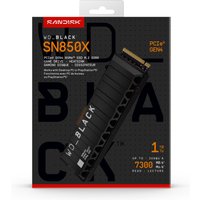
Western Digital
Western Digital Black WD_BLACK™ SN850X NVMe™ SSD POWERED BY SANDISK 1
£353.53
View Deal
Western Digital
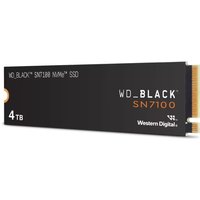
Western Digital Black SN7100 4 TB M.2 PCI Express 4.0 NVMe 3D TLC NAND
£847.78
View Deal