

Understanding computer memory terminology can be confusing, especially with new standards emerging every few years. This comprehensive glossary covers all the essential RAM, SSD, and storage terms you need to know when upgrading your PC, laptop, server, or NAS device.
RAM Terms

These terms relate to system memory (RAM) used in desktops, laptops, servers, and other computing devices.
| Term | Definition |
|---|---|
| DDR4 | 4th generation Double Data Rate memory. Standard in most PCs from 2015-2023. Speeds from 2133MHz to 5333MHz. |
| DDR5 | 5th generation DDR memory. Current standard from 2022 onwards. Speeds from 4800MHz to 8400MHz+. Higher bandwidth and on-die ECC. |
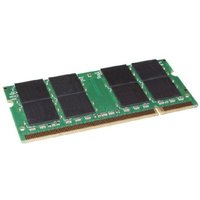
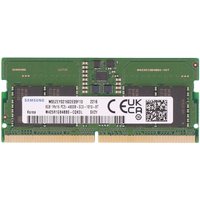
| SODIMM | Small Outline DIMM — compact RAM module used in laptops, mini PCs, and NAS devices. Available in DDR4 (260-pin) and DDR5 (262-pin). |
| DIMM | Dual In-line Memory Module — full-size RAM module used in desktops and servers. DDR4 (288-pin) and DDR5 (288-pin, different keying). |
| ECC | Error-Correcting Code memory. Detects and corrects single-bit errors. Required for servers and workstations. Available as UDIMM, RDIMM, or LRDIMM. |
| RDIMM | Registered DIMM — buffered ECC memory for servers. Supports higher capacities per module than UDIMM. |
| LRDIMM | Load-Reduced DIMM — server memory supporting highest capacities (up to 256GB per module). Uses data buffer chips. |
| XMP | Extreme Memory Profile — Intel specification allowing RAM to run at advertised speeds above JEDEC defaults. Enable in BIOS. |
| EXPO | Extended Profiles for Overclocking — AMD equivalent of XMP for DDR5 platforms. |
| CAS Latency (CL) | Column Access Strobe latency. Lower CL = faster response time. Typical DDR4: CL16-18. Typical DDR5: CL30-40. |
| Dual Channel | Memory configuration using two identical modules for doubled bandwidth. Most consumer platforms support dual channel. |
| LPDDR5 | Low Power DDR5 — soldered memory used in ultrabooks and tablets. Cannot be upgraded after manufacture. |
| JEDEC | Joint Electron Device Engineering Council — sets standard memory speeds and timings. |
| Memory Rank | Single-rank (1Rx8) or dual-rank (2Rx8). Dual-rank can offer slightly better performance in some configurations. |
SSD & Storage Terms
These terms relate to solid-state drives and other storage technologies used in modern computers.
| Term | Definition |
|---|---|
| NVMe | Non-Volatile Memory Express — fast SSD protocol using PCIe bus. 5-7x faster than SATA SSDs. |
| M.2 | Physical form factor for SSDs. Common sizes: 2230, 2242, 2260, 2280 (width x length in mm). Supports both NVMe and SATA. |
| SATA III | Serial ATA revision 3 — older SSD/HDD interface. Maximum 600MB/s. Still common in budget laptops and HDDs. |
| PCIe Gen 3 | 3rd generation PCIe interface for NVMe SSDs. Maximum ~3,500MB/s read speeds. |
| PCIe Gen 4 | 4th generation PCIe. Maximum ~7,000MB/s. Standard in current mid-range to high-end PCs. |
| PCIe Gen 5 | 5th generation PCIe. Maximum ~14,000MB/s. Found in latest platforms (Z890, X870E). |
| TLC | Triple-Level Cell — stores 3 bits per cell. Good balance of price, speed, and endurance. Most consumer SSDs. |
| QLC | Quad-Level Cell — 4 bits per cell. Cheapest per GB but lower endurance. Good for read-heavy workloads. |
| DRAM Cache | Dedicated DRAM chip on SSD for mapping tables. Improves sustained write performance. Present on premium SSDs. |
| HMB | Host Memory Buffer — uses system RAM as SSD cache. Found on budget NVMe drives without onboard DRAM. |
| TBW | Terabytes Written — SSD endurance rating. Higher TBW = longer lifespan under heavy write workloads. |
| TRIM | Command that tells SSD which blocks are no longer in use. Maintains SSD performance over time. Enable in OS. |
Motherboard & Platform Terms
These terms relate to motherboards and platform specifications that affect memory compatibility.
| Term | Definition |
|---|---|
| Chipset | Controller hub on the motherboard determining features like USB ports, PCIe lanes, and overclocking support. |
| Socket | Physical CPU socket type. Intel: LGA 1700 (12th-14th Gen), LGA 1851 (Core Ultra). AMD: AM5 (Ryzen 7000+), AM4 (Ryzen 1000-5000). |
| QVL | Qualified Vendor List — motherboard manufacturer list of tested compatible RAM modules. |
| BIOS/UEFI | Firmware interface where memory settings (speed, timings, XMP/EXPO) are configured. |
| Memory Topology | Daisy-chain or T-topology layout of memory traces on a motherboard. Affects how many modules can run at full speed. |
Recommended Products
Excellent all-round DDR5 kit with wide motherboard compatibility and Intel XMP 3.0 support.
Check Price on Amazon UK
Fast PCIe Gen 4 NVMe SSD with great price-to-performance ratio for upgrades.
Check Price on Amazon UK
Reliable DDR4 upgrade kit for older platforms. Plug-and-play XMP profiles.
Check Price on Amazon UK
Frequently Asked Questions
What is the difference between DDR4 and DDR5?
DDR5 offers higher bandwidth (starting at 4800MHz vs 2133MHz for DDR4), improved power efficiency (1.1V vs 1.2V), and on-die ECC for better reliability. However, DDR5 modules are not physically compatible with DDR4 slots due to different pin configurations.
Can I mix different RAM brands?
While technically possible, mixing RAM brands is not recommended as it can cause instability. For best results, use identical modules (same brand, speed, capacity, and timings) in matching pairs for dual-channel operation.
What does NVMe mean?
NVMe (Non-Volatile Memory Express) is a protocol designed specifically for flash storage that communicates via the PCIe bus. NVMe SSDs are 5-7 times faster than SATA SSDs, making them ideal for boot drives and applications that require fast storage access.
How do I check my current RAM specifications?
On Windows, open Task Manager (Ctrl+Shift+Esc), go to the Performance tab, and click Memory. This shows your total RAM, speed, form factor, and slots used. For more detail, use CPU-Z (free download) which shows exact module specifications.
Shop Compatible Upgrades at PCHub.UK
Prices updated automatically from PCHub.UK — click to view full specs and buy


Prices from PCHub.UK via ComputersDeal. As an affiliate, we may earn from qualifying purchases. Prices updated 2026-04-10 08:16:07.