Affiliate disclosure: this page contains affiliate links — if you buy through them we may earn a commission at no extra cost to you. As an Amazon Associate we earn from qualifying purchases.
Geekom A5 — Quick Specs Summary
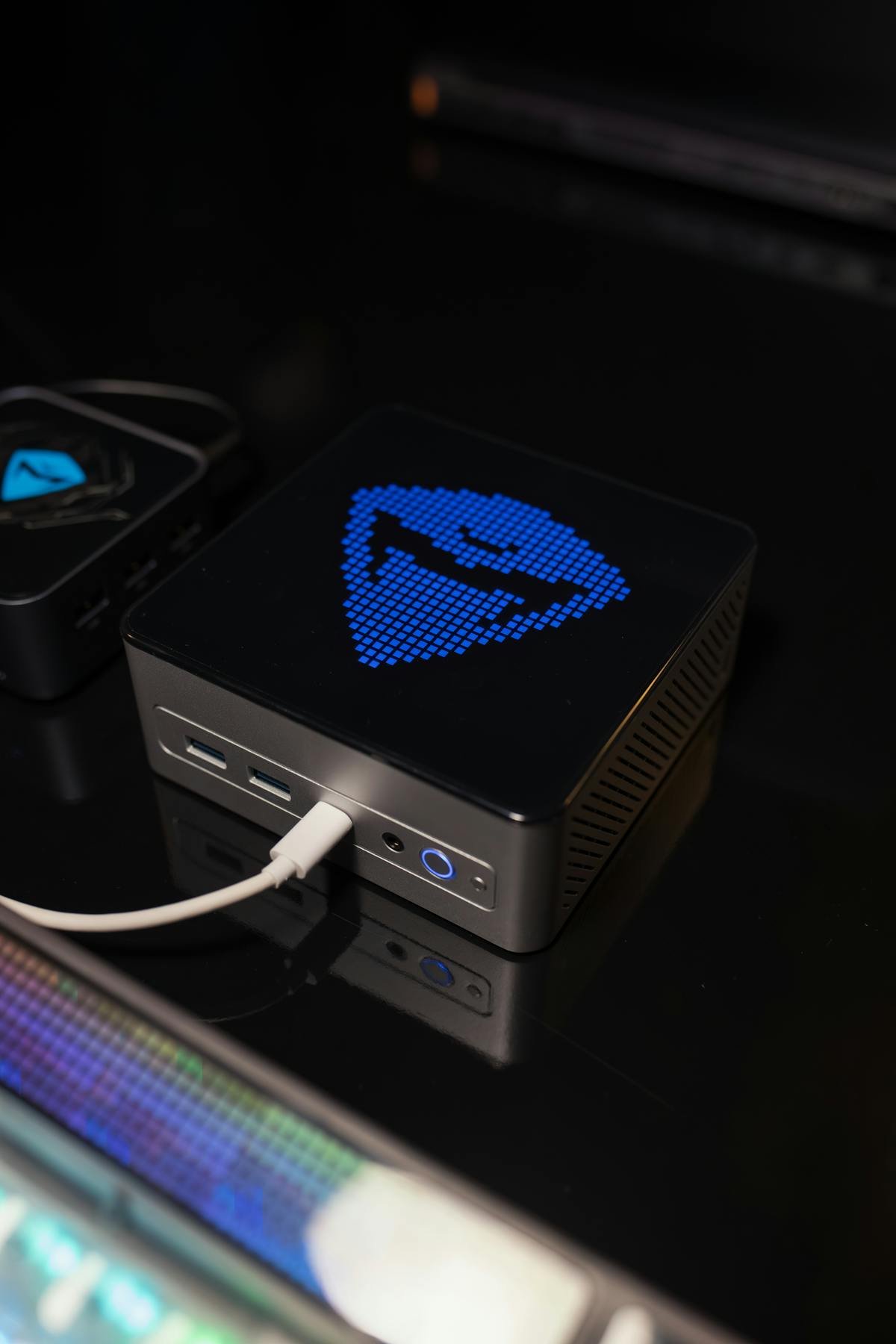
| Component | Specification | Upgradeable? |
|---|---|---|
| Processor | AMD Ryzen 7 5800H (8-core, up to 4.4 GHz) | No |
| RAM | 8GB, 16GB DDR4 SO-DIMM (2 slots, max 64GB) | Yes — UPGRADEABLE |
| Internal SSD | 512GB M.2 NVMe + optional 2.5″ SATA | Yes — both replaceable |
| Ports | 2× USB-A 3.1, 2× USB-C 3.1, HDMI 2.0, Gigabit Ethernet | Expandable via dock |
| Wireless | WiFi 6, Bluetooth 5.1 | No |
| Power Supply | External 19V DC barrel adapter — not USB-C PD. GEEKOM’s own spec sheet contradicts itself on the rating (it lists both “65W” and “19V / 6.32A”, which is 120W), so check the label on your adapter. | No |
| Price | £260–340 | N/A |
Geekom A5: Budget Ryzen Alternative
Performance & Positioning
Ryzen 7 5800H is older (2021 generation) than A7/A8. Performance: ~30% slower than A8, comparable to Mini IT12 (Intel 12th-gen i7). Excellent for budget-conscious developers, light video work, and media servers.
DDR4 & Hybrid Storage Appeal
Like Mini IT13, A5 offers DDR4 SO-DIMM (cheaper upgrades) + M.2 NVMe + 2.5″ SATA. Great for budget upgraders.
RAM Compatibility & Upgrades
Budget DDR4 Path
- Factory: 8GB or 16GB DDR4
- Upgrade to 32GB: £50–80
- Upgrade to 64GB: £100–150
Installation (Same as other DDR4 Models)
- Power down, unplug
- Remove bottom panel
- Push RAM tabs, eject at 45°
- Insert new DDR4 SO-DIMM, press until clicks
- Reassemble, boot
Compatible: Crucial DDR4-3200 16GB SODIMM, Kingston ValueRAM DDR4-3200.
SSD & Storage: Hybrid Flexibility
M.2 NVMe + 2.5″ SATA (Unique)
A5 supports both M.2 slot (512GB factory) + optional 2.5″ SATA bay. Excellent for:
- Boot on NVMe, projects on SATA (tiered storage)
- Legacy 2.5″ SSD reuse
- Total capacity: 2.5TB+ possible (1TB NVMe + 1.5TB SATA)
Installation
M.2: Push at 30°, eject; insert new NVMe, press down, screw.
2.5″ SATA: Locate SATA bay, insert drive, secure screws, connect SATA cable.
Compatible: Samsung 990 EVO M.2 NVMe, WD Blue SN580, Crucial P3 Plus, Samsung 870 EVO 2.5″ SATA.
Upgrade Cost
| Configuration | Cost* |
|---|---|
| 512GB NVMe only | +£0 |
| 512GB NVMe + 500GB SATA | +£35 |
| 1TB NVMe + 1TB SATA | +£75 |
Power & Cooling
65W USB-C Power (Efficient)
A5 uses an external 19V DC adapter (GEEKOM’s own rating is self-contradictory — check your label). Lower power consumption = less heat, quieter fan. Perfect for office environments.
Active Cooling
Small fan; ~25–30 dB under load. Ryzen 5800H runs cool at idle.
Connectivity Limitations
Only 2× USB-A + 2× USB-C (minimal). No Thunderbolt or USB4. HDMI 2.0 (4K 60Hz max). Good for basic setups; consider USB hub for expansion.
Upgradeability Score
| Category | Score |
|---|---|
| RAM Upgrade | 9/10 |
| SSD Upgrade | 9/10 |
| Ports & Connectivity | 5/10 |
| Display Support | 5/10 |
| Overall Upgradeability | 7/10 |
Frequently Asked Questions
Is A5 good value?
Yes, at £260–340. Budget-friendly, DDR4 upgradeable, hybrid storage. Performance 30% slower than A8, but excellent for light work.
Can I upgrade A5 to 64GB RAM?
Yes. 2× 32GB DDR4 SO-DIMM (£100–150). Ryzen 5800H handles 64GB without issue.
Should I add 2.5″ SATA to A5?
Yes, if you need 1TB+ storage. £35–50 for 500GB SATA drive. Excellent for tiered storage (NVMe for speed, SATA for capacity).
A5 vs Mini IT12?
Similar performance (Ryzen 5800H ≈ Intel i7-12650H). A5 cheaper, cooler. IT12 has more USB ports. Choose A5 for value; IT12 if port expansion matters.
How long will A5 be supported?
Ryzen 5000-series likely through 2026–2027. Older than A7/A8, but still serviceable through mid-decade.
Recommended Products
These are the products we recommend based on this guide. All links go to Amazon where you can check current prices and availability.
| Product | Why We Recommend It | Amazon |
|---|---|---|
| Corsair Vengeance DDR4 SO-DIMM 32GB (2×16GB) 3200MHz | Best overall DDR4 upgrade kit | View on Amazon |
| Kingston Fury Impact DDR4 SO-DIMM 32GB (2×16GB) 3200MHz | Reliable alternative with tight latency | View on Amazon |
| Crucial DDR4 SO-DIMM 16GB 3200MHz | Budget single-stick upgrade | View on Amazon |
| Samsung DDR4 SO-DIMM 32GB 3200MHz | OEM-quality for business laptops | View on Amazon |
| Samsung 990 Pro 2TB NVMe M.2 2280 | Fastest consumer NVMe — ideal for gaming & editing | View on Amazon |
| WD Black SN850X 2TB NVMe | Excellent Gen4 speed with heatsink option | View on Amazon |
| Crucial P5 Plus 1TB NVMe | Great value Gen4 SSD | View on Amazon |
| Kingston NV2 1TB NVMe | Budget-friendly with solid reliability | View on Amazon |
Prices and availability may vary. As an Amazon Associate, we earn from qualifying purchases.
Related Geekom Upgrade Guides
- Geekom GT1 Mega Mini PC Compatibility
- Geekom A8 Mini PC Compatibility
- Geekom Mini PC Upgrade Guide
- Geekom A7
- Geekom A8
- Geekom Upgrade Guide
Not sure what fits? Use our free Compatibility Checker covering 3,195+ models.
Helpful Guides
Recommended upgrades
As an Amazon Associate we earn from qualifying purchases. Prices & availability shown on Amazon.
For laptops and mini PCs that use DDR5 SO-DIMM
For laptops and mini PCs that use DDR4 SO-DIMM
M.2 2280 NVMe SSDs
*Indicative UK street prices, shown for guidance only. These are not live Amazon prices and change frequently — check the current price on Amazon before buying.