

The most common mistake new PC builders make is buying incompatible RAM or storage. Your motherboard chipset determines which RAM type (DDR4 vs DDR5), speeds, and maximum capacity are supported. Getting this wrong means returning parts and delays.
RAM Compatibility Checklist

1. Check RAM type — DDR4 and DDR5 are NOT interchangeable. 2. Verify maximum supported speed. 3. Check number of DIMM slots (2 or 4). 4. Note maximum capacity per slot. 5. Always buy a matched kit for dual-channel performance.
Recommended Build Kits
| Budget | RAM | Storage |
|---|---|---|
| Entry (~£80) | 16GB DDR5-5600 | 512GB NVMe |
| Mid (~£150) | 32GB DDR5-6000 | 1TB NVMe Gen4 |
Storage Planning
Modern motherboards have 2-4 M.2 slots. Plan your layout: one fast Gen 4 NVMe for OS and games, optionally a larger drive for media. Check whether M.2 slots share bandwidth with SATA ports.
Frequently Asked Questions
Do I need RAM from the QVL?
Not strictly — most standard RAM works. The QVL guarantees compatibility at rated speeds.
Can I mix RAM brands?
Possible but not recommended. Buy a matched kit for best results.
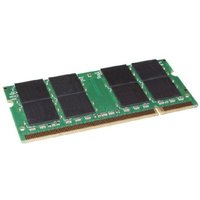
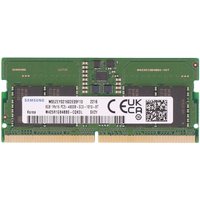
Shop Compatible Upgrades at PCHub.UK
Prices updated automatically from PCHub.UK — click to view full specs and buy


Prices from PCHub.UK via ComputersDeal. As an affiliate, we may earn from qualifying purchases. Prices updated 2026-04-10 08:16:07.

