Affiliate disclosure: this page contains affiliate links — if you buy through them we may earn a commission at no extra cost to you. As an Amazon Associate we earn from qualifying purchases.
The shift to remote and hybrid working has made the laptop vs desktop decision more nuanced than ever. This guide compares both options across performance, ergonomics, upgradeability, and cost for home office use.
Performance Per Pound

Desktops offer significantly more performance per pound. A £600 desktop matches or exceeds a £900 laptop in processing power. Desktop CPUs run at higher clock speeds and sustained boost frequencies thanks to better cooling. For compute-heavy work like video editing, 3D rendering, or data analysis, desktops provide 30-50% more performance at the same budget.
Ergonomics and Health
Desktops pair naturally with full-size monitors, mechanical keyboards, and ergonomic mice — all critical for long working hours. Laptop users typically need a separate monitor, keyboard, and mouse for comfortable all-day use, adding £300-500 to the effective cost. A laptop on its own encourages poor posture that leads to neck and back strain over time.
Upgradeability
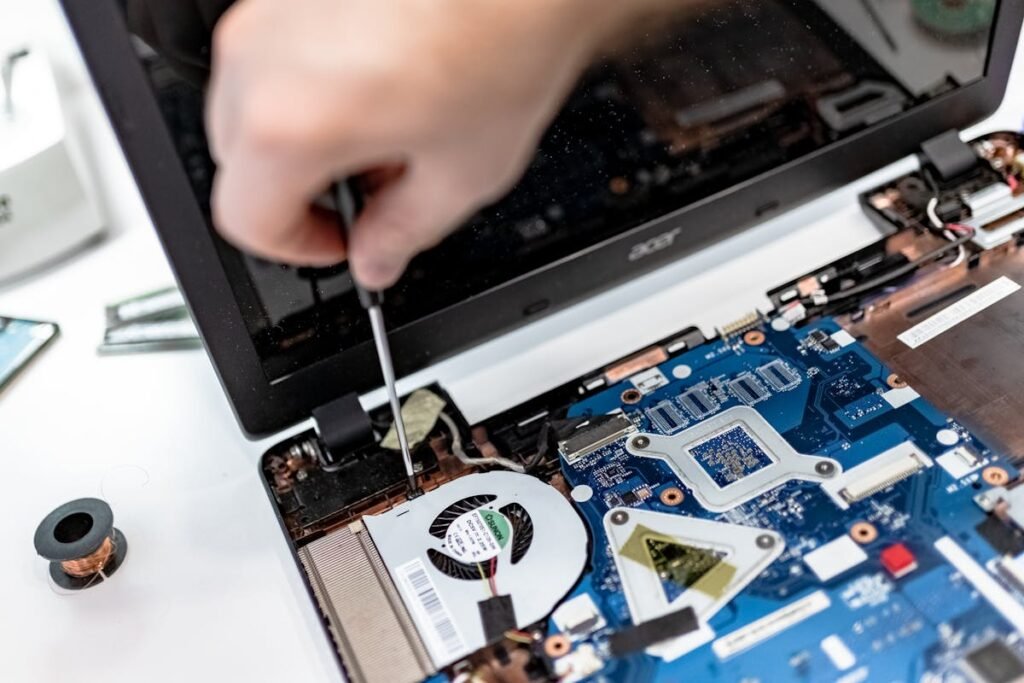
Desktops win decisively on upgradeability. RAM, storage, GPU, CPU, and even the motherboard can be replaced over a 5-7 year lifespan. Modern laptops increasingly solder RAM and storage, limiting upgrades. A desktop bought today can be incrementally upgraded to remain capable for many years.
Portability and Flexibility
The laptop’s single advantage is portability. If you split time between home and office, travel for work, or simply want the flexibility to work from a coffee shop, a laptop with a docking station provides the best of both worlds — portable computing that transforms into a desktop-like setup at your desk.
The Hybrid Approach
Many remote workers find the optimal solution is a desktop for their primary workstation plus an inexpensive Chromebook or tablet for mobile needs. This gives maximum performance at the desk with basic portability when needed, often at lower total cost than a high-end laptop with dock and peripherals.
Frequently Asked Questions
Is a desktop or laptop better for working from home?
A desktop provides better performance, ergonomics, and value for a fixed home office. A laptop is essential if you need portability or split between locations.
How much should I spend on a WFH setup?
£600-800 for a capable desktop plus monitor. £800-1200 for a laptop with dock and external monitor. Budget for ergonomic peripherals either way.
Can a laptop replace a desktop with a docking station?
For most office work, yes. A modern laptop with Thunderbolt dock, external monitor, and full keyboard provides a desktop-like experience with added portability.
Find Compatible Upgrades
Use our compatibility guides to find the right parts for your system.
RAM Guide SSD GuideRecommended upgrades
As an Amazon Associate we earn from qualifying purchases. Prices & availability shown on Amazon.
For desktops that use DDR5 DIMMs
For desktops that use DDR4 DIMMs
M.2 2280 NVMe SSDs
How we verify this guide
We cross-reference compatibility figures against manufacturer specifications where available, official service manuals, and the standards that govern fit — memory type and speed (DDR4 / DDR5 / LPDDR5), maximum supported capacity and slot count, SSD form factor and interface (M.2 2280, NVMe PCIe vs SATA, keying), and charger wattage and connector (USB-C Power Delivery, GaN). We’re explicit about soldered or non-upgradeable parts, prioritise primary sources over retailer listings, and re-verify the data on a regular cycle. More on our method →