Affiliate disclosure: this page contains affiliate links — if you buy through them we may earn a commission at no extra cost to you. As an Amazon Associate we earn from qualifying purchases.
The Lenovo ThinkPad T Series is the gold standard for business laptops — built to last, easy to service, and usually upgradeable. But here’s the catch: upgradeability varies dramatically depending on the processor choice. A ThinkPad T14 Gen 5 takes 64GB of DDR5-5600 across two SO-DIMM slots on both the Intel and the AMD build — Lenovo’s PSREF sheets specify “two DDR5 SODIMM slots, dual-channel capable” for each. The soldered-AMD story circulates widely and is wrong for Gen 5. Where it does bite is earlier generations and specific configurations, which is what the tables below set out.
This guide covers every ThinkPad T Series model from Gen 3 (2022) onwards — T14, T14s, and T16 — with exact RAM, SSD, and charger specs. If you’re buying a ThinkPad to upgrade later, this matters enormously.
ThinkPad T Series Quick Reference — All Models
| Model & Generation | Year | Processor | RAM Type & Max | Slots | Storage | Charger | Upgrade Score |
|---|---|---|---|---|---|---|---|
| T14 Gen 3 | 2022 | Intel Core i5–i7 (12th Gen) / Ryzen 5–7 Pro | DDR4-3200, 48GB max (Intel) / LPDDR5 soldered, 32GB max (AMD) | 1× SO-DIMM + soldered bank (Intel) / soldered, no slots (AMD) | 1× M.2 2280 Gen 4 | 65W USB-C | 3/5 (Intel) — 1/5 (AMD) |
| T14s Gen 3 | 2022 | Intel Core i5–i7 / Ryzen 5–7 Pro | LPDDR5 soldered | Soldered | 1× M.2 2280 | 65W USB-C | 2/5 |
| T16 Gen 1 | 2022 | Intel Core i5–i7 (12th Gen) | DDR4-3200, 48GB max | 1× SO-DIMM + soldered bank | 1× M.2 2280 Gen 4 | 45W / 65W / 135W USB-C | 3/5 |
| T14 Gen 4 | 2023 | Intel Core i5–i7 (13th Gen) / Ryzen 5–7 Pro | DDR4 or DDR5 (mixed) / LPDDR5x soldered | 1× SO-DIMM + soldered bank (Intel) / soldered, no slots (AMD) | 1× M.2 2280 | 65W USB-C | 3/5 (Intel) — 1/5 (AMD) |
| T14s Gen 4 | 2023 | Intel Core i5–i7 / Ryzen 5–7 Pro | LPDDR5x soldered | Soldered | 1× M.2 2280 | 65W USB-C | 2/5 |
| T16 Gen 2 | 2023 | Intel Core i5–i7 (13th Gen) | DDR4-3200 or DDR5-5200, or soldered LPDDR5x | 1× SO-DIMM + soldered bank (LPDDR5x models: no slots) | 1× M.2 2280 | 45W / 65W / 135W USB-C | 3/5 |
| T14 Gen 5 | 2024 | Intel Core Ultra (1st Gen) / Ryzen 5–7 Pro | DDR5-5600 SO-DIMM | 2× SO-DIMM (Intel and AMD) | 1× M.2 2280 | 65W USB-C | 5/5 (Intel and AMD) |
| T16 Gen 3 | 2024 | Intel Core Ultra | DDR5-5600 | 2× SO-DIMM | 1× M.2 2280 | 100W USB-C | 5/5 |
| T14 Gen 6 | 2025 | Intel Core Ultra (Arrow Lake / Lunar Lake) | DDR5-5600 SO-DIMM (Arrow Lake) or soldered LPDDR5X (Lunar Lake) | 2× SO-DIMM, up to 64GB (Arrow Lake); soldered (Lunar Lake) | 1× M.2 2280 | 65W USB-C | Yes on Arrow Lake (SO-DIMM); no on Lunar Lake |
ThinkPad T14 — The Processor Gotcha
The T14 is popular, compact, and (usually) upgradeable — but the Intel and AMD versions are worlds apart when it comes to expansion. Always check the processor before buying if you plan to upgrade RAM.
T14 Gen 3 (2022)
Intel Core i5–i7 (12th Gen): The T14 Intel Gen 3 is a dream machine for upgrades. One SO-DIMM slot alongside a soldered memory bank, so buy a single module rather than a matched pair. Maximum 48GB — 16GB soldered plus a 32GB SO-DIMM. Single M.2 2280 NVMe slot. 65W USB-C charger. If you’re buying a used Gen 3 T14, go Intel.
Ryzen 5–7 Pro: The AMD version uses LPDDR5 soldered to the motherboard. You’re locked to whatever configuration shipped. Maximum 32GB. Not upgradeable. If your budget demands AMD, accept that you’re buying a fixed system.
DDR4-3200 SO-DIMM RAM on Amazon
T14 Gen 4 (2023)
Intel Core i5–i7 (13th Gen): Gen 4 shifted to DDR5, but Lenovo’s configuration is inconsistent. Every Gen 4 Intel configuration Lenovo publishes uses a single SO-DIMM slot alongside a soldered memory bank — there is no two-slot version. Maximum 32GB on DDR5 configurations and 40GB on DDR4; discrete-graphics models use 32GB of soldered LPDDR5x with no slot at all. M.2 2280 single slot still.
Ryzen 5–7 Pro: AMD Gen 4 has its memory soldered to the system board with no slots at all. Maximum 32GB, fixed at the point of purchase. There is no SO-DIMM slot to upgrade.
DDR5-5600 SO-DIMM RAM on Amazon
T14 Gen 5 (2024)
Intel Core Ultra (1st Gen): Back to consistency. Two DDR5-5600 SO-DIMM slots, 64GB maximum. This is the sweet spot for the T14 line. Full upgradeability, modern DRAM, enough for any workload. USB4 support on some models.
Ryzen 5–7 Pro: Identical to the Intel model — two DDR5-5600 SO-DIMM slots, 64GB maximum, fully upgradeable. Lenovo brought the AMD configuration back into line with Intel at Gen 5, so on this generation the processor no longer decides whether you can add memory.
T14 Gen 6 (2025)
Two platforms: The T14 Gen 6 ships either with Intel Core Ultra Arrow Lake (U/H-series), which uses two standard DDR5-5600 SO-DIMM slots and is user-upgradeable to 64GB, or with Lunar Lake (V-series), whose LPDDR5X memory is soldered and not upgradeable. It does not use LPCAMM2 — if you need upgrade flexibility, choose an Arrow Lake model.
Link to ThinkPad T14 model pages: T14 All Generations
ThinkPad T14s — The “S” Means Soldered
The T14s is the slim version. It trades upgradeability for thinness. All T14s models have soldered RAM. There are no upgradeable T14s variants. If you need to expand RAM later, T14s is not the machine.
T14s Gen 3 & Gen 4 (2022–2023)
LPDDR5 (Gen 3) or LPDDR5x (Gen 4) soldered to the board. 32GB maximum. Single M.2 2280 storage slot. 65W USB-C charger. Both generations are fixed-spec machines. The only upgrade available is SSD replacement.
Laptop SSD Compatibility Guide
Link to ThinkPad T14s: T14s All Generations
ThinkPad T16 — The Reliable Choice
The 16-inch T16 is Lenovo’s flagship business machine. Expandability is better than on the T14 line, but it is not uniform. The T16 Gen 1 pairs a soldered memory bank with a single SO-DIMM slot; Gen 2 and Gen 3 have two genuine SO-DIMM slots. Capacity runs to 48GB on Gen 1 and 64GB on Gen 2 and Gen 3.
T16 Gen 1 (2022)
Intel Core i5–i7 (12th Gen), DDR4-3200: One soldered memory bank plus a single DDR4 SO-DIMM slot, 48GB maximum — buy one module, not a pair. One M.2 2280 NVMe storage slot. Lenovo lists 45W, 65W and 135W USB-C adapters for this model; there is no 100W option.
32GB DDR4-3200 SO-DIMM on Amazon
T16 Gen 2 (2023)
Intel Core i5–i7 (13th Gen): like Gen 1, this is one soldered memory bank plus a single SO-DIMM slot — not two. Lenovo offers three memory builds: DDR4-3200 to 40GB (8GB soldered + a 32GB module), DDR5-5200 to 32GB (16GB soldered + a 16GB module), or soldered LPDDR5x with no slot at all. M.2 2280 storage. Adapters are 45W, 65W or 135W USB-C — there is no 100W option. Two genuine SO-DIMM slots do not arrive until Gen 3.
32GB DDR5-5600 SO-DIMM on Amazon
T16 Gen 3 (2024)
Intel Core Ultra (1st Gen), DDR5-5600: Two SO-DIMM slots, 64GB maximum. All Gen 3 T16 machines use DDR5-5600, no DDR4 variants. 100W USB-C charger. Smallest and lightest T16 yet, still fully upgradeable.
Link to ThinkPad T16: T16 All Generations
Key Upgrade Warning — Check the Generation, Not Just the Processor
This is critical: Lenovo changed the memory design generation by generation, and sometimes between the Intel and AMD versions of the same generation. There is no reliable “Intel is upgradeable, AMD is not” rule. It held for the T14 Gen 3 and Gen 4, whose AMD models are soldered — but at Gen 5 Lenovo gave both the Intel and the AMD T14 two DDR5-5600 SO-DIMM slots and a 64GB ceiling. Meanwhile several Intel models people assume have two slots — the T14 Gen 3, the T14 Gen 4 and the T16 Gen 1 — actually pair one soldered memory bank with a single slot, which makes a matched pair of modules the wrong purchase.
When shopping for a T14:
- T14 Gen 3 Intel, T14 Gen 4 Intel and T16 Gen 1 = one soldered memory bank plus a single SO-DIMM slot. Buy one module, not a matched pair.
- T14 Gen 3 AMD and T14 Gen 4 AMD = soldered, no slots at all.
- T14 Gen 5 = two DDR5-5600 SO-DIMM slots to 64GB, on both Intel and AMD.
- T14 Gen 6 = two SO-DIMM slots to 64GB on Arrow Lake; soldered and capped at 32GB on Lunar Lake.
- T14s (every generation) = always soldered, never upgradeable.
- T16 Gen 2 and Gen 3 = two genuine SO-DIMM slots to 64GB.
If the listing doesn’t specify Intel or AMD, contact the seller or check the System Information panel on the machine itself. Never assume upgradeability on a T14 without confirming the processor first.
Recommended Upgrade Parts for ThinkPad T Series
DDR4-3200 RAM (for T14 Gen 3, T16 Gen 1)
If you own a 2022 machine, DDR4-3200 is the correct spec. Lenovo’s JEDEC spec is DDR4-3200, running at 3200 MHz. Higher speeds (3600 MHz) may work but are not validated and could cause stability issues.
Corsair Vengeance DDR4-3200 16GB SO-DIMM on Amazon
Crucial DDR4-3200 16GB SO-DIMM on Amazon
DDR5-5600 RAM (for T14 Gen 4 Intel, T14 Gen 5 Intel, T16 Gen 2 & Gen 3)
DDR5-5600 is Lenovo’s standard for 2023 and newer machines. Do not install faster DDR5 (like 5600 CAS 24 or 6000 MHz) without confirming compatibility — Lenovo specs DDR5-5600 specifically.
Corsair Vengeance DDR5-5600 16GB SO-DIMM on Amazon
Crucial DDR5-5600 16GB SO-DIMM on Amazon
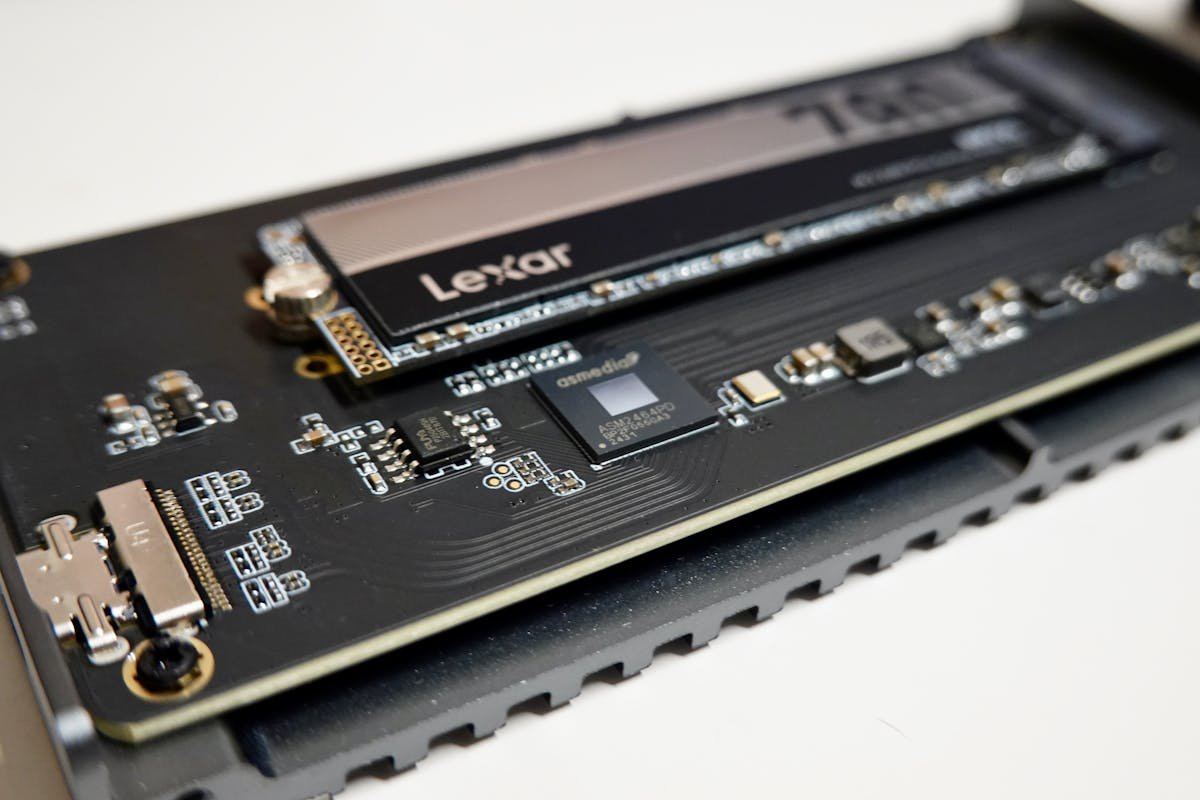
M.2 2280 NVMe SSD (All T Series Models)
All ThinkPad T Series models support 1× M.2 2280 NVMe storage slot. Lenovo officially supports PCIe Gen 4 and Gen 5. Popular choices: Samsung 990 Pro, WD Black SN850X, Crucial P5 Plus. Capacity: 512GB to 4TB available.
Samsung 990 Pro 1TB NVMe on Amazon
WD Black SN850X 1TB NVMe on Amazon
USB-C Chargers (65W for T14, 100W for T16)
ThinkPad T Series uses USB Power Delivery. T14 models are rated for 65W, T16 for 100W. You can use a higher-wattage charger (e.g., 100W with a T14), but not lower. Lenovo’s official chargers are expensive; third-party USB-C PD chargers (Anker, Baseus) are compatible.
Anker 65W USB-C PD Charger on Amazon
Official Lenovo 100W USB-C Charger on Amazon
Frequently Asked Questions
Can I upgrade RAM on a ThinkPad T14 AMD?
No. All ThinkPad T14 AMD processors (Ryzen 5–7 Pro) use soldered LPDDR5 or LPDDR5x memory. Soldered RAM cannot be removed or upgraded. Your only option is to buy a new machine with different specs.
What’s the difference between a T14 and T14s?
The T14s is the slim, lighter version. It sacrifices upgradeability and battery capacity for thinness. Both T14 and T14s can have Intel or AMD processors, but all T14s models have soldered RAM, whereas T14 Intel models are usually upgradeable. If you need future RAM expansion, buy a T14, not T14s.
Is the T16 always upgradeable?
Yes. Every ThinkPad T16 (Gen 1, 2, and 3) ships with two SO-DIMM slots and upgradeable RAM. Lenovo does not make a soldered variant of the T16. It’s the most reliable choice if upgradeability is non-negotiable.
Can I use DDR5 in a DDR4 T14?
No. DDR4 and DDR5 SO-DIMM modules are physically incompatible. T14 Gen 3 (2022) uses DDR4 slots. T14 Gen 4+ uses DDR5 slots. You must match the generation to the RAM type. Forcing a DDR5 module into a DDR4 slot will not fit — the notches are different.
How much RAM do I actually need?
For typical business use (Office, email, Teams, browser): 16GB is plenty. For virtual machines or video editing: 32GB is safer. 64GB is overkill for most users but future-proofs the machine. Since the T16 Gen 2/3 and T14 Gen 5 Intel support 64GB, consider maxing out if you plan to keep the machine 5+ years.
Which ThinkPad T Series generation should I buy?
If you’re buying used and upgradeability is important: T14 Intel Gen 3 (2022), T14 Intel Gen 5 (2024), or T16 Gen 1+ (2022 onwards). Avoid T14 AMD and T14s entirely if you need expandable RAM. New purchase? T16 Gen 3 (2024) offers the most reliable upgradeability and performance, though it’s expensive. T14 Gen 5 Intel is a good compromise between size and upgradability.
What RAM should I install in my ThinkPad T14 Gen 4 Intel?
Check which variant you have first, because Lenovo ships three. PSREF lists the T14 Gen 4 Intel as DDR4-3200 (one module soldered plus one SO-DIMM slot, up to 40GB total), DDR5-5200 (one soldered plus one SO-DIMM slot, up to 32GB total), or — on discrete-graphics models — LPDDR5x-4800 soldered with no slots at all and 16GB or 32GB fixed at purchase. So there is no single right module: on a DDR5 model buy one DDR5-5200 SO-DIMM of 16GB, on a DDR4 model a DDR4-3200 SO-DIMM up to 32GB, and on an LPDDR5x model nothing will fit. Faster modules than the rated speed simply run at the rated speed.
Recommended Products
These are the products we recommend based on this guide. All links go to Amazon where you can check current prices and availability.
| Product | Why We Recommend It | Amazon |
|---|---|---|
| Corsair Vengeance DDR4 SO-DIMM 32GB (2×16GB) 3200MHz | Best overall DDR4 upgrade kit | View on Amazon |
| Kingston Fury Impact DDR4 SO-DIMM 32GB (2×16GB) 3200MHz | Reliable alternative with tight latency | View on Amazon |
| Corsair Vengeance DDR5 SO-DIMM 32GB (2×16GB) 5600MHz | Top-rated DDR5 kit for gaming & productivity | View on Amazon |
| Kingston Fury Impact DDR5 SO-DIMM 32GB (2×16GB) 5600MHz | Excellent DDR5 alternative with XMP support | View on Amazon |
| Samsung 990 Pro 2TB NVMe M.2 2280 | Fastest consumer NVMe — ideal for gaming & editing | View on Amazon |
| WD Black SN850X 2TB NVMe | Excellent Gen4 speed with heatsink option | View on Amazon |
| Crucial P5 Plus 1TB NVMe | Great value Gen4 SSD | View on Amazon |
| Kingston NV2 1TB NVMe | Budget-friendly with solid reliability | View on Amazon |
Prices and availability may vary. As an Amazon Associate, we earn from qualifying purchases.
Related Lenovo Upgrade Guides
- Lenovo Battery Replacement: ThinkPad, IdeaPad & Legion Step-by-Step
- Best RAM for Lenovo ThinkPad in 2026
- Lenovo ThinkSystem SR665 V3 RAM & SSD Upgrade Guide (2023)
- Lenovo ThinkSystem SR665 RAM & SSD Upgrade Guide (2020)
- Lenovo ThinkSystem SR645 RAM & SSD Upgrade Guide (2020)
- Lenovo Upgrade Guide
Not sure what fits? Use our free Compatibility Checker covering 3,195+ models.
Helpful Guides
Related Resources
- Laptop Upgrade Compatibility Checker — Check RAM, SSD & charger compatibility for 3,195+ models
- RAM Compatibility Guide — DDR4, DDR5 & LPDDR5 explained
- SSD Compatibility Guide — NVMe, SATA & M.2 sizes
- Charger Compatibility Guide — USB-C, Power Delivery & GaN
- Docking Station Compatibility Guide — Thunderbolt, USB-C & DisplayLink
Popular Brand Upgrade Guides
- Dell Laptop Upgrades
- Lenovo Laptop Upgrades
- HP Laptop Upgrades
- ASUS Laptop Upgrades
- Acer Laptop Upgrades
- MSI Laptop Upgrades
Recommended upgrades
As an Amazon Associate we earn from qualifying purchases. Prices & availability shown on Amazon.
USB-C chargers (only for laptops that charge over USB-C — match or exceed your original adapter wattage)
Free download: The 2026 Laptop RAM Upgrade Compatibility Cheat Sheet
Find out in minutes whether your laptop’s RAM is upgradeable, exactly which DDR4/DDR5/LPCAMM2 stick fits, and how much is worth it. Enter your email and we’ll send the PDF instantly.