Affiliate disclosure: this page contains affiliate links — if you buy through them we may earn a commission at no extra cost to you. As an Amazon Associate we earn from qualifying purchases.
ASUS NUC 14 Performance — Compatibility & Upgrade Guide
| Component | Specs |
|---|---|
| Processor | Intel Core Ultra 7 155H or Core Ultra 9 185H (16-core: 6P + 8E + 2LPE, up to 5.1GHz, 45W base / 115W max turbo) |
| RAM | DDR5-5600 SO-DIMM × 2 — user-replaceable, up to 64GB |
| Storage | 3 × M.2 2280 NVMe (PCIe 4.0 x4) |
| Display Out | HDMI 2.1, Thunderbolt 4 (Alt Mode) |
| Connectivity | WiFi 6E (802.11ax), Bluetooth 5.3, 2.5GbE |
| Power | 330W external PSU (19.5V / 16.9A) — actively cooled, not fanless |
| Price Range | Varies widely by GPU and configuration — check current listings |
Can You Upgrade This Mini PC?
Extensive upgrade potential — this is one of the most serviceable machines in the NUC range. Both memory slots and all three M.2 slots are user-accessible. ASUS ships it with two DDR5-5600 SO-DIMM sockets supporting up to 64GB, and three M.2 2280 PCIe 4.0 x4 slots for storage.
Note that the NUC 14 Performance is a discrete-GPU chassis built around a 45W H-series processor and an NVIDIA RTX GPU. It is actively cooled and ships with a 330W power supply — this is not one of the small fanless NUC boxes, and it should not be confused with the NUC 14 Pro.
RAM — 2 × DDR5-5600 SO-DIMM, up to 64GB
The NUC 14 Performance uses two standard DDR5-5600 SO-DIMM sockets with nothing soldered to the board, so the memory can be replaced or expanded at any point. ASUS supports up to 64GB as two 32GB modules.
Buy a matched pair rather than mixing modules — the Core Ultra memory controller runs dual-channel, and a single stick roughly halves memory bandwidth, which is noticeable when the discrete GPU is under load.
| Configuration | RAM Capacity | Power Draw | Typical Use |
|---|---|---|---|
| Entry | 2 × 8GB DDR5-5600 | Dual-channel | Office, media, light multitasking |
| Recommended | 2 × 16GB or 2 × 32GB DDR5-5600 | Dual-channel | Content creation, gaming, virtualisation |
SSD Compatibility — M.2 2280 NVMe PCIe 4.0
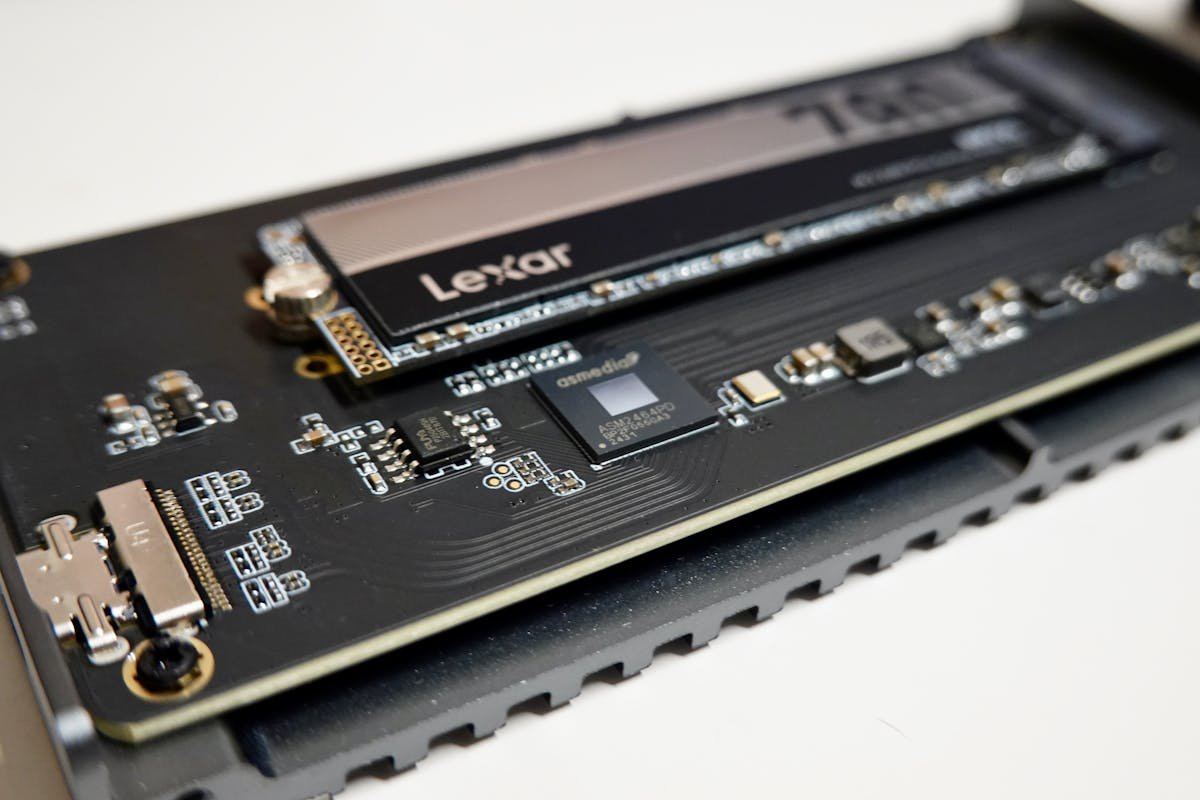
Three M.2 2280 NVMe slots, all PCIe 4.0 x4, so you can add drives as well as replace the factory SSD. PCIe 5.0 drives work at PCIe 4.0 speeds. Maximum recommended: 2TB.
Recommended upgrade parts:
- Samsung 990 EVO NVMe SSD — PCIe 4.0, excellent performance and value.
- External USB-C SSD Storage — Expand storage via Thunderbolt 4 without opening the case.
- Thunderbolt 4 Dock — Connect external drives and displays with a single cable.
| Product | Capacity | Interface | Speed | Price (UK)* |
|---|---|---|---|---|
| Samsung 990 Pro | 500GB / 1TB / 2TB | PCIe 4.0 | 7.1 GB/s read | £50–160 |
| WD Black SN850X | 500GB / 1TB / 2TB | PCIe 4.0 | 7.1 GB/s read | £40–155 |
| Crucial P5 Plus | 1TB / 2TB | PCIe 4.0 | 6.6 GB/s read | £65–140 |
| SK Hynix Platinum P41 | 1TB / 2TB | PCIe 4.0 | 7.1 GB/s read | £90–160 |
Power Supply & Cooling
The NUC 14 Performance ships with a 330W external power supply (19.5V / 16.9A). That is not optional headroom — it is sized for a 45W H-series processor running alongside a discrete NVIDIA RTX GPU, and the machine will throttle or fail to charge under load on anything smaller. It is actively cooled and audible under sustained load. If you want a silent, passively cooled box, look at the NUC 14 Pro instead, home theaters, and office environments. Zero thermal management issues.
Display & Thunderbolt 4
HDMI 2.1 and Thunderbolt 4 (with Alt Mode) enable dual-display setup. TB4 provides high-bandwidth external connectivity for docking, external storage, and future expansion. Extremely compact chassis design makes this the smallest ASUS mini PC.
WiFi 6E & Bluetooth 5.3
WiFi 6E (802.11ax) dual-band with tri-band support when available. Bluetooth 5.3 for low-latency wireless peripherals. 2.5GbE Ethernet for stable wired connections. WiFi module is soldered and not upgradeable.
Upgradeability Score
8/10 — Unusually serviceable for a small-form-factor machine. Both DDR5-5600 SO-DIMM sockets and all three M.2 2280 slots are user-accessible, so memory and storage can be changed at any point. The processor and GPU are soldered and the Wi-Fi module is not user-replaceable, which is what keeps it short of a perfect score.
FAQs
Can I upgrade the RAM in the NUC 14 Performance?
Yes. The NUC 14 Performance has two DDR5-5600 SO-DIMM sockets with nothing soldered, supporting up to 64GB (2 × 32GB). Fit a matched pair to keep dual-channel bandwidth.
Should I buy 16GB or 32GB?
16GB is sufficient for web browsing, office work, and media playback. 32GB is recommended for multitasking, light content creation, and running multiple applications simultaneously.
Are the M.2 slots upgradeable?
Yes. All three M.2 2280 NVMe (PCIe 4.0 x4) slots are user-accessible, so you can replace the factory SSD with a larger or faster drive or add up to two more drives.
Can I use this for video editing?
Yes. Fitted with 64GB of DDR5-5600, three M.2 2280 drives and a discrete RTX GPU, the NUC 14 Performance is a capable 4K editing machine — it is the most capable configuration in the NUC range rather than a limited one. Put the scratch disk on a second M.2 slot to keep it off the OS drive.
How quiet is it?
It is not a silent machine. The NUC 14 Performance is actively cooled, and the fan is clearly audible under sustained load.
Recommended Products
These are the products we recommend based on this guide. All links go to Amazon where you can check current prices and availability.
| Product | Why We Recommend It | Amazon |
|---|---|---|
| Corsair Vengeance DDR5 SO-DIMM 32GB (2×16GB) 5600MHz | Top-rated DDR5 kit for gaming & productivity | View on Amazon |
| Kingston Fury Impact DDR5 SO-DIMM 32GB (2×16GB) 5600MHz | Excellent DDR5 alternative with XMP support | View on Amazon |
| Crucial DDR5 SO-DIMM 16GB 5600MHz | Affordable single-stick DDR5 | View on Amazon |
| G.Skill Ripjaws DDR5 SO-DIMM 32GB 5600MHz | High performance DDR5 for enthusiasts | View on Amazon |
| Samsung 990 Pro 2TB NVMe M.2 2280 | Fastest consumer NVMe — ideal for gaming & editing | View on Amazon |
| WD Black SN850X 2TB NVMe | Excellent Gen4 speed with heatsink option | View on Amazon |
| Crucial P5 Plus 1TB NVMe | Great value Gen4 SSD | View on Amazon |
| Kingston NV2 1TB NVMe | Budget-friendly with solid reliability | View on Amazon |
Prices and availability may vary. As an Amazon Associate, we earn from qualifying purchases.
Related ASUS Upgrade Guides
- Best RAM for ASUS Laptops 2026
- ASUS ProArt StudioBook 16 OLED (2023) RAM & SSD Upgrade Guide (2023)
- ASUS ProArt StudioBook 16 OLED (2024) RAM & SSD Upgrade Guide (2024)
- ASUS ProArt StudioBook 16 OLED (2022) RAM & SSD Upgrade Guide (2022)
- ASUS ExpertBook B9 (2023) RAM & SSD Upgrade Guide (2023)
- ASUS Upgrade Guide
Not sure what fits? Use our free Compatibility Checker covering 3,195+ models.
Helpful Guides
Upgrades that fit the ASUS NUC 14 Performance
What fits: Memory: DDR5-5600 SO-DIMM, 2 user slots, up to 64GB · Storage: 3x M.2 2280 NVMe PCIe 4.0 · Charger: barrel 330W
Spec source: asus.com (checked 26 Sep 2026).
As an Amazon Associate we earn from qualifying purchases. Prices & availability shown on Amazon.
DDR5 SO-DIMM memory that fits
M.2 2280 NVMe SSDs that fit
*Indicative UK street prices, shown for guidance only. These are not live Amazon prices and change frequently — check the current price on Amazon before buying.