Affiliate disclosure: this page contains affiliate links — if you buy through them we may earn a commission at no extra cost to you. As an Amazon Associate we earn from qualifying purchases.
Geekom Mini IT13 — Quick Specs Summary
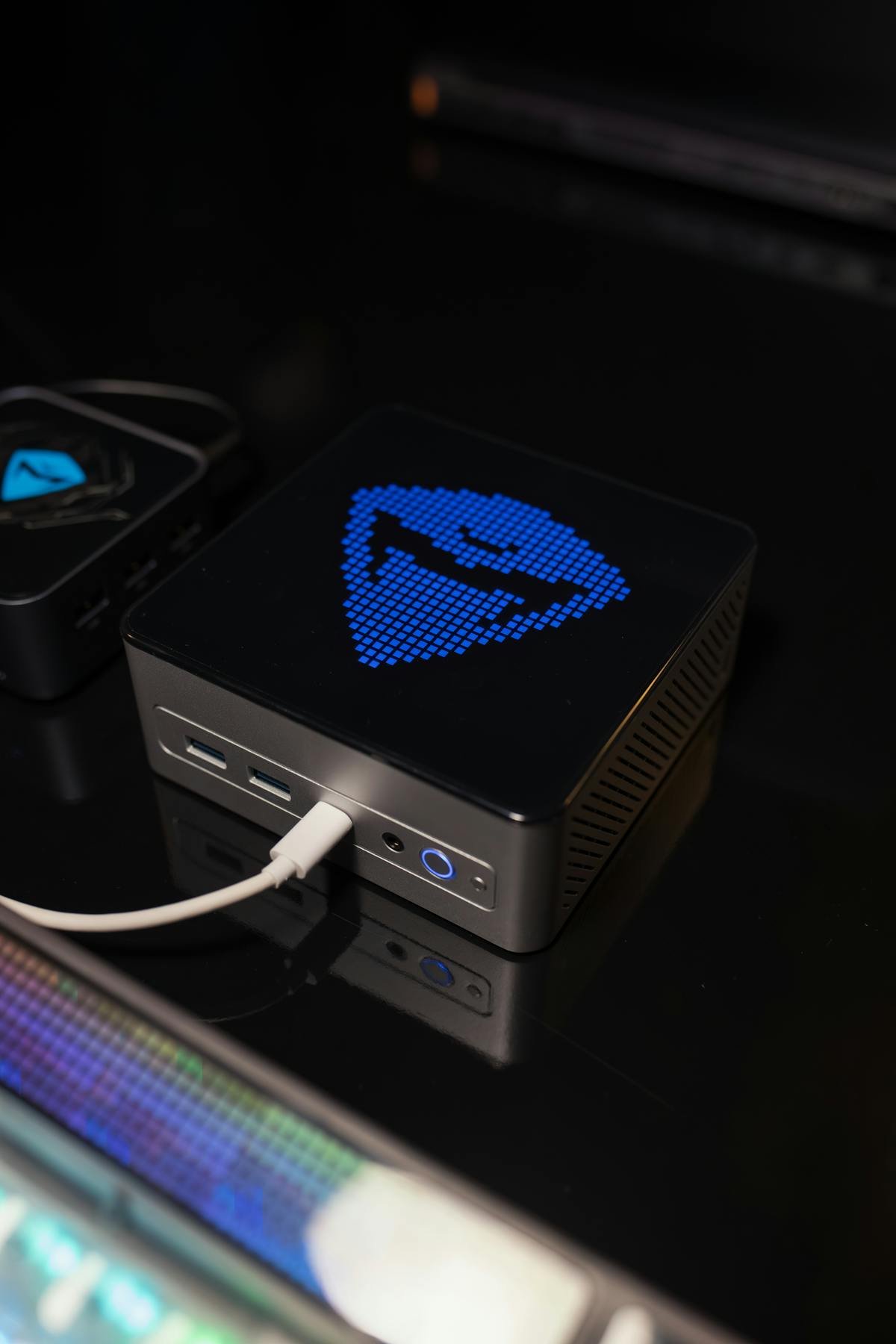
| Component | Specification | Upgradeable? |
|---|---|---|
| Processor | Intel Core i9-13900H (14-core, up to 5.4 GHz) | No |
| RAM | 16GB DDR4 SO-DIMM (2 slots, max 64GB) | Yes — UPGRADEABLE |
| Internal SSD | 512GB M.2 2280 NVMe Gen 4 + M.2 2242 SATA + 2.5″ SATA bay | Yes — both replaceable |
| Ports | 2× USB4 (40Gbps), 3× USB 3.2 Gen 2 (10Gbps), 2× HDMI 2.0, 2.5GbE | Expandable via dock |
| Wireless | WiFi 6E, Bluetooth 5.3 | No |
| Power Supply | 120W external DC brick (19V, 6.32A barrel jack) — not USB-C | No |
| Price | £400–500 | N/A |
Mini IT13: Budget i9 with Legacy Storage Options
Key Difference: DDR4 Not DDR5
Mini IT13 uses older DDR4 SO-DIMM (vs DDR5 on GT13/XT13 Pro). This makes it cheaper to upgrade RAM (DDR4 modules are ~£20–30 less per pair). Performance difference: negligible for most workloads.
Hybrid Storage: M.2 + 2.5″ SATA
Unique feature: supports both M.2 NVMe AND 2.5″ SATA SSD. This is unusual for mini PCs and useful for legacy storage or tiering (fast NVMe for OS, slower SATA for archives).
Performance & Use Case
i9-13900H is identical to GT13 Pro models—excellent for developers, virtualisation, media work. DDR4 vs DDR5 difference is <5% in real-world performance.
RAM Compatibility & Upgrades
DDR4 SO-DIMM: Budget-Friendly Upgrade Path
Mini IT13 has 2× DDR4 SO-DIMM slots (laptop form factor). Upgrade cost is lower than DDR5 models:
- Factory: 16GB (2× 8GB DDR4)
- Upgrade to 32GB: 2× 16GB DDR4 (£50–80)
- Upgrade to 64GB: 2× 32GB DDR4 (£100–150)
Installation Steps
- Power down, unplug
- Remove bottom panel
- Push RAM clip tabs outward, eject at 45°
- Insert new DDR4 SO-DIMM at 45°, press down until clicks
- Reassemble, boot, verify
Compatible RAM Brands
Compatible: Crucial DDR4-3200 16GB SODIMM, Kingston ValueRAM DDR4-3200.
SSD & Storage Flexibility
M.2 NVMe Slot (Primary)
Mini IT13 includes 1× M.2 2280 NVMe slot (factory 512GB). Replaceable with any NVMe drive up to 2TB.
2.5″ SATA Slot (Secondary)
Rare feature: dedicated 2.5″ SATA bay. Use this for:
- Archive storage (slower but cheaper)
- Legacy 2.5″ SSD migration from old systems
- Tiered storage (NVMe for OS/apps, SATA for projects)
Upgrade Strategy
| Configuration | Cost (approx) | Best For |
|---|---|---|
| 512GB NVMe + no SATA | +£0 | Minimal setup, external SSD for expansion |
| 512GB NVMe + 500GB SATA | +£40 | Tiered storage (OS on NVMe, projects on SATA) |
| 1TB NVMe + 1TB SATA | +£80 | 2TB total internal storage, solid throughput |
Installation
M.2 NVMe: Push at 30°, pull out; insert new drive at 30°, press down, screw if needed.
2.5″ SATA: Locate SATA bay (usually bottom-left), insert drive, secure screws, connect SATA cable to logic board.
Compatible: Samsung 990 EVO M.2 NVMe, WD Blue SN580, Crucial P3 Plus, Samsung 870 EVO 2.5″ SATA.
Power & Cooling
120W DC brick — not USB-C
The Mini IT13 is powered by an external 120W brick rated 19V / 6.32A, connected by a DC barrel jack. It is not charged over USB-C, so a USB-C PD charger will not run it whatever its wattage — a replacement must match both the 19V output and the barrel size. Actual draw peaks around 60–75W during compilation or export and sits at roughly 20–30W at idle, so the supply has comfortable headroom.
Active Cooling
Small fan; ~30–35 dB under load. Thermal throttling only above 30°C ambient in sustained workloads.
Connectivity & Limitations
Minimal USB Ports
Better provisioned than it first appears: 2× USB4 at 40Gbps (both with DisplayPort Alt Mode), 3× USB 3.2 Gen 2 at 10Gbps, two HDMI 2.0 outputs, an SD card reader and 2.5 Gigabit Ethernet. If you need more USB-A than that, add a hub.
USB4 rather than Thunderbolt 4
The Mini IT13 carries two USB4 ports at 40Gbps, not branded Thunderbolt 4. In practice USB4 runs Thunderbolt-class docks, external SSD enclosures and displays at the same 40Gbps, so external RAID and multi-display setups are not off the table. The certification differs; the day-to-day bandwidth does not.
Display Support
Two HDMI 2.0 outputs (4K 60Hz each) plus DisplayPort Alt Mode over both USB4 ports, so the machine drives multiple external displays natively without adapters.
Upgradeability Score
| Category | Score | Notes |
|---|---|---|
| RAM Upgrade | 9/10 | DDR4 SO-DIMM; 64GB max; cheaper than DDR5 |
| SSD Upgrade | 9/10 | M.2 + 2.5″ SATA slots; unique hybrid flexibility |
| Ports & Connectivity | 9/10 | 2× USB4 40Gbps, 3× USB 3.2 Gen 2, 2.5GbE |
| Display Support | 9/10 | 2× HDMI 2.0 plus DP Alt Mode on 2× USB4 |
| Overall Upgradeability | 8/10 | Excellent RAM/storage options; connectivity limited |
Frequently Asked Questions
Should I buy Mini IT13 or GT13 Pro?
Mini IT13 saves £100 and offers DDR4 (cheaper upgrades) + 2.5″ SATA slot. GT13 Pro has more USB ports + TB4. Choose Mini IT13 if budget-focused and DDR4 upgrade appeals; GT13 Pro if port flexibility matters.
Can I use both M.2 and 2.5″ SATA simultaneously?
Yes. Boot from M.2 NVMe (OS), use 2.5″ SATA as secondary drive for archives or projects. Both accessible at same time.
How much cheaper is DDR4 vs DDR5 upgrade?
32GB DDR4 upgrade: £50–80. 32GB DDR5 upgrade: £80–120. Savings of ~£30–40, but performance gap is minimal (<5%).
Can I add a 2.5″ SATA drive if factory lacks one?
Depends on factory config. Most Mini IT13 units ship with empty SATA bay. Check product listing or ask before purchase. If empty, £40–50 2.5″ SSD is straightforward add.
Is the lack of Thunderbolt 4 branding a deal-breaker?
No. The Mini IT13 has two USB4 ports running at the same 40 Gbps as Thunderbolt 4, so docks, external SSD enclosures and displays all work. The only real gap is daisy-chaining certified TB4 RAID arrays, which is a rare requirement.
Recommended Products
These are the products we recommend based on this guide. All links go to Amazon where you can check current prices and availability.
| Product | Why We Recommend It | Amazon |
|---|---|---|
| Corsair Vengeance DDR4 SO-DIMM 32GB (2×16GB) 3200MHz | Best overall DDR4 upgrade kit | View on Amazon |
| Kingston Fury Impact DDR4 SO-DIMM 32GB (2×16GB) 3200MHz | Reliable alternative with tight latency | View on Amazon |
| Corsair Vengeance DDR5 SO-DIMM 32GB (2×16GB) 5600MHz | Top-rated DDR5 kit for gaming & productivity | View on Amazon |
| Kingston Fury Impact DDR5 SO-DIMM 32GB (2×16GB) 5600MHz | Excellent DDR5 alternative with XMP support | View on Amazon |
| Samsung 990 Pro 2TB NVMe M.2 2280 | Fastest consumer NVMe — ideal for gaming & editing | View on Amazon |
| WD Black SN850X 2TB NVMe | Excellent Gen4 speed with heatsink option | View on Amazon |
| Crucial P5 Plus 1TB NVMe | Great value Gen4 SSD | View on Amazon |
| Kingston NV2 1TB NVMe | Budget-friendly with solid reliability | View on Amazon |
Prices and availability may vary. As an Amazon Associate, we earn from qualifying purchases.
Related Geekom Upgrade Guides
- Geekom GT1 Mega Mini PC Compatibility
- Geekom A8 Mini PC Compatibility
- Geekom Mini PC Upgrade Guide
- Geekom A5
- Geekom A7
- Geekom Upgrade Guide
Not sure what fits? Use our free Compatibility Checker covering 3,195+ models.
Helpful Guides
Recommended upgrades
As an Amazon Associate we earn from qualifying purchases. Prices & availability shown on Amazon.