Affiliate disclosure: this page contains affiliate links — if you buy through them we may earn a commission at no extra cost to you. As an Amazon Associate we earn from qualifying purchases.
ASUS NUC 14 Pro — Compatibility & Upgrade Guide
| Component | Specs |
|---|---|
| Processor | Intel Core 3 100U, Core Ultra 5 125H or Core Ultra 7 155H (vPro options 135H/165H) |
| RAM Slots | 2x SO-DIMM DDR5-5600, max 96GB |
| Storage | Slot 1: M.2 2280 NVMe PCIe 4.0 · Slot 2: M.2 2242 — a 2280 drive will not fit the second slot |
| GPU | Intel Arc on Core Ultra models (ASUS: needs two SO-DIMMs fitted); Intel Graphics on Core 3 |
| Display Out | 2x HDMI 2.1, 2x Thunderbolt 4 (USB-C, DisplayPort 1.4) |
| Connectivity | WiFi 6E (802.11ax), Bluetooth 5.3, 2.5GbE |
| Power | 120W external PSU (90W on the Core-series SKUs) |
| Price Range | £400–550 (UK) |
Can You Upgrade This Mini PC?
Yes, the NUC 14 Pro is highly upgradeable. Both RAM and storage are user-accessible through ASUS’s tool-less chassis. CPU and GPU are soldered and cannot be swapped.
RAM Compatibility — DDR5-5600 SO-DIMM
The NUC 14 Pro accepts two DDR5-5600 SO-DIMM modules. Maximum capacity is 96GB (48GB per slot). Only DDR5 modules work; DDR4 will not fit physically.
| Product | Capacity | Speed | Price (UK)* | Link |
|---|---|---|---|---|
| Kingston Fury Impact DDR5 | 32GB SO-DIMM | DDR5-5600 | £150–180 | View |
| Corsair Vengeance DDR5 | 32GB SO-DIMM | DDR5-5600 | £160–190 | View |
| Crucial DDR5 | 16GB SO-DIMM | DDR5-5600 | £70–95 | View |
| SK Hynix DDR5 | 48GB SO-DIMM | DDR5-5600 | £220–260 | View |
SSD Compatibility — M.2 2280 NVMe
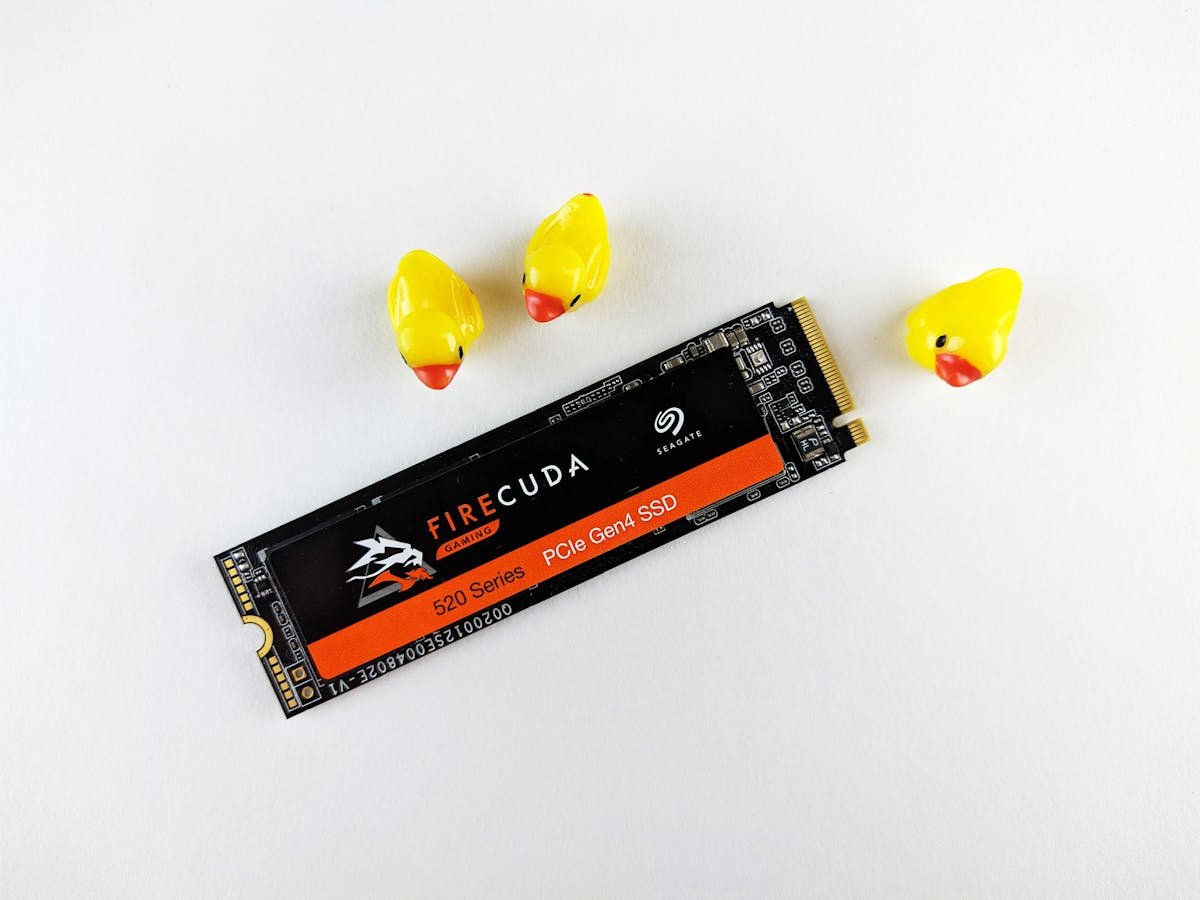
Slot 1 takes an M.2 2280 NVMe PCIe 4.0 drive. Slot 2 is M.2 2242, so a 2280 drive will not fit it. PCIe 5.0 drives fall back to PCIe 4.0 speed.
| Product | Capacity | Interface | Speed | Price (UK)* |
|---|---|---|---|---|
| Samsung 990 Pro | 1TB / 2TB | PCIe 4.0 | 7.1 GB/s read | £80–160 |
| WD Black SN850X | 1TB / 2TB | PCIe 4.0 | 7.1 GB/s read | £75–155 |
| Crucial P5 Plus | 1TB / 2TB | PCIe 4.0 | 6.6 GB/s read | £65–140 |
| SK Hynix Platinum P41 | 500GB / 1TB | PCIe 4.0 | 7.1 GB/s read | £50–100 |
Power Supply & Thermal Management
The NUC 14 Pro ships with a 120W external power adapter on Core Ultra 5/7 models, or a 90W adapter on Core 3 models (ASUS specification). No additional PSU upgrade is needed.
Display & Docking Compatibility
The unit has two HDMI 2.1 ports and two Thunderbolt 4 (USB-C) ports with DisplayPort 1.4. ASUS says it supports up to four 4K displays. Thunderbolt 4 docks add expansion slots and additional USB-C ports for peripherals.
WiFi & Bluetooth Options
Wi-Fi 6E (802.11ax) is built in, with Bluetooth 5.3 for wireless peripherals. The 2.5GbE Ethernet port handles wired connectivity for low-latency applications. For other upgrades, see the RAM and SSD sections above.
Upgradeability Score
8/10 — Excellent RAM and SSD upgrade potential. CPU and GPU cannot be upgraded. Chassis design is compact but manageable for self-service upgrades.
FAQs
Can I upgrade the CPU in the NUC 14 Pro?
No. The Core Ultra processor is soldered directly to the motherboard. You cannot upgrade or replace it.
What is the maximum RAM I can install?
You can install up to 96GB total—two 48GB DDR5-5600 SO-DIMM modules. Ensure you use DDR5, not DDR4.
Are NVMe PCIe 5.0 drives compatible?
Yes. PCIe 5.0 drives work in the PCIe 4.0 slots (backward compatible). However, you won’t see speed improvements since the motherboard only supports PCIe 4.0 speeds.
How many displays can I connect?
Up to four, per ASUS, using the two HDMI 2.1 ports and the two Thunderbolt 4 ports.
What wireless does it have?
Wi-Fi 6E with Bluetooth 5.3, per ASUS.
Recommended Products
These are the products we recommend based on this guide. All links go to Amazon where you can check current prices and availability.
| Product | Why We Recommend It | Amazon |
|---|---|---|
| Corsair Vengeance DDR4 SO-DIMM 32GB (2×16GB) 3200MHz | Best overall DDR4 upgrade kit | View on Amazon |
| Kingston Fury Impact DDR4 SO-DIMM 32GB (2×16GB) 3200MHz | Reliable alternative with tight latency | View on Amazon |
| Corsair Vengeance DDR5 SO-DIMM 32GB (2×16GB) 5600MHz | Top-rated DDR5 kit for gaming & productivity | View on Amazon |
| Kingston Fury Impact DDR5 SO-DIMM 32GB (2×16GB) 5600MHz | Excellent DDR5 alternative with XMP support | View on Amazon |
| Samsung 990 Pro 2TB NVMe M.2 2280 | Fastest consumer NVMe — ideal for gaming & editing | View on Amazon |
| WD Black SN850X 2TB NVMe | Excellent Gen4 speed with heatsink option | View on Amazon |
| Crucial P5 Plus 1TB NVMe | Great value Gen4 SSD | View on Amazon |
| Kingston NV2 1TB NVMe | Budget-friendly with solid reliability | View on Amazon |
Prices and availability may vary. As an Amazon Associate, we earn from qualifying purchases.
Related ASUS Upgrade Guides
- Best RAM for ASUS Laptops 2026
- ASUS ProArt StudioBook 16 OLED (2023) RAM & SSD Upgrade Guide (2023)
- ASUS ProArt StudioBook 16 OLED (2024) RAM & SSD Upgrade Guide (2024)
- ASUS ProArt StudioBook 16 OLED (2022) RAM & SSD Upgrade Guide (2022)
- ASUS ExpertBook B9 (2023) RAM & SSD Upgrade Guide (2023)
- ASUS Upgrade Guide
Not sure what fits? Use our free Compatibility Checker covering 3,195+ models.
Helpful Guides
Upgrades that fit the ASUS NUC 14 Pro
What fits: Memory: DDR5-5600 SO-DIMM, 2 user slots, up to 96GB · Storage: M.2 2280 NVMe PCIe 4.0; M.2 2242 NVMe PCIe 4.0 · Charger: barrel 90/120W
Spec source: asus.com (checked 26 Sep 2026).
As an Amazon Associate we earn from qualifying purchases. Prices & availability shown on Amazon.
DDR5 SO-DIMM memory that fits
M.2 2280 NVMe SSDs that fit
*Indicative UK street prices, shown for guidance only. These are not live Amazon prices and change frequently — check the current price on Amazon before buying.